BIOS Chip Reprogramming & Firmware Recovery in London

Advanced SPI Flash Diagnostics, Firmware Recovery and Chip Programming for Laptops, PCs and Motherboards

25+ years experience Component-level workshop Clear quote after assessment

Last updated: July 2026

Overview

When a BIOS update leaves your computer dead

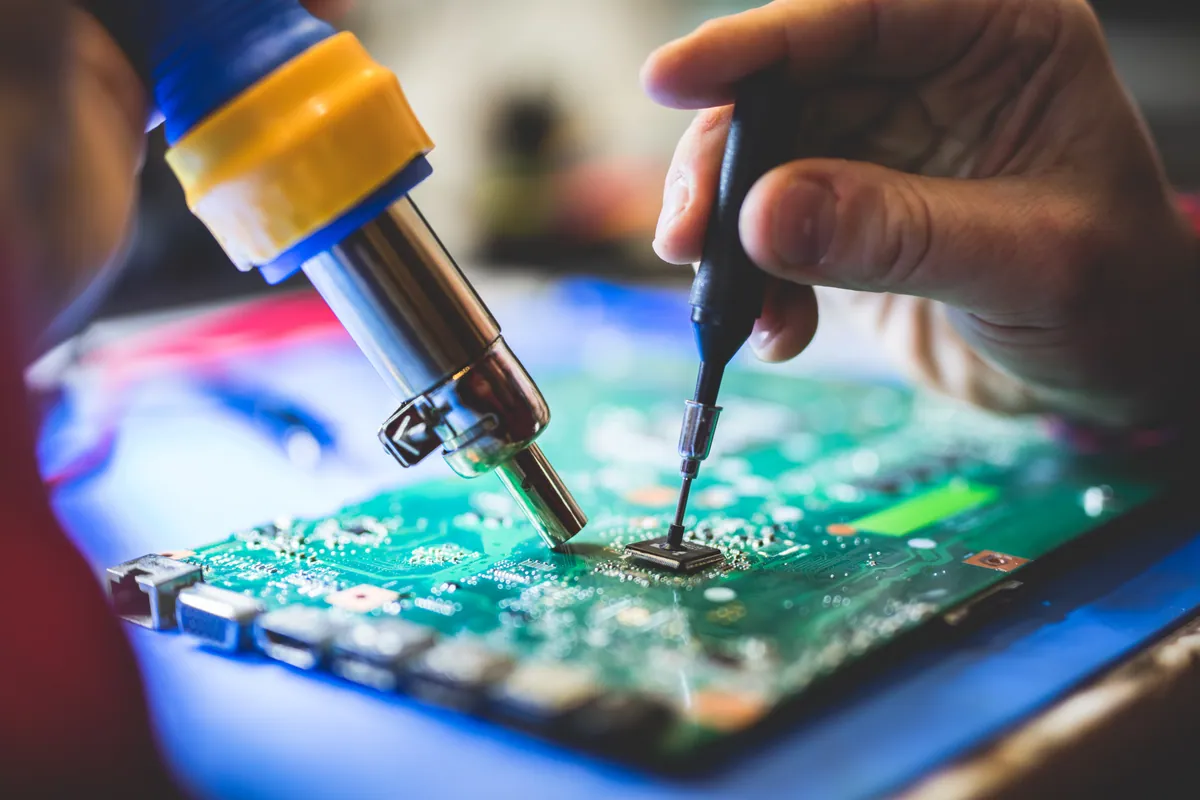
Every PC and laptop stores its start-up firmware — the BIOS or UEFI — on a tiny SPI flash chip on the motherboard. If a BIOS update fails, is interrupted, or writes the wrong image, that chip can end up corrupted and the machine simply won't POST: power comes on, but there's no logo, no display and no start-up. We provide specialist, component-level diagnostics that read and back up the existing firmware, prepare the correct manufacturer image, and reprogram — or where necessary replace — the flash chip. BIOS corruption is only one possible cause of a no-POST fault, so we assess the board first and give you an honest view before any work begins.

No display or manufacturer logo after a failed or interrupted BIOS update
Fans spin and lights come on, but the machine won't POST
Corrupted UEFI firmware or an SPI flash chip that won't respond to the reader
BIOS recovery mode won't start on its own
Firmware backed up first Official manufacturer firmware Honest assessment
Features

What Our BIOS Recovery Service Includes

Assessment & Chip Identification

We assess the motherboard, confirm whether BIOS corruption is a realistic cause of the fault, and identify the exact SPI flash chip, its package and its voltage before touching anything.

Original Firmware Backup

Where the chip is readable, we read and back up your existing firmware before making any change — so the machine's own image is preserved as a fallback.

Read Verification

We take repeated reads and compare them (for example by SHA-256) to be confident the backup is a true, stable copy of the chip before any programming takes place.

Official Firmware Extraction

We source the correct manufacturer BIOS package for your exact model and extract a suitable firmware image from it — never random, unverified BIOS files from the internet.

Firmware Preparation

Where the situation allows, we prepare or rebuild the image and preserve machine-specific information — such as serial number, UUID or MAC address — as far as is technically possible.

SPI Chip Programming

We program 1.8V and 3.3V SPI flash chips using correctly sized SOIC8, WSON8 and compatible probes — in-circuit where reliable, or off-board where in-circuit programming isn't possible.

Chip Replacement

When a flash chip is damaged or unreadable, we can program a blank replacement chip and fit it — including desoldering and resoldering, or via our micro-soldering supplier where needed.

Verification & Testing

We verify the written image against what we programmed, then test POST, display output and BIOS access before reassembly — so you get the machine back working, not just closed up.

Process

How BIOS Recovery Works

Simple steps to get your problem solved quickly and professionally.

1

Assess

We examine the motherboard, identify the SPI flash chip and confirm whether BIOS corruption is a realistic cause — or whether the fault points to RAM, display, power or another component.

2

Back Up & Verify

Where the chip is readable, we read and repeatedly verify a backup of your existing firmware before writing anything, so there's always a known-good fallback.

3

Program

We prepare the correct official firmware image and program the chip — in-circuit where reliable, off-board where not — or fit a programmed replacement chip if the original has failed.

4

Verify & Test

We verify the written image, then test POST, display and BIOS access before reassembly. If a further hardware fault remains, we tell you honestly what we've found.

In Depth

What to Expect

Prefer the quick version? The sections above cover most needs. Expand any topic below for more detail.

Signs your BIOS or UEFI firmware may be corrupted

BIOS corruption tends to appear suddenly, usually right after a firmware update. Common signs include:

  • The device stopped working during or immediately after a BIOS update
  • Power comes on but there is no manufacturer logo
  • Fans spin, but the computer does not POST
  • Keyboard lights illuminate, yet there is no display
  • The system continuously restarts
  • BIOS recovery mode does not start
  • The motherboard powers on but produces no normal start-up sequence

Important: these same symptoms can also be caused by RAM, display, motherboard power, CPU, GPU or embedded-controller (EC) faults. That's why we assess the board first rather than assuming the BIOS is at fault — a successful chip write never guarantees there's no additional hardware problem.

BIOS, UEFI and SPI flash — in plain English

A quick explanation of the terms, without the jargon:

  • BIOS / UEFI — the firmware that runs the moment you press power, before Windows or macOS loads. It brings the hardware to life and hands over to your operating system.
  • SPI flash chip — a small memory chip on the motherboard that stores that firmware. Reprogramming means carefully rewriting this chip with a correct, verified image.
  • In-circuit vs off-board — sometimes we can read and write the chip while it's still on the board; other designs mean the chip must be removed, programmed and refitted.

None of this touches your SSD or hard drive under normal circumstances — your files live on separate storage, not on the BIOS chip.

Chips and firmware we work with

We have experience across a wide range of laptop and desktop motherboards — including suitable Lenovo ThinkPad, Dell, HP, Acer and ASUS boards — though we can't claim universal model support. Every job is confirmed by chip package and firmware availability first. Work we regularly handle:

  • SOIC8 and WSON8 SPI flash chips
  • 1.8V and 3.3V firmware chips, using the correct voltage adapter
  • Firmware extracted from official manufacturer BIOS packages
  • Failed BIOS update recovery
  • Blank replacement chip programming
  • In-circuit reading where reliable
  • Off-board programming where required

If we can't obtain the correct firmware or the chip package isn't one we can program reliably, we'll tell you at assessment rather than take the job on regardless.

Example: a ThinkPad that wouldn't POST after a BIOS update

A representative example of the process on a Lenovo ThinkPad that powered on but no longer displayed an image after a failed BIOS update. The motherboard still had power, but it would not POST:

  • Identified the firmware chips and located the main 32MB 1.8V GigaDevice SPI flash
  • Accessed it using a correctly sized WSON8 probe and a 1.8V voltage adapter
  • Took two identical firmware backups and verified them by SHA-256
  • Extracted the correct Lenovo firmware from the official BIOS package
  • Programmed the image to the chip and verified the write before testing POST, display and BIOS access

We describe this as an example of the diagnostic and programming approach. Every board is different, and we assess each one on its own merits before quoting.

How we protect your machine and data

Firmware work carries real risk if it's done carelessly. Our safeguards:

  • We create and preserve an original firmware backup before writing, wherever the chip is readable
  • We verify repeated reads before modifying a chip
  • We use the correct chip voltage and confirm chip size and package first
  • We use official manufacturer firmware where available — never random internet BIOS files
  • We verify the written image against what we programmed

A note on BitLocker: firmware or TPM-related changes can cause a BitLocker-protected device to ask for its recovery key on the next start-up. Please provide any available BitLocker recovery key and account credentials before work begins, and keep your own backups — while BIOS programming does not normally access or erase your SSD, we always recommend a current backup as a precaution.

Not sure what you need? We're happy to help.

Pricing

BIOS Diagnostics & Programming Pricing

Starting from

£49

Assessment from £49. BIOS reprogramming and chip work are quoted after we identify the motherboard, chip package and the firmware work required. The price depends on in-circuit versus desoldered programming, firmware reconstruction, whether the chip needs replacing, disassembly complexity, and whether the correct official firmware and any machine-specific data can be obtained. You get a clear quote before any work begins.

Clear quote before work · Firmware backed up first · Honest assessment — no guaranteed-fix claims

FAQ

Frequently Asked Questions

What is BIOS chip reprogramming?
It’s the process of rewriting the firmware stored on the small SPI flash chip on your motherboard. When that firmware becomes corrupted — often after a failed BIOS update — we read and back up what’s there, prepare a correct, verified image from the manufacturer’s official BIOS package, and program it back to the chip. Where the chip itself has failed, we can program and fit a replacement.
Can a failed BIOS update be repaired?
Often, yes — a failed or interrupted BIOS update is one of the most common reasons a machine stops POSTing, and it’s frequently recoverable by reprogramming the flash chip. But it isn’t guaranteed: the update may have coincided with another fault, or the chip may be physically damaged. We assess the board first and give you an honest view before quoting.
Can you repair a laptop that powers on with a black screen?
Sometimes. A black screen with power can be caused by corrupted BIOS firmware — which this service addresses — but it can equally be a RAM, display, backlight, GPU or board-power fault. We diagnose the actual cause first. If it turns out to be a board-level fault rather than firmware, our logic board repair and laptop repair services cover that.
Will my files be deleted?
BIOS programming normally does not access or erase your SSD or hard drive — your files live on separate storage, not on the BIOS chip. We still strongly recommend keeping a current backup before any repair, and BitLocker-protected devices may ask for their recovery key after firmware changes. If a drive has already failed separately, our data recovery service can help.
Can BitLocker be affected?
Yes. Firmware or TPM-related changes can cause a BitLocker-protected device to request its BitLocker recovery key the next time it starts. Please provide any available recovery key and account credentials before work begins so we can complete testing and hand the machine back ready to use.
Do you replace damaged BIOS chips?
Yes. When a flash chip is physically damaged or won’t respond to the reader, we can program a blank replacement chip and fit it — including desoldering and resoldering, or via our micro-soldering supplier where a board needs specialist rework.
Can you program a blank BIOS chip?
Yes. We program blank replacement SPI flash chips with the correct, verified firmware for your board before fitting them, matching the right chip package and voltage.
Do you support 1.8V BIOS chips?
Yes. We program both 1.8V and 3.3V SPI flash chips, using the correct voltage adapter for each. Using the wrong voltage can damage a chip, so we confirm the chip’s specification before programming.
Can every motherboard be repaired by flashing the BIOS?
No — and we won’t claim otherwise. BIOS corruption is only one possible cause of a no-POST fault; the problem can equally lie with the motherboard, CPU, EC firmware or power circuitry. A successful chip write doesn’t guarantee the board has no further hardware fault. That’s why we assess first, and where the fault is board-level we can look at logic board repair instead.
How long does BIOS recovery take?
Straightforward reprogramming can often be turned around quickly once the board is assessed. If a replacement chip has to be ordered — some are only available from overseas suppliers — or the board needs micro-soldering, it can take several working days. We give you a realistic timescale with your quote.
Where are you based and can I bring my laptop in?
Our workshop is at 66 Lower Richmond Road, Putney, London SW15 1LL, serving South West London. You can drop your device in or call 020 7610 0500 to arrange it. Not sure whether BIOS recovery is the right starting point? Our computer diagnostics and health check can help pin down the fault, or just get in touch with the model and what happened during the update.

See all frequently asked questions

Explore more

Related Case Studies

View all
Explore more

Helpful Guides

View all
Coverage

Service Areas

We provide BIOS Chip Reprogramming & Firmware Recovery in London across South West London

View all service areas

Laptop Not Starting After a BIOS Update?

Send us the laptop model, motherboard number and a description of what happened during the update, and we'll advise whether BIOS recovery is a realistic next step. Clear quote before any work begins.

Same day service available
Fast Response
Expert Technicians