5-star reviews
25+ years experience
1000s of infections removed
Last updated: February 2026
Overview
Get rid of viruses, malware, and spyware for good
Computer running slowly? Seeing strange pop-ups? Worried about hackers? We remove all types of malware including viruses, trojans, spyware, adware, and ransomware. Then we secure your system to prevent future infections.
Virus, trojan, and worm removal
Spyware and adware cleanup
Ransomware recovery assistance
Security software setup and configuration
Same-day removal
Data protection
Security setup included
1,400+ virus and malware removal cases handled across our repair history since 2009.
Figures from PC Macgicians workshop records, updated August 2026.
Features
What's Included in Our Virus Removal Service
Complete Scan
We use multiple professional tools to find and identify all malware on your system, including hidden threats.
Full Removal
We remove all viruses, malware, spyware, and potentially unwanted programs from your computer.
System Cleanup
We clean up any damage caused by the infection and optimise your system for better performance.
Security Setup
We install and configure antivirus software to protect you from future infections.
Browser Cleanup
We remove malicious browser extensions, reset hijacked settings, and clear tracking cookies.
Security Advice
We'll show you how to stay safe online and avoid common threats in the future.
Process
How Our Virus Removal Service Works
Simple steps to get your problem solved quickly and professionally.
1
Assessment
We analyse your computer to identify all infections and understand the extent of the problem.
2
Removal
Using professional tools, we remove all malware and clean up any damage to your system.
3
Protection
We install security software and configure your system to prevent future infections.
4
Education
We explain what happened and give you tips to stay safe online.
Testimonials
What Our Customers Say
Trusted by customers across South West London. Read what they have to say about our Virus & Malware Removal London | PC & Mac | Same-Day Clean & Protect service.
"My laptop was completely unusable with pop-ups everywhere. They cleaned everything up and now it runs perfectly. Also showed me how to avoid problems in future. Excellent service!"
K
Karen Hughes
Wimbledon
"Got hit by ransomware and thought I'd lost everything. They removed the infection and helped me recover most of my files from backups I didn't even know I had. Lifesavers!"
T
Tom Richardson
Clapham
"Someone installed fake antivirus on my mum's computer. PC Macgicians removed it all, installed proper protection, and explained everything clearly. Very patient and professional."
P
Priya Sharma
Tooting
In Depth
What to Expect
Prefer the quick version? The sections above cover most needs. Expand any topic below for more detail.
Signs your computer may be infected
Watch out for these warning signs:
Computer suddenly running very slowly
Pop-up ads appearing, even when not browsing
Programs opening or closing on their own
Browser homepage or search engine changed
Unfamiliar icons or programs on desktop
Security software disabled or won't run
Strange messages demanding payment
Friends receiving spam from your email
If you notice any of these, it's worth getting your system checked.
Common types of malware
Understanding what you're dealing with:
Viruses and Worms
Self-replicating malware that spreads between computers. Can corrupt files and slow down systems.
Trojans
Malware disguised as legitimate software. Often creates backdoors for hackers to access your system.
Spyware and Keyloggers
Secretly monitors your activity and captures passwords, banking details, and personal information.
Ransomware
Encrypts your files and demands payment for the decryption key. Prevention is critical.
Adware and Browser Hijackers
Displays unwanted ads and redirects your browsing. Annoying and can lead to worse infections.
How to stay protected
Prevention is better than cure. Here's how to stay safe:
Keep Windows and all software up to date
Use reputable antivirus software
Be cautious with email attachments
Don't download software from untrusted sources
Use strong, unique passwords for each account
Enable two-factor authentication where possible
Maintain regular backups of important files
Be wary of 'too good to be true' offers online
We can help set up proper protection and teach you safe computing habits.
Virus and malware removal starts from £55. Complex infections or ransomware recovery may cost more. We'll assess the situation and provide a quote before starting work.
Common signs include: slow performance, unexpected pop-ups, programs opening on their own, browser homepage changes, new toolbars, frequent crashes, high network activity, and files going missing. If you notice any of these, contact us for a check.
Can you remove ransomware?
We can remove the ransomware infection and help secure your system. File recovery depends on the specific ransomware variant. Sometimes files can be decrypted, but prevention and backups are the best protection.
Will I lose my files during virus removal?
In most cases, no. We take great care to preserve your data while removing infections. However, some malware can damage or encrypt files. We always assess the situation first and advise you on any risks.
What antivirus do you recommend?
For most users, Windows Defender combined with good browsing habits is sufficient. For additional protection, we recommend Malwarebytes Premium or Bitdefender. We can install and configure whatever suits your needs.
How can I prevent future infections?
Keep Windows and software updated, use strong unique passwords, be cautious with email attachments and downloads, don’t click suspicious links, and maintain regular backups. We’ll give you personalised advice based on your situation.
Do Macs get viruses?
Yes, Macs can get malware. While less common than Windows infections, Mac malware including adware, trojans, and even ransomware does exist. We remove malware from both Mac and Windows computers.
I keep getting pop-ups saying my computer is infected — is that real?
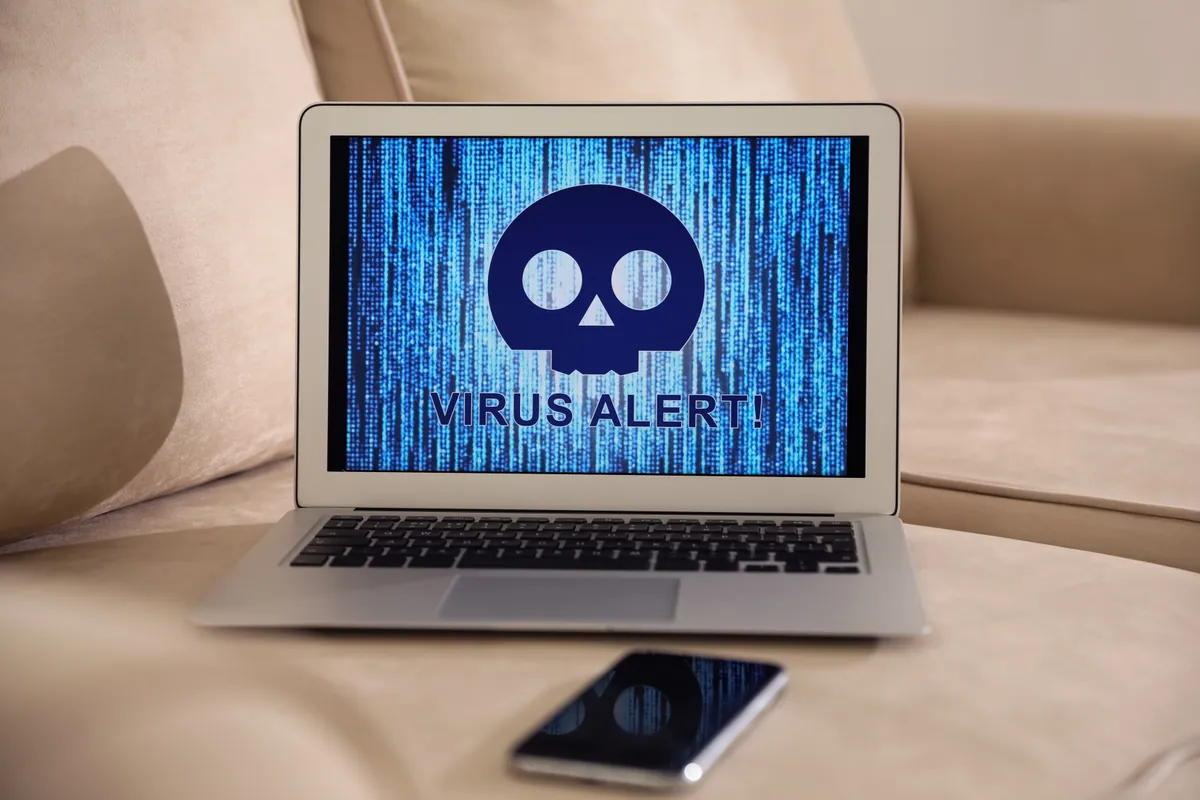
Usually those pop-ups are the scam itself, not a genuine warning. Fake ‘your computer is infected, call this number’ messages are a common tactic to frighten you into ringing a bogus support line or installing something harmful — never call the number and never let anyone remote in. Bring the machine to us and we’ll check whether there’s a real infection or just scareware, and clean it either way.
If I've been hit by ransomware, should I pay?
Our strong advice is not to pay if it can be avoided — paying funds the criminals and offers no guarantee of getting your files back. Bring the machine in and we’ll assess it: depending on the ransomware and whether you have a backup, recovery may be possible without paying. This is the clearest reason of all to keep good backups — they turn a ransomware attack from a disaster into an inconvenience.
Is it safe to keep using my computer if I think it's infected?
Better not to, especially for anything sensitive like online banking or entering passwords — an active infection may be logging what you type or capturing your accounts. Disconnect it from the internet if you can, stop using it for anything important, and get it checked. The sooner it’s cleaned, the less chance of accounts being compromised or the infection spreading further.
Will you need to wipe my computer to remove a virus?
Not usually. Most infections can be removed with your data intact — a full wipe is a last resort, not a first step. Occasionally a deeply embedded infection makes a clean reinstall the safest option, and if so we back up your data first and explain exactly why. Our default is always to clean and save, not to wipe.
Lenovo laptop in Putney SW15 with persistent pop-ups. We removed the underlying browser-policy hijack, restored the system to a clean security baseline, and documented the changes.
Dell laptop in Putney SW15 with full-screen scam pop-ups warning of fake virus infections. We cleaned the browser hijack, removed the persistence mechanism, and briefed the customer on the tech-support scam pattern.
What Bambu Lab HMS error codes mean and how to fix the common ones — AMS feed, Z-homing, nozzle clog and heatbed errors — plus how to look up any code.
Virus removal is our third-biggest repair category — and overwhelmingly a Windows problem. From 15,000+ records: what really infects computers, and whether you need to pay for antivirus.
Coverage
Service Areas
We provide Virus & Malware Removal London | PC & Mac | Same-Day Clean & Protect across South West London