What Was Happening
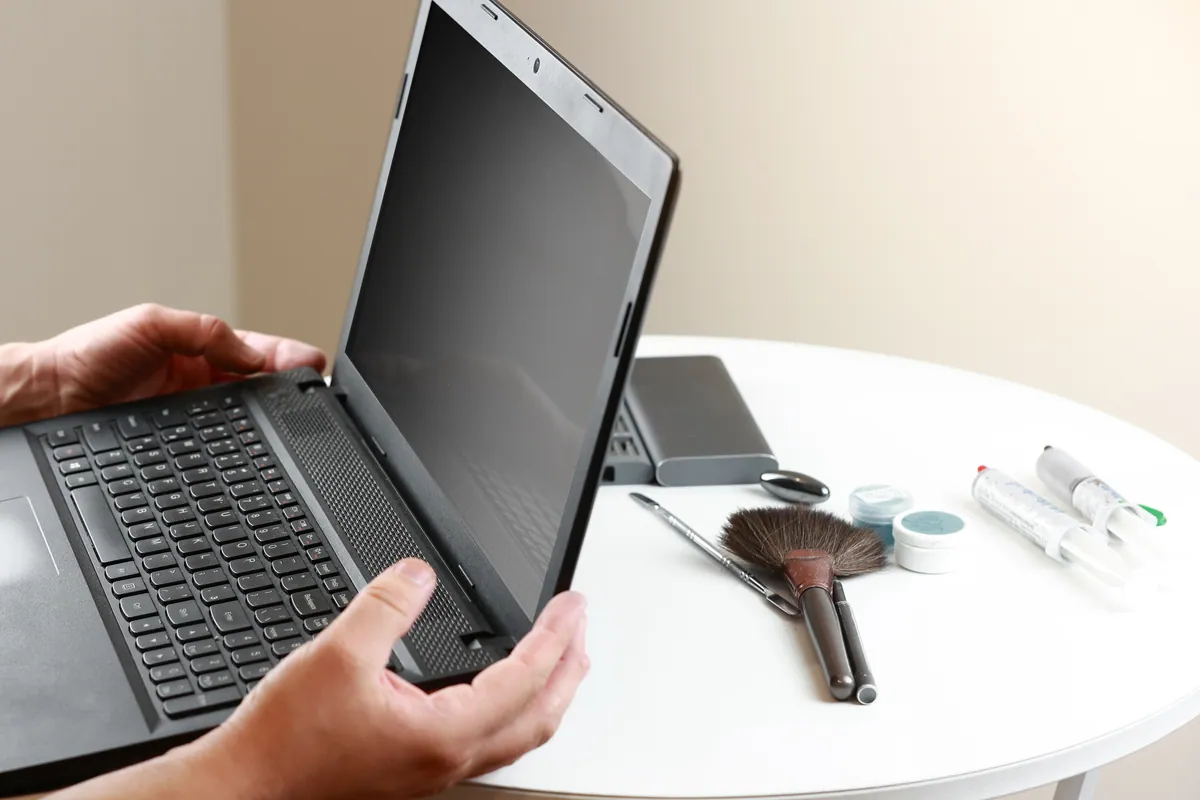
A customer in Putney SW15 came in towards the end of October 2020 with two things: an Acer laptop whose screen had failed, and the replacement screen they had already bought for it. The brief was about as simple as they come — fit this panel, please.
We like jobs that arrive with their own diagnosis, and this one was half right. The machine did need the panel. But a screen rarely fails on its own, and the first thing we do with any replacement — ours or the customer’s — is establish what took the old one out. Fit a new screen into a machine that still has whatever broke the last one, and you haven’t repaired the laptop; you’ve loaded the next casualty.
It mattered more than usual that autumn. In late 2020, with so much of Putney working from home, a laptop out of action wasn’t an inconvenience — it was the office shut. Getting this machine right first time, rather than seeing it again in a month, was the actual job.
Sound like your problem?
Bring it to our Putney workshop or message us a photo and we will give you a straight answer and a quote before any work starts.
Our Diagnosis
With the laptop on the bench, the assessment ran in the order that costs the customer least:
Check the supplied part before anything else. The most common problem with customer-supplied screens isn’t the fitting — it’s the part. Panels are sold online against long strings of model numbers, and near-misses on size, connector or mounting are routine. This one was right for the machine, which is worth recording because we would have stopped and said so if it hadn’t been.
Work the lid through its travel and look at what it is anchored to. How a screen died tells you what the repair really is. A panel that failed from a knock is a one-part job. A panel that failed because the lid’s anchorage has given way is a different repair wearing the same symptom, and handing back a one-part fix for a two-part fault is how a machine bounces straight back to the bench.
Inspect the palmrest around the hinge mountings. On this Acer, as on most consumer laptops, the hinges don’t bolt to a metal frame. They anchor into the palmrest — the plastic top deck your hands rest on. That deck had failed, and not in a way a screwdriver and patience could talk round. It needed replacing.
That finding changed the shape of the job. Once the hinge anchorage has gone, the lid is no longer held the way the machine’s designers intended, and the panel inside it starts carrying twisting loads that glass is notoriously bad at tolerating. Fitting the customer’s new screen and handing the machine straight back would have put a fresh panel into exactly the structure that finished the old one.
So we quoted the honest version instead: fit the supplied panel, and replace the palmrest as well. The palmrest was still available for this model, but as a made-to-order chassis part on a one-to-two-week lead time. We put that wait in front of the customer before ordering anything, rather than springing it on them with the machine already in pieces, and they went ahead.
How We Fixed It
The job ran in two stages, dictated by parts supply rather than preference.
The screen went in first, and proved itself — worth doing early, because if a supplied part turns out to be faulty, the time to find out is before the rest of the repair is built around it.
Then the palmrest, once the part landed inside its quoted window. A palmrest replacement is really a transplant: the top deck comes off, the machine’s working parts move across to the new one, and the hinges are seated into fresh, unbroken anchorage. With everything back together we worked the lid through its full range, repeatedly — checking that it holds whatever angle you leave it at, moves without grinding or clicking, and puts no strain on the new panel at its corners.
The warranty position was spelled out at the counter rather than left to paperwork. The chassis work — the new palmrest and our labour — carries our standard 90-day warranty. The screen is different: when we supply a panel ourselves it carries the same 90 days, but a part the customer sourced isn’t ours to warrant, so what we stood behind was the fitting. And neither warranty covers accidental damage; a warranty backs the part and the workmanship, not the next accident.
The Result
The laptop went home with a working screen in a lid that could actually carry it, and a top deck that no longer moved where it shouldn’t.
The least satisfying part of the job was the wait, and we’d say so. One to two weeks for a plastic moulding feels absurd next to a panel you can buy in a day, but model-specific chassis parts come when they come, and there was no honest way to shortcut it. The alternative — patching the broken deck back together to save a fortnight — is the kind of repair that returns, and it returns with a second broken screen in tow.
Why This Happens
Screens take the blame for plenty of failures they didn’t cause. A laptop lid is a long lever, opened and closed thousands of times a year, and every movement sends load through two small hinges into whatever they’re anchored to. On most consumer machines that anchorage is moulded plastic — screw bosses in the lid and the palmrest — and plastic is the one material in a laptop that genuinely ages. Years of load cycles, warmth and the odd one-handed open by the corner, and the bosses crack, the deck flexes, and the geometry the panel depends on quietly disappears.
From then on the glass carries strain it was never designed to see, which is why a screen can crack with nothing ever having hit it — and why “it just broke on its own” is a story we hear regularly and, more often than not, believe.
The parts economics explain the fortnight. Screens are commodity components: the same panel serves dozens of laptop models, distributors hold stock, and a replacement is usually days away. Chassis plastics are the opposite. A palmrest fits one machine only, is moulded for that machine alone, and sits in shallow stock or none — so it comes to order, and one to two weeks is normal. On older machines the moulds are eventually retired and the part is discontinued outright; at that point replacement leaves the menu and rebuilding the original plastic becomes the honest route. This Acer was young enough that the clean fix — a new deck and fresh anchorage — was still on offer, and when it is, it’s the better repair.
Bringing your own parts — where we stand
We’re happy to fit parts customers have bought, and plenty do. Two things make it go well. First, we check the part before it goes anywhere near the machine, and if it’s wrong or poor quality we say so before fitting rather than after — a diagnostic fee applies to that assessment, and it’s absorbed into the repair if the work goes ahead. Second, be clear-eyed about the warranty trade: our workmanship is covered as always, but the part itself is between you and whoever sold it. For something like a screen that’s often a perfectly reasonable trade — just make it knowingly. And if what the machine needs turns out to be bigger than the part you’ve bought, as it did here, you’ll hear that before we start, with the decision left where it belongs — with you.
Local Help in Putney SW15
If a laptop screen has cracked without an obvious accident, or the lid has turned floppy, gritty or strangely stiff, have the hinge anchorage looked at before spending anything on parts — the panel is often only the visible half of the fault. Our workshop is on Lower Richmond Road, a few minutes from anywhere in SW15, and we’ll tell you straight whether you’re looking at a screen job, a laptop hinge repair, or both at once — and what each route means for parts and waiting time. Already bought the part? Bring it in with the machine and we’ll confirm it’s the right one before anything is opened up. Call 020 7610 0500 or just drop in — details on our Putney computer repair page.