What Was Happening
The owner’s ROG Strix had started freezing — at first only occasionally in games, then more and more often across everything. Each freeze needed a hard power-off to recover. Over a couple of weeks it worsened, until one morning it wouldn’t get into Windows at all: it reached the ASUS logo and hung, or restarted and tried again, never reaching the desktop.
They’d tried the sensible first steps — restart, leave it, try again later — and when none stuck, brought it into our Putney workshop. On a gaming laptop the instinct is to suspect the graphics card, so the first job was finding out what was actually wrong before quoting.
Sound like your problem?
Bring it to our Putney workshop or message us a photo and we will give you a straight answer and a quote before any work starts.
Our Diagnosis
We work cheapest-and-most-likely first, and isolate before replacing anything:
- Confirmed it powered and reached firmware. The laptop powered up and got into the BIOS/firmware screens without trouble. That tells us power delivery, RAM and the core board are alive — so the fault sits downstream, in storage or the OS, not in the graphics or memory people usually blame.
- Read the symptom pattern. Freezing that starts occasional, gets steadily more frequent, and finally ends in a no-boot is the classic signature of a mechanical hard drive growing bad sectors. The system stalls while the drive retries sectors it can no longer read reliably — that stall is the freeze.
- Checked the drive directly. The internal mechanical drive was slow to be detected and its health reporting showed the tell-tale signs of a drive on the way out — reallocated and pending sectors, and repeated read retries. Booting from external media confirmed the Windows installation on the internal drive was unreadable in places.
The conclusion was clear and, importantly, not the expensive one people fear: a failing hard drive, not a graphics or logic-board fault.
How We Fixed It
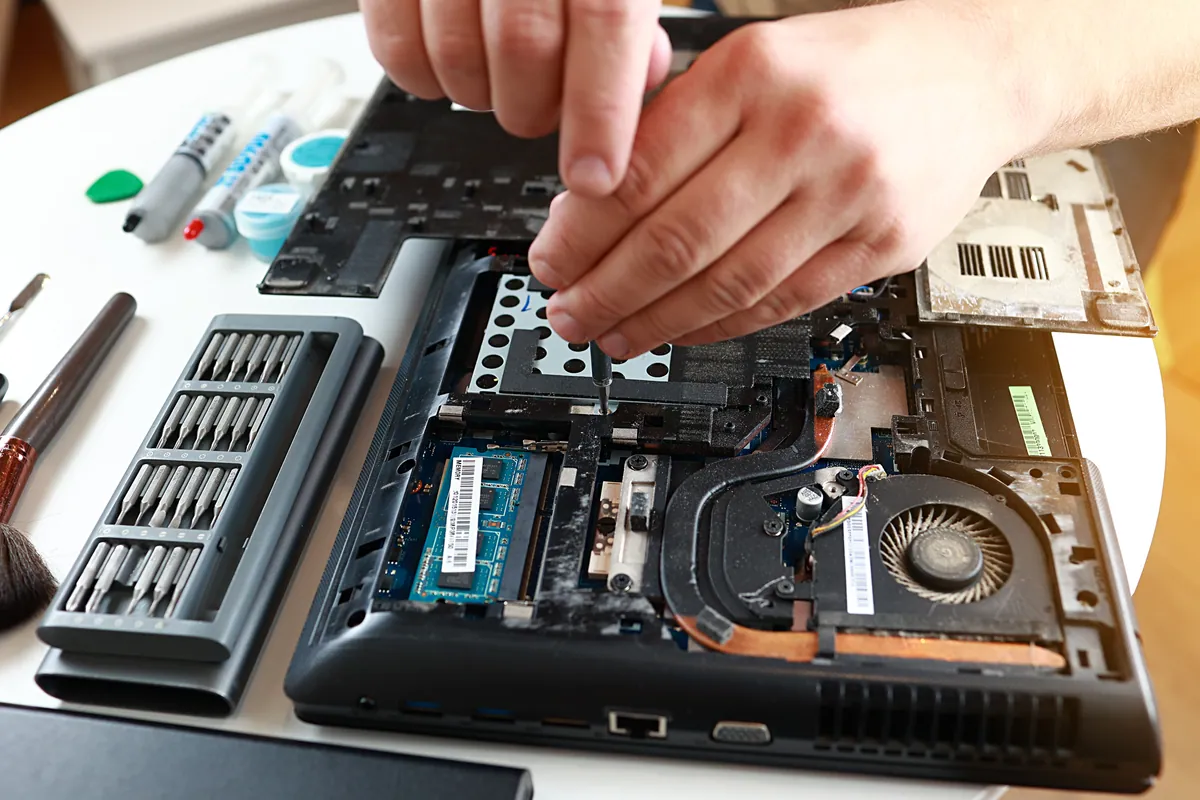
- Removed the failing hard drive — the priority is to stop asking a dying drive to work.
- Fitted an SSD and installed Windows cleanly, with the correct ASUS drivers so Wi-Fi, graphics and the keyboard lighting all worked out of the box.
- Recovered what was readable from the old drive, and were straight with the customer about anything that couldn’t be — a failing drive doesn’t always give everything back.
- Tested under sustained load to confirm the freezing was gone, and checked boot times before handover.
The Result
The laptop now boots in seconds rather than hanging on the logo, the freezing is gone entirely, and it feels faster than it did even when it was healthy — because an SSD is a large step up from the mechanical drive it shipped with. Same-week turnaround.
Why This Happens
Plenty of gaming laptops from a few years ago shipped with a mechanical hard drive — spinning disks were the cheap way to get capacity. Those drives have moving parts and a finite life, and a gaming laptop is a hard place for one to live: gaming sessions run everything hot, and a laptop gets carried, closed mid-spin and occasionally knocked — all harder on a spinning disk than on a desktop that never moves.
When one starts to fail it rarely dies all at once. Sectors become hard to read, the drive retries them, and everything waiting on that data — which for the OS drive is everything — stalls until the retry finishes. That’s the freeze; it gets longer and more frequent until the failure reaches the boot files and the laptop won’t start at all.
That progression is why we test storage first on a “freezing then won’t boot” gaming laptop, ahead of the GPU or RAM — it’s the most common cause and the quickest to rule out — and why we replace a failing HDD with an SSD rather than another spinning disk: no moving parts, far better heat tolerance, and load times that make the machine feel new.
The warning signs your laptop’s drive is failing
If any of these sound familiar, back up your important files now and get the drive checked before it takes them with it:
- Freezes or hangs that a restart clears, then return
- Boot times getting slowly but steadily longer
- Clicking, buzzing or repetitive whirring from a mechanical drive
- Files that occasionally won’t open, or come back corrupted
- Windows warning about drive problems, or repair loops on startup
A failing drive gives you a window of warning. The freezing this ASUS showed was exactly that window — caught in time, it’s a straightforward SSD swap rather than a data-recovery job.
Local Help in Putney SW15
If your laptop — gaming or otherwise — is freezing, hanging, or getting slower to start, don’t wait for it to stop booting altogether. We diagnose storage faults before we quote, tell you honestly whether it’s a quick SSD swap or something more, and recover what we can from a failing drive while it’s still readable.
Drop into our Putney workshop (SW15), call 020 7610 0500, or use the contact form and tell us the make and model.