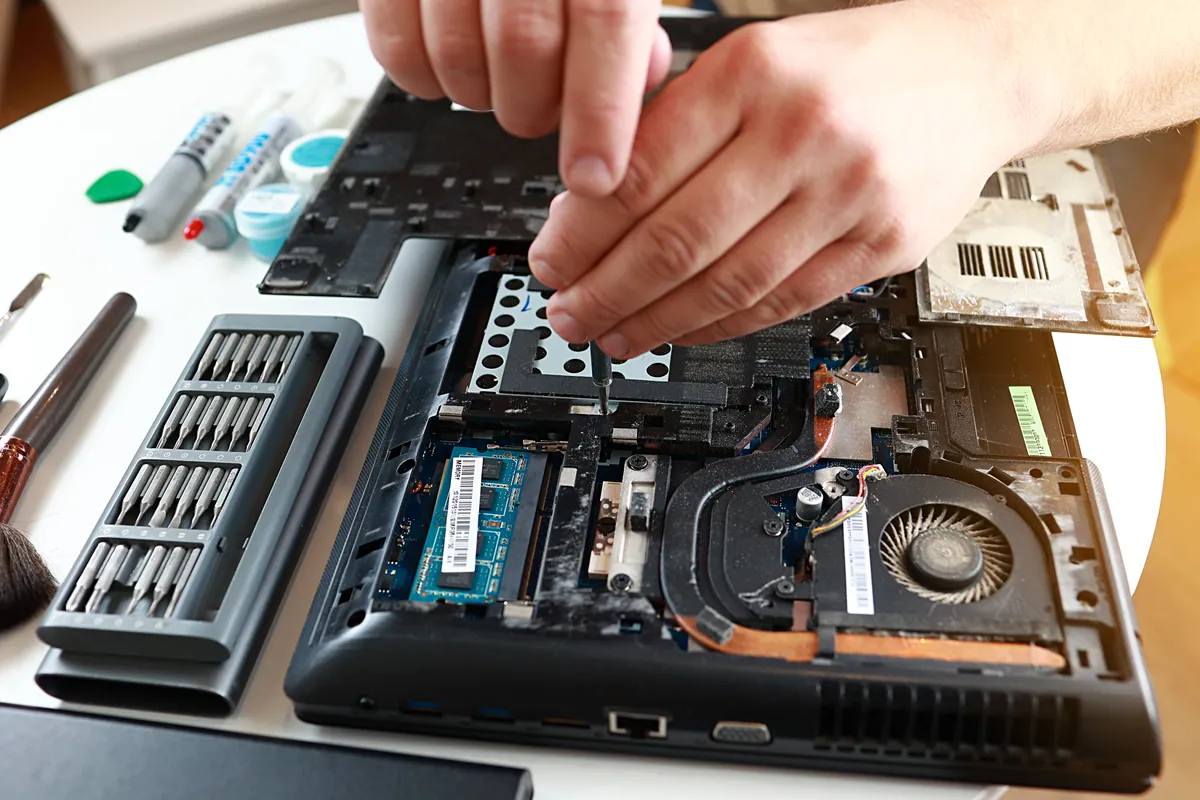
What Was Happening
A customer in Putney SW15 brought in an ASUS laptop that switched on but showed nothing at all on screen. The battery had been replaced shortly beforehand, and the black screen appeared afterwards.
Two details there matter more than they look. The machine was switching on — power reaching the board, fans moving, lights coming up — which is a different starting position from a laptop that does nothing when you press the button, and normally a more hopeful one. And something had been done inside it immediately before the screen went.
Order is not cause, though. Laptops develop unrelated faults within days of unrelated work, and assuming the last thing anybody touched must be the culprit is how you end up refitting a perfectly good part twice. A sequence tells you where to look first. It does not tell you what you will find.
Sound like your problem?
Bring it to our Putney workshop or message us a photo and we will give you a straight answer and a quote before any work starts.
Our Diagnosis
“Powers on, no picture” sounds like one fault. It is really a shortlist, and the job is working down that list in a sensible order.
The panel may be lit but receiving nothing. It may be receiving a picture but sitting unlit, which points at the backlight. The cable between the lid and the board may be loose, pinched or not fully seated — far more likely on a machine that has recently been opened up. Or the board may be producing no image at all, in which case a screen problem is really a computer problem and the screen is only the messenger.
Separating those costs almost nothing. An external monitor answers the biggest question in a minute: a picture on it means the machine is generating video and the fault belongs to the lid; nothing on it moves attention to the board. A black screen studied under a strong light will often show a very faint image, the classic signature of a dead backlight sitting behind a perfectly healthy panel. And reseating the display cable is free and reversible, which makes it the first thing to try on a laptop whose base has just been off.
What this job concluded was that the fault sat in the hardware rather than in software or configuration, and that no reseat or settings change was going to bring the screen back.
Here we are going to leave a gap rather than fill it. The record names that conclusion but not the individual component that had failed. We could write a confident paragraph about which part it was and the article would read better for it — but it would be invention, and a case study that quietly makes up the interesting bit is worth less than one that shows you where the evidence stops.
What the conclusion did settle was the money, and that splits cleanly in two. A panel, a backlight or a cable is a defined part and a known job, usually worth doing. A board producing no image is a different proposition: the circuitry driving a laptop screen lives on the main board rather than on a card you can swap out, so the work is board-level or it is a board replacement, and on a great many machines either lands uncomfortably close to what the laptop is worth.
How We Fixed It
We should be straight about this one: we did not fix the display.
What the customer needed, once the diagnosis was clear, was not a working laptop so much as what was inside it. So the job changed shape. The storage drive came out and was read on the bench, away from the faulty machine, and the accessible data was copied off and checked as genuinely readable rather than simply counted. Around twenty gigabytes came across.
The customer returned at the weekend with an external hard drive of their own, and everything recovered was copied onto it and handed over. Bringing your own disk is a perfectly good way to do this.
Two points about charging are worth stating plainly. Data recovery is billed only if it succeeds — if nothing readable comes off a drive, there is nothing to pay for. Separately, a diagnostic fee applies to look at a machine, and it is absorbed into the cost of the work if you go ahead with a repair.
On warranty: our repairs carry ninety days covering both the part and the workmanship, and accidental damage is never included in that. A warranty covers a repair that failed to hold, not a second accident. On this job there was no repair to warrant. The customer left with files rather than a working machine, and that is better said than dressed up.
The other limit worth naming is that twenty gigabytes is what came off the drive, not a promise that it was everything they had ever saved. We tell people what has been recovered so they can look through it while the machine is still with us, rather than finding a gap weeks later.
The Result
The customer went home with their files on a disk they could plug into anything, and a clear answer about the laptop instead of an open-ended repair.
That is not the outcome anybody hopes for when they hand a laptop over. On this machine it was the honest one, and it was reached without the customer buying a part on a hunch first.
Why This Happens
A black screen on a machine that is audibly running is one of the more alarming faults a laptop can present, because every visible sign says the computer is fine and the one thing you would check with has stopped.
There are plenty of routes to it. The lid is the only part of a laptop that swings through a hinge thousands of times, and the display cable runs through that hinge. Panels and backlights are consumable in a way that processors are not. The graphics circuitry feeding the screen sits on the main board beside everything else, so a board failure can present as a display failure.
Internal work adds one more route. On many ASUS laptops, as on most modern laptops generally, replacing the battery means taking the base off, which puts hands, tools and a degree of flex right beside the connectors. A cable that is not clicked fully home can work for a while and fail later. None of that is an argument against having a battery replaced; it is an argument for checking that connector first whenever a screen goes dark after internal work, because it is the cheapest item on the list.
The part most people get wrong is the data. A laptop that will not show a picture looks, to its owner, like a laptop that has taken everything with it. Usually it has not. Storage is a separate component from the display, and a drive that was healthy the day before the screen died is generally still healthy the day after. Recovering the files is often the straightforward half of the job, even when the machine itself is finished.
That is less reliably true now than it was. This job dates from 2020, when almost any laptop drive could be unscrewed, lifted out and read on another machine in minutes. Plenty of thin laptops sold since have their storage soldered directly to the main board, which turns recovery from a machine with a dead board into board-level work rather than a quick swap. If you are choosing a laptop, it is worth knowing which sort you are buying.
What to Check Before Writing Off a Laptop With No Picture
- Try an external screen. A picture on it means the computer works and the fault is in the lid, which is a far better position to be in.
- Look for a ghost image. Shine a torch at the screen at an angle in a dark room. A faint desktop under the light usually means the backlight has failed rather than the panel.
- Say early if the data matters. It changes the order the work is done in, and it stops a drive being handled casually while a repair is attempted around it.
- Stop hammering the power button. Repeated hard shutdowns on a machine you cannot see are a reliable way to damage a Windows installation that was otherwise fine.
Local Help in Putney SW15
If a laptop has gone dark while everything else about it still seems alive, it is worth having someone look before you decide it is finished. A fair proportion turn out to be a cable, a backlight or a panel, and those go home working. Some do not, and when that happens the most useful thing we can do is tell you quickly, get your files off, and stop you spending money on a machine that will never pay it back.
Our workshop is on Lower Richmond Road in Putney, so a laptop can be walked in rather than posted anywhere. Call 020 7610 0500 or book in for laptop repair in Putney — and if there is anything on the machine you cannot afford to lose, lead with that, because it changes what we do first.