What Was Happening
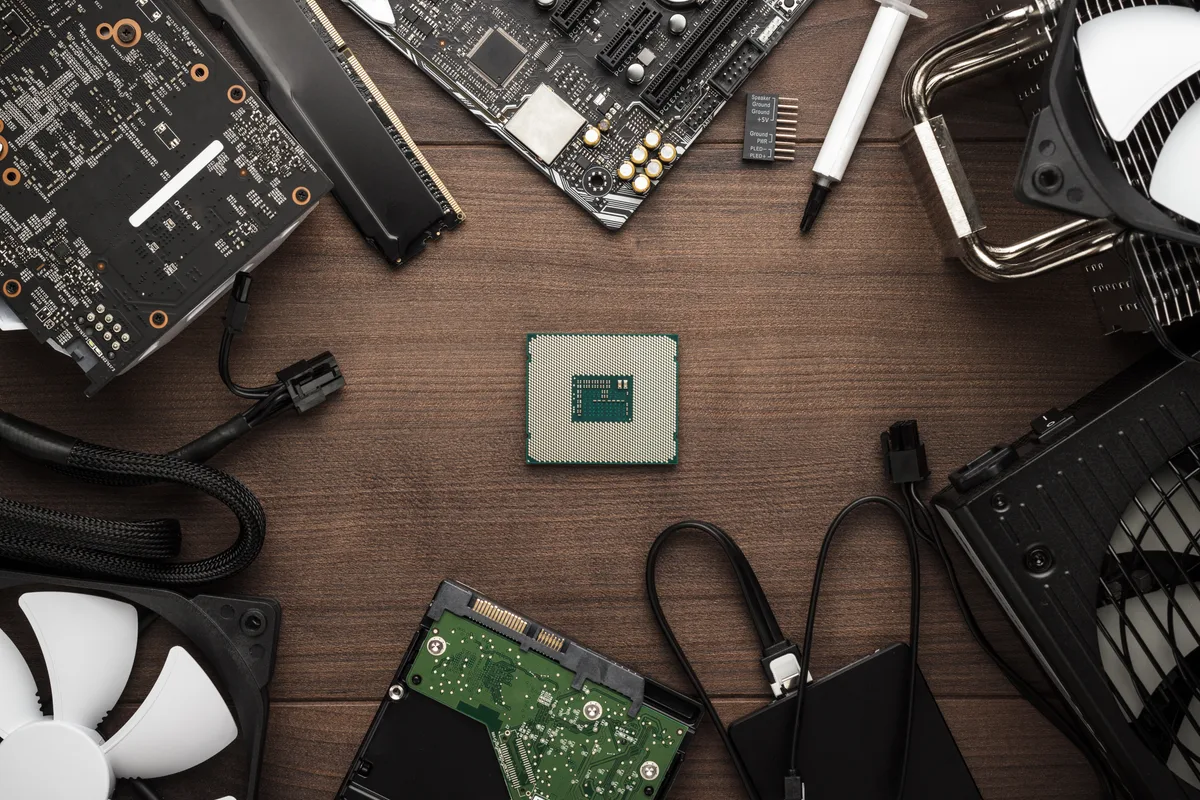
A customer in Barnes SW13 got in touch about a custom desktop that had stopped working. They had already reached a diagnosis of their own: it needed a new motherboard and processor. They also wanted to buy those parts themselves and have us do the fitting, which is something we’re happy to do.
Customer-supplied builds are common enough, and there’s nothing wrong with the approach. People often get a better price on components than a workshop markup allows, or they’ve already researched exactly the board they want. What it does change is the shape of the job. We’re working to someone else’s parts list and someone else’s delivery dates, and the work has to be staged around when things arrive rather than done in one sitting.
The other thing worth saying honestly up front: when we fit parts a customer has bought, we stand behind our workmanship, but we can’t warrant components we didn’t select or supply. That’s the trade-off, and it’s better said at the counter than discovered later.
Sound like your problem?
Bring it to our Putney workshop or message us a photo and we will give you a straight answer and a quote before any work starts.
Our Diagnosis
Before ordering anything or fitting anything, we stripped the machine down to see whether the customer’s diagnosis held up. That’s not second-guessing for its own sake — it’s the step that occasionally saves someone a few hundred pounds.
In this case it partly did. On reassembly we found loose connections inside the case, and with those properly seated the desktop ran. That’s a meaningful finding, and we reported it back rather than quietly carrying on with a rebuild that might not have been needed.
It’s a pattern we see often: a desktop that’s been opened before, moved, or transported can end up with a power lead or header not fully home, and the resulting symptoms — no boot, no display, intermittent power — look exactly like a dead board. Connections cost nothing to check and should always be ruled out first.
The customer decided to proceed with the new motherboard and processor regardless, which was their call to make with the information in front of them. From there the job became a rebuild rather than a repair.
How We Fixed It
The work ran in stages, dictated by when parts turned up.
The customer supplied the motherboard and CPU first. We fitted both, but couldn’t take testing very far at that point — a processor with no heatsink and no fan can’t be run for any meaningful length of time without overheating, so there was nothing to be gained by pushing it. We reported back that the cooling was needed before the build could be validated, and the machine waited.
Once the customer supplied the CPU heatsink and fan, we installed those and could finally treat it as a complete system. We reassembled the desktop properly — cable routing, all power connectors seated, storage reconnected — rather than leaving it as a bench mock-up.
Then came the part that actually matters on a rebuild: a full stress test. Running the system hard for a sustained period is what surfaces the faults that a quick power-on hides — unstable memory, a heatsink not making proper contact, a power supply that can’t hold up under load. The system came through clean.
With the hardware proven, we carried out a fresh Windows installation, then tested the machine again as a whole before calling it done.
The Result
The desktop went back to the customer fully assembled, freshly installed and stress-tested, with the work signed off only once it had run clean under load rather than at the first successful boot.
Because the customer supplied the motherboard, processor and cooling themselves, they paid for labour and the operating system installation rather than for parts and markup. On a rebuild of this kind that’s a genuine saving, and for someone who knows what they want it’s a sensible way to do it.
Why This Happens
Desktops are the one category of computer most people will still open themselves, and that’s a good thing — they’re designed to be serviceable in a way modern laptops simply aren’t. But it does mean a fair proportion of the desktops that reach us have been worked on before, and loose or partly-seated connections are one of the most common things we find.
The connectors most often responsible are the ones that take real force to seat properly: the main 24-pin power connector, the separate CPU power lead at the top of the board, and the front-panel headers. A 24-pin that looks home but hasn’t clicked will produce a machine that seems completely dead. It’s an easy thing to get wrong and an easy thing to miss, because visually it looks connected.
On the customer-supplied side, the honest picture is that it usually works out well, with two recurring friction points. The first is compatibility — a board and processor have to match on socket and chipset, and memory has to match the board. Getting that wrong means parts going back rather than a machine going home. The second is exactly what happened here: parts arriving separately, so the build stops and starts. A processor without cooling can’t be tested, and testing is not an optional stage.
That last point is worth dwelling on, because it’s where a lot of self-builds come unstuck. A machine that boots is not a machine that’s stable. Instability under load — random restarts, crashes in games or rendering, errors that only appear after twenty minutes — comes from exactly the conditions a brief power-on never creates. If you’re building or rebuilding a PC yourself, run it hard before you trust it with anything that matters.
Local Help in Barnes SW13
If you’ve bought the parts and would rather someone else did the fitting, that’s a job we’re glad to take on. We’ll tell you before we start if we think a component won’t work with the rest of your setup, and we’ll tell you if we find something during strip-down that means you don’t need the parts at all.
Barnes is a short run from our Putney workshop, so dropping a tower in is straightforward. Call 020 7610 0500 or arrange a custom PC build in Barnes — bring the parts and the machine together where you can, since it lets us check compatibility before anything is fitted.