What Was Happening
A customer in Shepherd’s Bush W12 brought in a custom-built desktop that wasn’t showing anything on screen. Alongside that, external accessories weren’t working either — the keyboard and mouse were dead.
They asked us to diagnose it, fix it if minor and quote if major, which given the symptoms was a reasonable expectation of bad news.
Most people arriving with “no display” have already concluded it’s the graphics card, and that’s a sensible guess most of the time. What made this case quicker to resolve was the second symptom. Two things had failed at once, and that changes the diagnosis completely.
Sound like your problem?
Bring it to our Putney workshop or message us a photo and we will give you a straight answer and a quote before any work starts.
Our Diagnosis
The diagnostic principle here is simple and powerful: when two unrelated subsystems fail simultaneously, suspect the thing they have in common.
Video output and USB are entirely separate functions. A graphics card renders the display. USB ports handle keyboards, mice and other peripherals. On a desktop with a dedicated graphics card, the card has nothing whatsoever to do with the USB ports — they’re driven by the motherboard’s own controller.
So if the graphics card had failed, you’d expect no display and perfectly working USB. The keyboard would light up, the mouse would glow, and Windows would very likely be booting away unseen behind a blank screen. That’s the usual presentation of a dead graphics card, and it isn’t what we had.
Both failing together points at what they share: the motherboard. It carries the slot the graphics card sits in, the USB controller, and the power regulation feeding both. A board fault — particularly one affecting power delivery to those subsystems — takes out both at once, exactly as seen.
That reasoning does a lot of work before anything is dismantled. It rules out the graphics card as the primary suspect and stops the customer from buying one, which on a desktop of this sort is a significant sum spent on the wrong part. It also explains why the machine seemed so comprehensively dead rather than partly working: when the board is at fault, the failure tends not to be confined neatly to one function.
Our diagnosis was that the motherboard had failed and needed replacing.
How We Fixed It
The customer chose to supply the replacement board themselves, and we quoted labour only to fit it. That’s a route we’re happy to take, and on a motherboard replacement it makes a real difference to the total, since the board is easily the largest part of the cost.
It’s worth being straightforward about what that means. When a customer supplies a component, we stand behind our workmanship — the fitting, the testing, the machine working when it leaves — but we can’t warrant a part we didn’t choose or buy. That’s the trade, and it’s better understood at the outset.
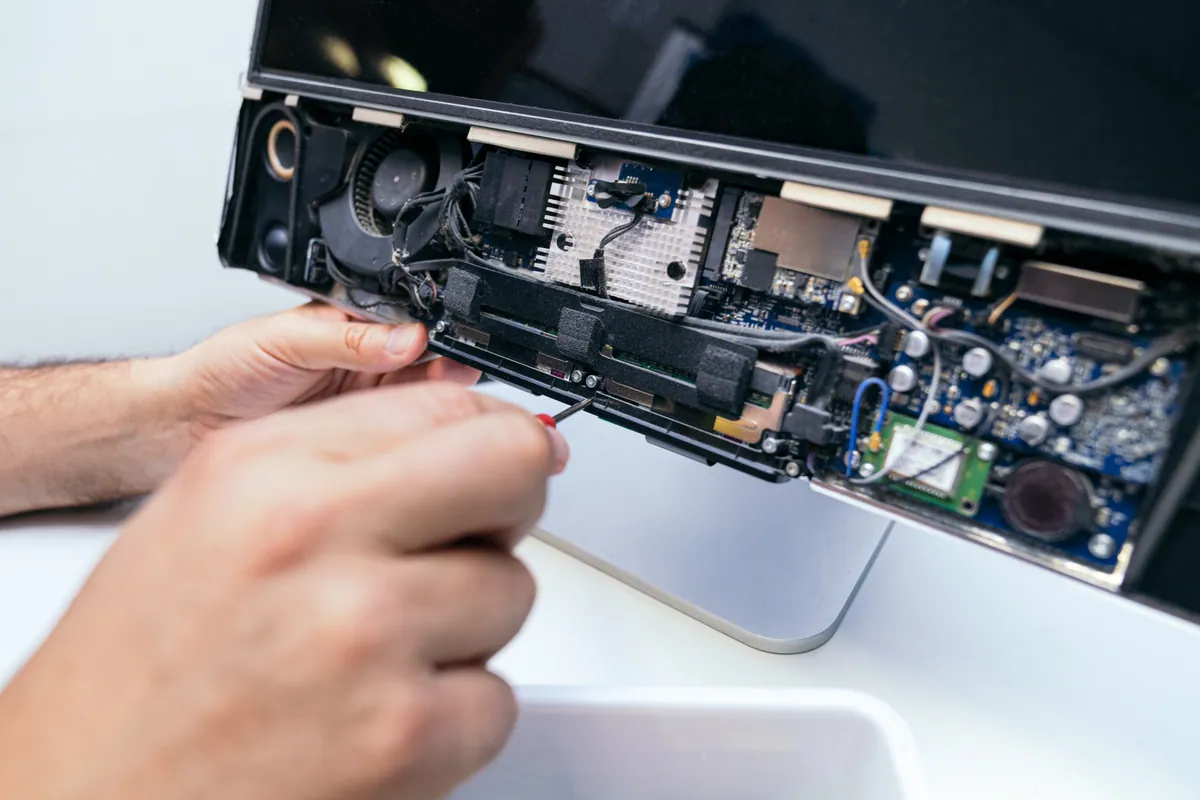
A motherboard replacement is among the more involved jobs in a desktop, because effectively everything has to come out and go back. The processor and its cooler move to the new board, the memory transfers, the graphics card and storage are reconnected, and every power lead and front-panel header has to be reconnected correctly. Those small front-panel connections are a frequent cause of a rebuild appearing not to work — a machine that won’t respond to its power button because one header is on the wrong pins.
Once the customer had supplied the board, we carried out the replacement and rebuilt the machine around it.
The Result
The desktop was returned working, with the display and the USB ports both functioning as they should.
Because the customer sourced the board themselves, they paid labour rather than parts and markup. For someone comfortable choosing their own components — which anyone with a custom-built machine generally is — that’s a sensible way to keep the cost of a significant repair down.
Why This Happens
Motherboards fail less often than the parts that get blamed for their symptoms, which is part of why this fault is so frequently misdiagnosed.
When a board does fail, power delivery is the usual culprit. A motherboard takes the voltages from the power supply and converts them into the many precise, regulated supplies that different components need — the processor, the memory, the expansion slots, the USB ports. These regulation circuits work hard and run warm, and a failure in one can take out several dependent subsystems at once. That’s why board failures often present as multiple things breaking simultaneously rather than one clean symptom.
Age and heat are the underlying contributors. So are power surges, which can damage regulation circuitry without destroying the board outright. On custom-built machines there’s an additional factor worth knowing: an underpowered or poor-quality power supply puts sustained stress on a motherboard’s regulation, and a cheap PSU is a false economy that can eventually cost you a board.
The wider lesson is about reading multiple symptoms together rather than separately, because it’s genuinely useful for anyone trying to work out how bad a fault is before they get a quote:
- No display, but keyboard and mouse lights on — suspect the graphics card or the monitor connection. The machine is very likely running.
- No display and dead USB ports — suspect the motherboard. Two systems have gone at once.
- No lights, no fans, nothing at all — suspect the power supply first, then the board.
- Fans spin but no display and no POST — could be memory, graphics or board; this one needs testing rather than guessing.
None of these is conclusive on its own, but they narrow things considerably, and they’re worth knowing before accepting a quote. If you’re told you need a new graphics card while your keyboard and mouse are also dead, it’s fair to ask how that diagnosis accounts for the USB ports.
Local Help with a Failed Motherboard
If a desktop is showing nothing on screen, the cause is often cheaper than feared — and occasionally it’s the board, in which case supplying your own replacement can bring the cost down to labour. We’ll tell you which of those you’re looking at, and we’ll explain the reasoning rather than just handing over a price.
We’re based in Putney and cover Shepherd’s Bush and the wider West London area. Call 020 7610 0500 or see PC repair — and do mention whether your keyboard and mouse still light up, because as this job shows, that one detail changes the diagnosis.