What Was Happening
A customer in Wandsworth SW18 brought in a custom-built desktop that had started turning itself off at random.
Not a crash, not a blue screen, not a slow freeze — the machine would simply cut out mid-use and be off. Sometimes it would restart happily straight away and behave for hours. There was no pattern the owner had been able to identify, no particular application that triggered it, and no error message afterwards to work from.
They asked us to diagnose it, fix it if the cause was minor, and quote if it turned out to be something significant. That’s a sensible instruction for this fault in particular, because random shutdowns sit right on the boundary between a trivial fix and an expensive one, and nobody can tell which it is from the description alone.
Sound like your problem?
Bring it to our Putney workshop or message us a photo and we will give you a straight answer and a quote before any work starts.
Our Diagnosis
The absence of an error message is the most informative thing about this fault. When Windows encounters a problem it can’t recover from, it normally tells you — a blue screen, an error code, an event logged for later. A machine that goes from running to off with none of that has typically been cut off below the operating system’s level. That points at power delivery, thermal protection, or firmware, rather than at Windows itself.
That leaves a genuinely wide field of candidates: a power supply that can’t hold up under load, a processor overheating and triggering its own thermal cut-out to protect itself, memory instability, a firmware power-management bug, or a failing component somewhere on the board.
Our approach with a fault like this is to work through the reversible explanations first — the ones that cost nothing in parts and can’t make anything worse. If the fault survives all of them, the diagnosis narrows considerably and the customer hasn’t spent anything on speculative components in the meantime. Replacing parts one at a time until a fault disappears is expensive guessing, and on an intermittent fault it doesn’t even prove anything: the shutdown might not have recurred yet regardless of what was changed.
So we started with a full software service, a firmware update, and a thorough internal clean, and we told the customer plainly that if the shutdowns continued afterwards, we’d be looking at hardware.
How We Fixed It
Three things were done, each addressing a different plausible cause.
A full software service. This covers the operating-system-side contributors — driver conflicts, power management settings behaving badly, background software misbehaving, and accumulated problems that can produce instability under load.
A BIOS update. This is the step most often skipped on a fault like this, and it’s frequently the one that matters. Motherboard firmware updates routinely contain power management and stability fixes; manufacturers issue them precisely because early firmware revisions cause exactly these symptoms on some hardware combinations. On a custom-built machine it’s especially worth doing, since a board can easily be running the firmware it shipped with years earlier.
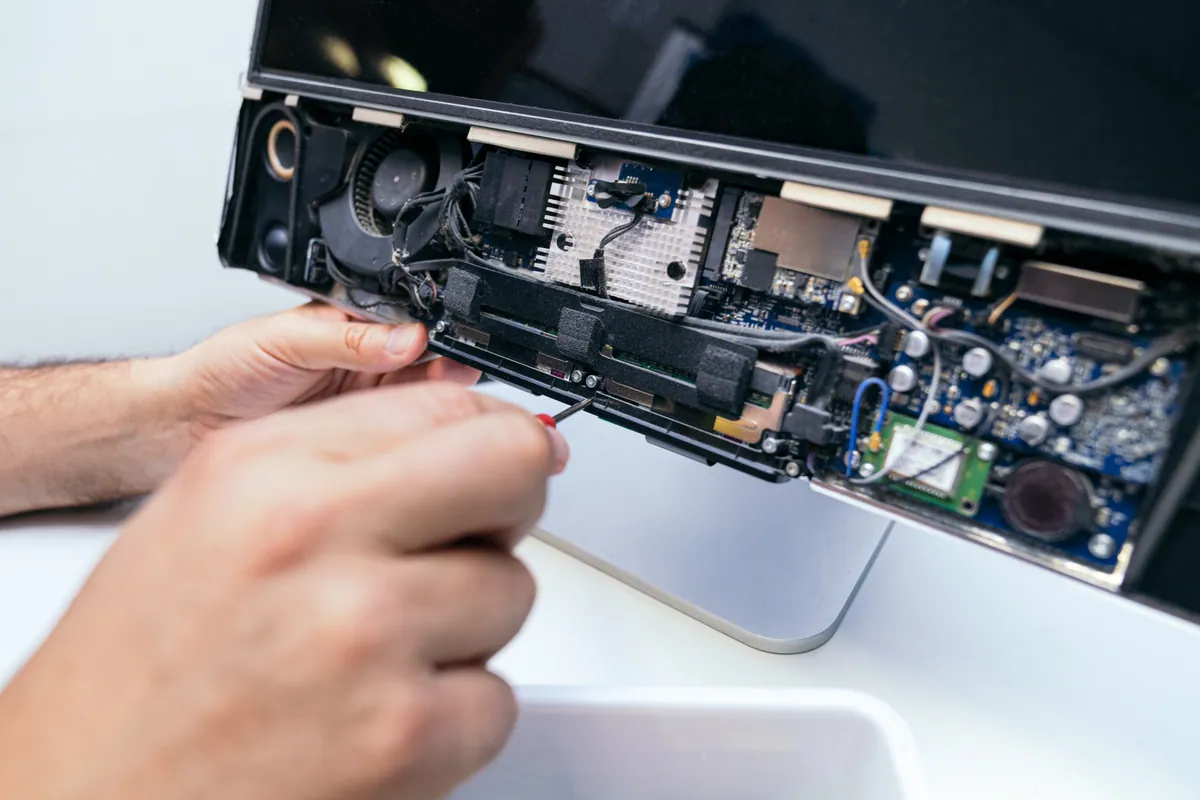
A thorough internal clean. Dust is the most common cause of thermal shutdowns and the easiest to put right. When heatsink fins clog and fans are choked, a processor reaches its thermal limit under load and shuts the machine down to protect itself — which presents to the user as exactly this fault. It’s also worth noting the giveaway: thermal shutdowns usually correlate with load, so they cluster around games, video work or anything demanding. This customer hadn’t spotted such a pattern, but people often don’t, and a clean rules it out regardless.
With all three completed we tested the machine over an extended period rather than briefly. That’s essential for an intermittent fault: a desktop that shuts down every few hours will pass a twenty-minute test comfortably and prove nothing. It ran clean throughout.
The Result
The desktop went back to the customer running stable, having completed an extended test without a single shutdown.
We were careful about how we described that, because there’s an important difference between “the fault is fixed” and “the fault has not recurred under testing”. With an intermittent problem and no single failed part identified, the honest position is the second one. So the machine went home with a clear statement attached: if the random shutdowns return, the cause is hardware, and that’s the next thing to investigate rather than a sign the work was wasted.
Setting that expectation up front is worth more than a confident claim. The customer knows what a recurrence would mean and doesn’t have to wonder whether they’ve been sold a repair that didn’t work.
Why This Happens
Random shutdowns earn their reputation as one of the most frustrating faults to diagnose, and the reason is that several unrelated causes produce an identical symptom.
Thermal protection is the most common. Processors monitor their own temperature and will cut power instantly rather than cook themselves. That’s a safety feature working correctly, but it presents as an unexplained shutdown. Dust in the heatsink, a failing fan, or thermal paste that has dried out after several years all produce it, and it typically correlates with heavy use.
Power supply degradation is the next most likely, particularly on machines that are a few years old. The capacitors inside a PSU age, and a supply that was comfortably rated when new can become unable to deliver its full output under peak demand. The machine cuts out at the moment of highest draw, then restarts perfectly happily because idle demand is trivial by comparison.
Firmware and driver issues are the ones most often overlooked. Modern systems manage power in genuinely complex ways — sleep states, frequency scaling, voltage adjustment happening continuously — and bugs in that handling can drop a machine dead. This is precisely why manufacturers keep publishing BIOS updates for boards years after release.
Custom-built desktops carry a slightly higher exposure to all of this than pre-built machines, not because they’re worse but because the combination of parts is unique. A manufacturer testing a specific configuration catches these interactions before shipping; a self-selected combination hasn’t necessarily been tested together by anyone. It’s one of the reasons a firmware update is such a worthwhile early step on a custom build.
If your machine is doing this, the most useful thing you can do before bringing it in is note whether the shutdowns relate to load. “It happens when I’m gaming” and “it happens when it’s sitting idle” point in quite different directions, and it’s information nobody but the owner can supply.
Local Help in Wandsworth SW18
If a desktop is shutting down without warning, it’s worth having looked at properly rather than replacing parts on a hunch. We work through the causes in order of cost and reversibility, and we’ll tell you where we’ve got to honestly — including when the right answer is that it needs watching rather than that it’s definitively fixed.
Wandsworth is minutes from our Putney workshop. Call 020 7610 0500 or book in for PC repair in Wandsworth — and if you’ve noticed whether the shutdowns happen under load or at idle, do tell us, because it genuinely narrows the field.