What Was Happening
The laptop had reached the state a lot of older machines get to: the palmrest — the surface around the keyboard and trackpad — had cracked, the bottom base was damaged, and opening and closing the lid had started to feel wrong. Stiff, then a bit of a fight, and the corners around the hinges were visibly beginning to lift and separate.
The owner had brought it in expecting to replace the broken plastic parts. That’s the intuitive fix: it’s cracked, so swap the cracked bits for new ones. The complication was going to be availability — but before worrying about parts, it was worth understanding why a laptop that had never been dropped had cracked at the corners in the first place.
Sound like your problem?
Bring it to our Putney workshop or message us a photo and we will give you a straight answer and a quote before any work starts.
Our Diagnosis
Chassis damage like this usually has a cause you can identify, and identifying it changes what “fixing it” actually means:
- Where is the cracking, and does it match a drop? Drop damage tends to be localised to one corner or edge — wherever the machine landed. This damage was symmetrical, centred on both hinge areas and the palmrest, which is the pattern of stress, not impact.
- How do the hinges feel through their travel? We opened and closed the lid slowly by hand. The hinges were far too stiff — they’d seized up over years of use and grit. A stiff hinge doesn’t just feel bad; every time you open the lid, the force has to go somewhere, and it goes into the plastic and screw posts anchoring the hinge to the chassis. Over time that’s what splits the corners and lifts the base.
- Are the mounting points still sound? We checked whether the hinge screw posts and the palmrest around them were still solid enough to anchor a repair, or whether they’d crumbled past the point of usefulness. They were damaged but repairable.
- Are replacement parts available? We checked. The base and hinge assembly for this model are discontinued — no longer manufactured and not reliably available second-hand. So the “just swap the broken parts” route was closed regardless.
Conclusion: the underlying cause was over-tight hinges stressing a chassis that couldn’t take it, and because the parts are no longer made, the honest options were a structural repair of what was there, or writing the laptop off.
How We Fixed It
Eased the hinges — treating the cause, not just the symptom. This was the important step. We freed off and adjusted the seized hinges so they open and close smoothly again without forcing the chassis. If you repair the cracked plastic but leave the hinges stiff, you’ve fixed the symptom and left the cause running — it’ll simply crack again. Reducing the hinge stiffness is what stops the damage recurring.
Repaired and reinforced the palmrest and base. We rebuilt the cracked areas and reinforced the hinge mounting points so they can anchor the hinges properly again, and closed up the separation in the base. The aim was a chassis that’s structurally sound and stable to use, not cosmetically showroom-new — an honest repair, not a pretence that the damage never happened.
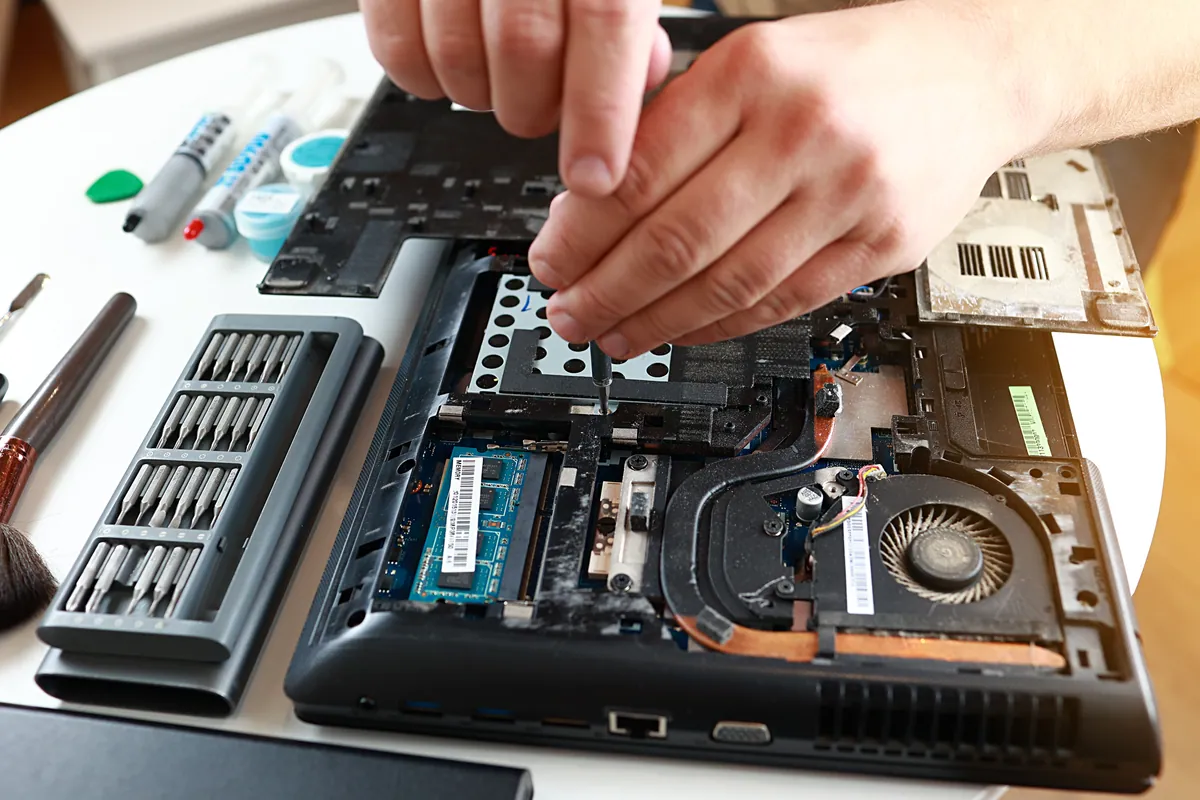
Reassembled and checked for stress. Back together, we worked the lid through its full range repeatedly, watching that the corners no longer flexed or lifted and that the whole shell held together under normal opening and closing.
The Result
The laptop is solid and usable again. The lid opens and closes without the fight it had developed, and — crucially — without transmitting that force into the corners and cracking them apart again. Because the hinges are now doing their job instead of working against the chassis, the repair should hold.
We were straight with the owner about the limitation: because base and hinge parts are no longer available for this model, this machine deserves gentle handling — open the lid from the centre, not one corner, and don’t force it. If serious chassis damage were to happen again, there’s no longer a supply of replacement parts to fall back on. That’s the honest position, and it’s better said up front than discovered later.
Why This Happens
Stiff hinges are one of the most under-appreciated causes of laptop damage. When a laptop is new, the hinges are smooth and the force of opening the lid is spread evenly. Over years, grit, wear and dried-out lubrication make them stiffer. The force needed to open the lid climbs — and all of that extra force is transferred into the plastic and screw posts that hold the hinge to the body. Eventually the weakest point gives, and you get exactly what this machine had: cracked corners, a lifting palmrest, a separating base.
That’s why the fix isn’t just gluing plastic. If you don’t address the hinges, the repaired plastic is under the same stress that broke it the first time, and it cracks again. The real repair treats the cause.
There’s also a wider point this job illustrates about older machines. When a manufacturer stops making parts for a model — which happens to every laptop eventually — a broken chassis doesn’t automatically mean the end of the machine. A careful structural repair can give a still-perfectly-capable laptop years more life, provided everyone’s honest that it’s a repair with limits, not a restoration to new. For a machine that still does everything its owner needs, that’s often a far better outcome than replacing it.
When it’s worth repairing an older laptop
A repair like this only makes sense when the rest of the machine has life left in it. Our rule of thumb: if the laptop is still fast enough for what you do, the screen and battery are healthy, and the damage is structural rather than a failed mainboard, a chassis repair is usually worth it — especially against the cost and hassle of replacing the whole machine and migrating everything across.
Where we’d steer you the other way is a machine that’s already slow, already on a tired battery, and now also broken — at that point you’re spending money to prolong something that’s near the end anyway. We’ll tell you which side of that line we think your laptop sits on.
Local Help in Putney SW15
If your laptop’s lid is getting stiff to open, or the corners and palmrest are starting to crack, it’s worth having it looked at sooner rather than later — the earlier the hinges are eased, the less damage they do to the shell. And if parts for your model are hard to find, a structural repair is often still very much on the table.
We repair laptop chassis, hinges, screens and boards from our Putney workshop in SW15, and we’ll give you a straight answer on whether a repair is worth it for your particular machine or whether your money’s better spent elsewhere.
Drop it in to SW15, call 020 7610 0500, or use the contact form.