Case Overview
Our SSD Upgrade Service
At PC Macgicians, we’re often called in when things go seriously wrong with high-performance systems. One such case recently involved a client’s custom-built Cooler Master desktop that was locked in a frustrating loop of Blue Screen of Death (BSOD) errors.
Despite the customer’s efforts to resolve the issue independently, the desktop was unable to boot into Windows, resulting in a lack of access to their files and software for several days. Below is the process we followed to diagnose and efficiently resolve the problem.
The Problem: Blue Screen and No Boot
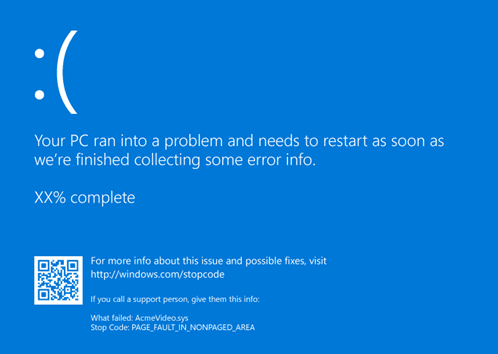
The client’s PC had become completely unusable. Each time it powered on, it would stall at the infamous Blue Screen of Death, giving cryptic error codes and crashing before reaching the Windows desktop.
They had tried restarting in Safe Mode and even resetting BIOS settings, but nothing worked. With no access to their data or OS, they brought it to PC Macgicians for a professional diagnosis.
The Diagnosis: A Failing Boot Drive
Upon examining the machine, our technicians identified the source of the issue as a malfunctioning NVMe boot drive. Over time, solid-state drives (SSDs) can deteriorate, particularly in high-performance systems that execute demanding applications or games.
In this instance, the compromised drive was responsible for the operating system failing to boot, resulting in persistent Blue Screen of Death (BSOD) errors. We conducted diagnostic assessments to verify the drive’s health, and the findings were definitive: it required replacement.
Why Blue Screen of Death (BSOD) Happens
The Blue Screen of Death typically indicates a critical hardware or software failure that forces the system to stop functioning to prevent further damage. Common causes include:
- Failing SSDs or hard drives
- Faulty RAM or CPU overheating
- Driver conflicts
- Corrupted system files or OS errors
Diagnosing these issues properly requires both technical tools and experience. That’s where PC Macgicians comes in.
Benefits of Regular Desktop Maintenance
- Prevents overheating and system crashes
- Extends the life of internal components
- Reduces dust-related damage to fans, GPU, and CPU
- Improves overall performance and reliability
The Solution: New Boot Drive and Fresh Windows Installation
We removed the faulty drive and installed a brand-new SSD with faster read/write speeds and improved reliability. After configuring the BIOS settings, we performed a clean installation of Windows 11, ensuring that the system was free of corrupted files or old driver conflicts.
To add value to our service, we also gave the entire desktop a full internal clean, clearing out accumulated dust from fans, heat sinks, and power supply vents free of charge. Dust buildup is a common culprit behind overheating and hardware instability, and regular cleaning can extend the lifespan of your machine.
The Result: A Clean, Stable System
After the installation of the new boot drive and the configuration of the operating system, the client’s desktop successfully booted without encountering any BSOD errors. Boot times improved significantly, performance enhancements were evident, and the system achieved a stable state. Our client left satisfied, equipped with a fully operational PC and the assurance that the problem had been completely addressed rather than merely patched.
Having Trouble with BSOD or Boot Errors?
Whether you’re running a custom gaming rig, a home office setup, or a workstation for creative projects, PC Macgicians offers fast, reliable desktop repair services across London.
We specialize in:
- Diagnosing and resolving BSOD issues
- SSD and HDD replacements
- Windows reinstallation and OS recovery
- Full desktop cleaning and thermal management
Need your PC diagnosed fast? Get in touch with PC Macgicians and let us help you get back to work or gaming without the headache.