What Was Happening
The desktop had been working fine and then, one morning, came up to a black screen. The power button lit, the cooling fan spun up, and there was the usual short whir of the drive — but nothing appeared on the display. No HP logo, no spinning dots, no “no signal” message. Just black.
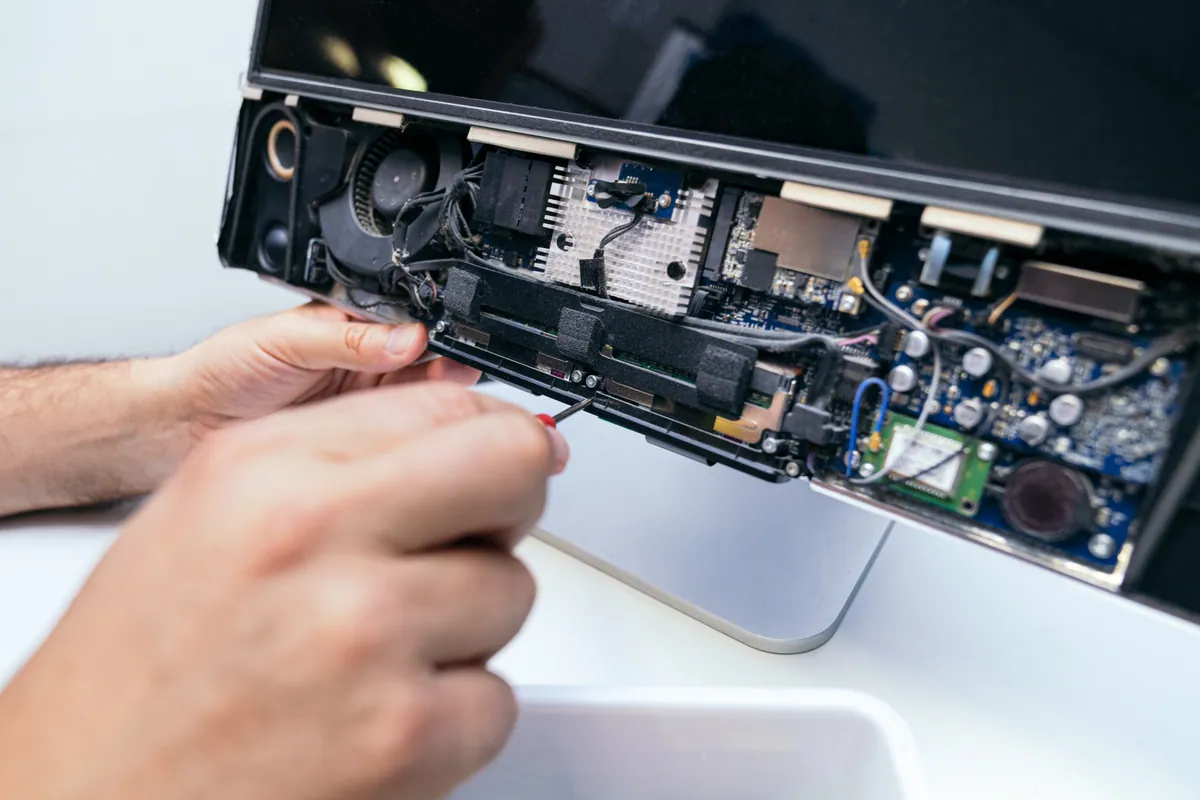
The owner had reasonably concluded the screen itself had gone. On an all-in-one that is an expensive conclusion, because the panel is built into the same chassis as the computer, so replacing it is not the quick swap it would be on a normal monitor. Before quoting anything like that, we wanted to be sure the display was actually the problem.
Sound like your problem?
Bring it to our Putney workshop or message us a photo and we will give you a straight answer and a quote before any work starts.
Our Diagnosis
The useful thing about a “powers on but nothing on screen” fault is that it has a small number of possible causes and you can separate them cheaply, in order, without opening the machine.
- Is the panel and backlight alive at all? In a dark room you can usually see a faint glow from a working backlight even when nothing is being drawn on it. There was a glow here, which already made a fully dead screen unlikely.
- Does anything reach the display at any point in the boot? We watched the very first moment of power-on. The firmware splash flickered up briefly before the machine handed over to Windows and went black. That is important: if the panel can show the firmware logo, the screen, the cable and the graphics hardware are all fundamentally working. The problem is happening after hardware hand-off — in software.
- Where in the boot does it stall? Booting into Windows recovery, the machine came up perfectly on the same screen. So the display was never the issue. The normal Windows startup was the thing failing.
- Why is the normal boot failing? Inspecting the install from recovery, we found an update that had begun installing and not completed, and a display driver that had been left in a broken state — the classic combination where Windows loads far enough to switch to the graphics driver, the driver falls over, and the desktop never gets drawn.
Conclusion: the display, the panel cable and the graphics chip were all fine. This was a software fault, fixable without replacing any parts and without wiping the owner’s files.
How We Fixed It
Repaired the Windows installation in place. We rolled back the half-applied update that had wedged the boot, and ran the built-in repair so the system files were consistent again. This is a non-destructive step — the user’s documents, photos and installed programs stay where they are.
Reinstalled the graphics driver cleanly. We removed the corrupted display driver completely rather than installing over the top of it, then put back the correct HP-approved driver for the integrated graphics. Installing a fresh driver over a broken one often just inherits the same fault, so the full removal matters.
Applied the outstanding updates properly. With the machine booting again we let Windows finish the updates it had been trying and failing to install, one controlled batch at a time, checking it rebooted cleanly after each.
Enrolled it in Windows 10 Extended Security Updates. This machine is on Windows 10, which reached end of mainstream support in October 2025. Rather than leave it unpatched, we enrolled it in the Extended Security Updates programme so it keeps receiving Microsoft security fixes while the owner decides, in their own time, whether to upgrade the hardware or move to Windows 11.
Soak tested. We left it running and rebooted it repeatedly over a couple of days to be sure the fault didn’t come back once the machine was under normal use rather than a one-off restart.
The Result
The all-in-one now boots straight through to the login screen the way it always did, on its own built-in display, with no black-screen stall. Over two days of testing it started up cleanly every time. It went home still receiving security updates — no new hardware, no lost files, and a fraction of the cost of the panel replacement the owner had been bracing for.
Why This Happens
A black screen on start-up is one of the most misread faults we see, because the same symptom — “it turns on but there’s nothing on screen” — can come from very different places:
- A failed or interrupted Windows update, as here, which leaves the machine unable to complete boot. Almost always repairable without data loss.
- A corrupted or mismatched graphics driver, often after an automatic update installed the wrong version.
- A genuine panel or backlight failure, where the screen really has gone — but this usually shows no firmware logo at power-on either, which is the tell.
- A loose or failed internal display cable, more common after a knock or a move.
The reason it’s worth diagnosing carefully rather than guessing is cost. On an all-in-one the panel is one of the most expensive parts in the machine, and swapping it is a strip-down job. A software fault that produces the identical black screen is a fraction of that. Jumping straight to “the screen’s dead” is how people end up paying for a repair they never needed.
When Windows 10 reaches end of support
This job is a good example of a decision a lot of people are facing right now. Windows 10 stopped getting free feature and security updates from Microsoft in October 2025. A machine still running it will keep working — but every month that passes without security patches, it gets a little more exposed.
You have three sensible routes, and the right one depends on the machine:
- Enrol in Extended Security Updates. Keeps critical security patches flowing while you plan. Good for a machine that still does its job and doesn’t meet the Windows 11 requirements.
- Upgrade to Windows 11, if the hardware supports it. Many machines from the last few years do; some just need a setting enabled.
- Replace the machine, if it’s genuinely at the end of its life and an upgrade would be throwing good money after bad.
There’s no single right answer — it depends on the age of the machine and what you use it for. What isn’t sensible is carrying on unpatched without knowing you’re doing it.
Local Help in Fulham SW6
If your desktop or all-in-one is powering on but showing nothing on screen, don’t assume the display has failed until it’s been checked — the fix is often software, not a new panel.
We work on HP, Dell, Lenovo and custom desktops from our Putney workshop (SW15), a short run from Fulham, and we diagnose before we quote so you’re not paying for parts you don’t need. If your machine is still on Windows 10, we can also get it back onto a supported footing at the same time.
Call 020 7610 0500, drop in to SW15, or use the contact form to book it in.