What Was Happening
A customer in Putney SW15 brought in an HP laptop that switched on and then went nowhere useful. The power light came on, the fans spun, the manufacturer’s logo appeared — and the machine never arrived at the operating system.
The ticket carried one extra word that shaped everything that followed: urgent. Not “when you get a chance”. The files on that laptop were needed, and they were needed soon.
There was a second machine in the same job: a desktop PC that needed an operating system installed on it. On the face of it that reads like an unrelated errand bolted onto the ticket. It wasn’t. It was the other half of the same problem.
Sound like your problem?
Bring it to our Putney workshop or message us a photo and we will give you a straight answer and a quote before any work starts.
Our Diagnosis
Three things have to happen in order before anyone sees a desktop screen. The firmware wakes the hardware up. It finds the drive it has been told to start from. The start-up files on that drive load and hand control to the operating system. This laptop was clearing the first step and failing somewhere in the other two.
Normally the next move is to establish which, and that means bench time and restarting the machine repeatedly while you isolate the cause. Both were the wrong thing to spend here. If the drive is the weak link — and on this presentation it very often is — every attempt to start the machine asks that drive to do the one job it is already struggling with. The diagnostic process is not free; it is charged against the thing the customer actually cares about.
So we changed the question. Not “what is wrong with this laptop”, but “can we reach the data, and what is the shortest safe route to it”. When someone tells you the deadline is now and the files are the point, that is the honest order of work: secure the data first, then treat the machine’s fate as a separate decision made with a clear head.
That choice has a consequence worth stating plainly rather than glossing over. We never established what was actually wrong with that laptop. We could have. It would have cost time we had specifically been told not to spend, and it would not have improved the outcome the customer needed. A case study that claimed a tidy root cause here would be inventing one.
The second half of the diagnosis had nothing to do with the laptop. Recovered data has to land somewhere, and until the files are back on a machine that runs the customer is still stuck. The desktop needed an operating system before it could receive anything, so the job was scoped as two pieces from the outset: get the files off the laptop, and get the desktop into a state that could use them.
How We Fixed It
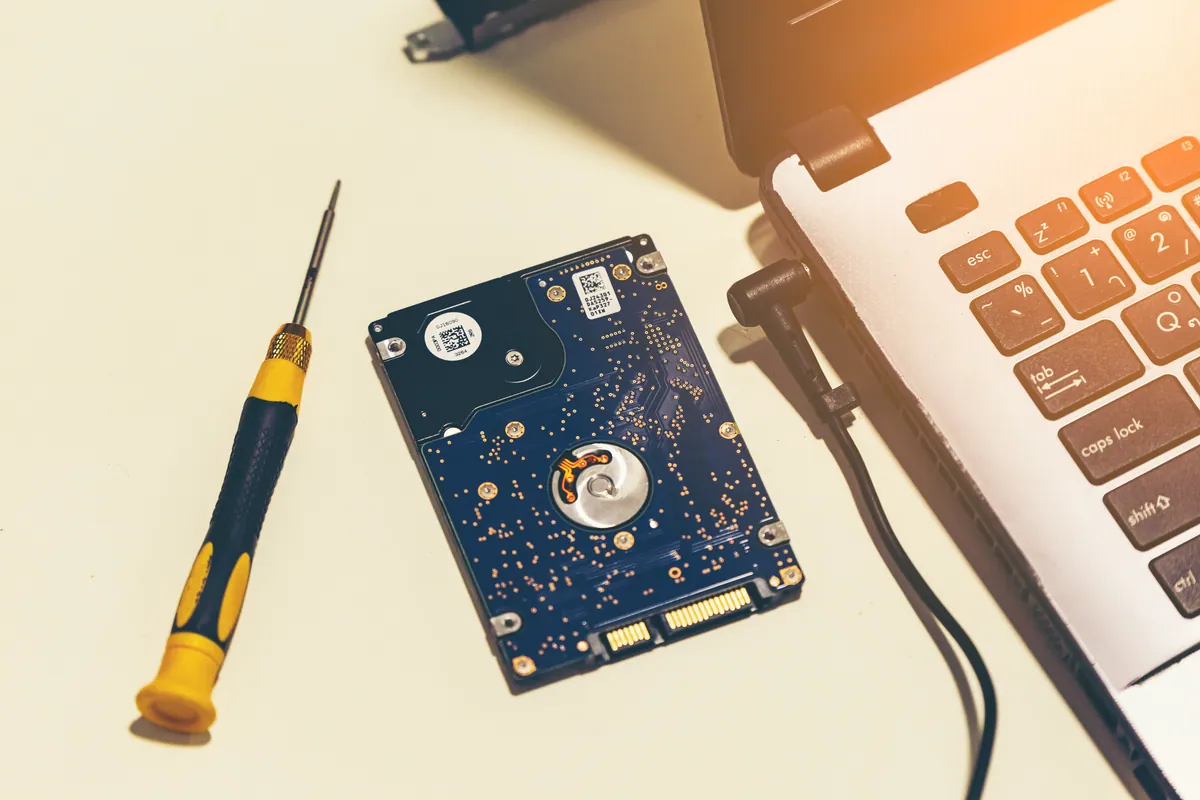
We took the drive out of the HP and read it on the bench rather than asking the laptop to try starting again.
Working outside the failed machine strips out every variable that isn’t the drive itself, and it means the drive is read once, deliberately, instead of repeatedly by a machine that keeps trying and failing to boot from it.
The recovered files were copied to a USB drive for the customer, and checked before handover. Checked properly, which means opening files rather than trusting a folder listing: a directory tells you a file name exists, not that the contents survived intact.
Alongside that, we installed an operating system on the customer’s desktop so there was a working machine waiting at the other end. That is the least interesting sentence in this article, and it is the one that turned a bag of recovered files into somebody who could get back to work.
Two points about how this work is charged, because they matter more than any technical detail above.
Data recovery is only charged if it succeeds. If we cannot get the files back, there is nothing to pay for. That is standing policy here, not a promotion, and it exists because no one should be billed for an outcome they didn’t receive. It also keeps us honest about the odds — we have no incentive to talk up a recovery we don’t think will work.
The desktop work carries our standard 90-day warranty on the workmanship, as most repairs do. That covers the work we did; it does not cover accidental damage afterwards. We would rather say that up front than have it discovered later.
The Result
The customer collected a USB drive holding their recovered files, settled up, and went home to a desktop that was ready to use.
The laptop did not come back into service. It wasn’t repaired, and for this customer it wasn’t worth repairing: once the data was out, the machine held no value to them and they took it away to be recycled. We had already been in touch about collection, because equipment left with us can’t sit on a shelf indefinitely and anything uncollected is eventually disposed of.
That is a slightly untidy ending compared with “and the laptop worked perfectly again”, but it is a common and entirely sensible one.
Why This Happens
“Powers on but never reaches the operating system” is one of the most frequently reported faults we see, and it is not a fault at all — it is a description of where the process stopped. Underneath it sit several unrelated causes: a storage drive that has failed or is failing, start-up files damaged by an ungraceful shutdown, firmware settings that have been disturbed, or occasionally something as mundane as a connector that has worked loose. Those range from a twenty-minute fix to a machine that is finished, which is exactly why nobody can tell you over the phone which one you have.
Drive failure earns its reputation here because of how drives behave near the end. A mechanical drive of the sort common in laptops of this era usually gives some warning — slowness, hesitation, the occasional freeze while it retries an area it can no longer read cleanly. Plenty of people live with that for weeks, because the machine still works most of the time. The day it stops booting is not the day the drive started failing; it is the day it finished.
That timeline is also why recovery odds vary so much, and why we will not promise an outcome before looking. A drive that still reads, even slowly, is usually a good day. A failed controller or genuine physical damage is a different conversation, and some of those cases need specialist facilities beyond a workshop bench — in which case we say so and refer on rather than experimenting at the customer’s expense.
What to do in the first ten minutes
If a machine that holds important files stops booting, the most valuable thing you can do costs nothing: stop switching it on.
The instinct is natural — try again, maybe it was a fluke. If the drive is healthy that does no harm; if the drive is the problem, each attempt spends a little of what is left. You cannot tell which you are in without looking, so the safe default is to leave it alone.
The second thing is worth saying even though nobody enjoys hearing it after the event. This job existed because the only copy of those files lived on one drive in one laptop — and a single USB stick is that same position again, just in a smaller enclosure. Two copies, one of them somewhere else, and ideally something that runs automatically rather than something you remember to do. What matters is that it happens without you.
Local Help in Putney SW15
If a computer has stopped booting and the files on it matter, say so first, and say if there’s a deadline. It changes the order we work in — recovery-first and diagnose-first are different jobs, and the right choice depends on information only you have.
Our workshop is on Lower Richmond Road in Putney, so it’s a short trip for anyone in SW15 and the surrounding area. Walk it in, or call 020 7610 0500 to talk it through before you set off. You can also book data recovery in Putney or send the details through the contact page — and if the machine is still in front of you, do leave it switched off until we’ve spoken.