What Was Happening
The 27-inch iMac arrived from a Wandsworth SW18 owner stone dead. Pressing the power button did nothing at all — no chime, no glow from the screen, no fan, no sign that any electricity was reaching the machine. It had, in the owner’s words, been working fine and then simply refused to turn on. They asked us to diagnose it and quote for the repair.
A large all-in-one like a 27-inch iMac showing no power at all is the kind of fault that makes people brace for the worst — and usually for the most expensive words in computing: logic board. But “no power” is actually one of the more hopeful dead-machine symptoms, once you know where to look.
Sound like your problem?
Bring it to our Putney workshop or message us a photo and we will give you a straight answer and a quote before any work starts.
Our Diagnosis
- Confirmed nothing was reaching the machine. First we established this was a genuine no-power fault and not a dead display masking a running computer, or a faulty wall socket or cable. The iMac really was getting no usable power internally.
- Split the two possibilities. A completely dead desktop comes down to two broad causes: the power supply that turns mains electricity into the voltages the machine needs, or the logic board those voltages feed. Those are worlds apart in cost, so telling them apart is the whole job. A machine with a dead power supply gets no power to anything; a machine with a dead board often shows some sign of life. This one was getting nothing.
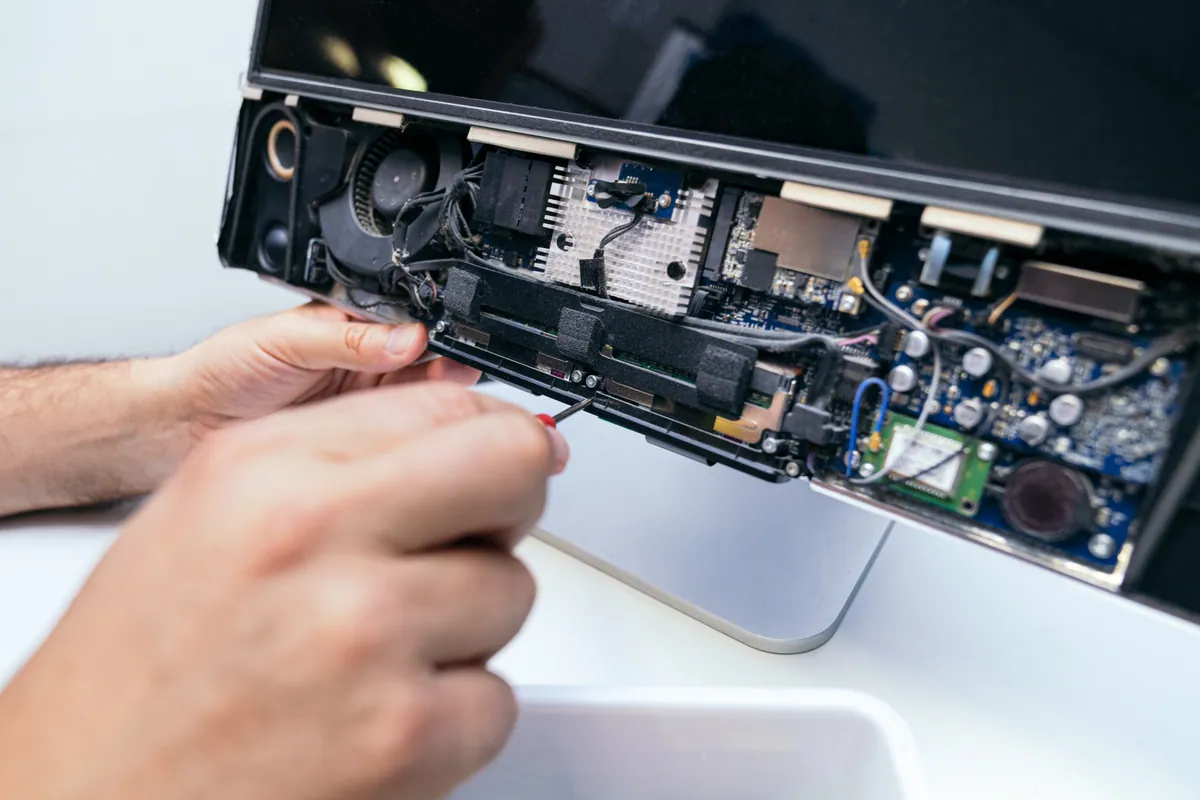
- Pinpointed the power supply. Opening the machine up and checking, the fault was in the power supply unit — the component that had stopped delivering power to the rest of the iMac. The logic board and the rest of the machine were fine; they were simply being starved of power. That’s the good diagnosis: the cheaper of the two, and a replaceable part.
How We Fixed It
- Replaced the internal power supply. We fitted a new power supply unit so the iMac could once again convert mains electricity into the voltages its components need. This is fiddly work on a 27-inch iMac — the display is bonded to the chassis and has to be carefully separated to get inside — but it’s routine board-and-component access for us.
- Reassembled the display properly. Getting into these machines means detaching the screen, so part of the job is reseating and re-bonding it correctly afterwards, leaving no gaps or dust behind the glass.
- Tested it back to life. With the new power supply in and the machine reassembled, we confirmed it powered on, chimed, and ran normally before it went back.
The Result
The iMac went home to Wandsworth working exactly as it had before it died — powering on cleanly and running normally. What had looked like the end of an expensive machine turned out to be a single failed component, replaced for a fraction of what the owner had feared, and a world away from the cost of a new 27-inch iMac. A “dead” computer became a working one again over a part most people have never heard of.
Why This Happens
Every computer contains a power supply, and it does an unglamorous but essential job: converting the high-voltage mains electricity from the wall into the various low, precise voltages the machine’s components actually run on. In an all-in-one like an iMac, that power supply is built inside the chassis, behind the screen. It’s a component that works hard and runs warm, and over years the heat takes its toll — capacitors and other parts inside it age and eventually fail. When the power supply dies, it can no longer feed the machine, and the whole computer goes dark in an instant, exactly as this one did.
The reason this is such welcome news is that the power supply is a discrete, replaceable part — not the logic board, which carries the processor and is far more expensive to repair or replace. Because both faults present the same way to the owner (a machine that won’t turn on), people understandably assume the worst and sometimes write a perfectly good machine off. The truth is that “no power at all” points more often to the power supply than the board, and that’s a comparatively affordable fix.
The one genuine complication with a 27-inch iMac is access. Apple bonds the display glass and panel to the chassis, so reaching the internals means carefully separating the screen and re-bonding it afterwards — which is why a job like this is more involved than opening a tower PC. It’s precise work, but it’s routine for a workshop that does it regularly, and it’s what stands between a dead iMac and a working one.
Local Help in Wandsworth SW18
If your iMac or desktop is completely dead — no power, no lights, no sound — don’t assume it’s beyond saving or that you’re facing a bill for a new machine. A no-power fault is very often the power supply, which is a replaceable part and a far more affordable repair than the logic board people dread.
We diagnose and repair dead iMacs and desktops from our Putney workshop, minutes from Wandsworth SW18, and we’ll tell you honestly whether it’s a cheap fix or a genuine write-off before you commit.
Call 020 7610 0500, drop in to SW15, or use the contact form.