What Was Happening
A Lenovo laptop in Kensington W8 had been through a BIOS update that didn’t finish, and it hadn’t started properly since.
The symptoms were the classic ones for this failure: the machine would not POST. No logo, nothing on the display, no progression to Windows. Depending on the model there may be fans spinning and lights on, which makes it look more alive than it is — but nothing is actually happening, because the code that runs before everything else has been damaged.
The owner had done their homework before bringing it in. They had performed a hard reset of the BIOS, which is the standard first remedy and worth trying. It hadn’t helped, and they told us so, which saved us repeating it.
Their instruction was to fix it if minor and quote if major. With a failed BIOS update that’s a genuinely open question, because the two possible answers sit a long way apart in cost.
Sound like your problem?
Bring it to our Putney workshop or message us a photo and we will give you a straight answer and a quote before any work starts.
Our Diagnosis
The BIOS — the firmware — is the first code a computer runs when you press the power button. Before Windows, before any drive is read, it initialises the processor, brings up the memory, checks the essential hardware and only then hands over to the operating system. That sequence is the POST, the power-on self test.
Firmware lives on a small dedicated chip on the motherboard. Updating the BIOS means erasing that chip and writing new code to it, and for the duration of that write the machine has no complete, working firmware. Interrupt it — a power loss, a battery running out, the wrong file, a fault mid-write — and you are left with a chip containing something incomplete. The machine tries to run it, fails immediately, and cannot get far enough to offer you any way in.
That is why this failure feels so absolute to the owner. There’s no menu, no boot device selection, no safe mode. All of those live after the point at which it’s now failing.
The first distinction we had to make was between corrupt firmware and merely wrong settings, because they present similarly and the hard reset the owner tried addresses only the second. A hard reset clears the stored configuration and returns the BIOS to defaults, which fixes a machine whose settings are wrong. It does nothing whatsoever for firmware that has been damaged, because the code itself is broken rather than its settings.
Many machines also offer a recovery flash route — a way of restoring firmware from a USB stick using a small protected portion of the chip that the update process leaves untouched. When that protected area survives, recovery works and is inexpensive. When the failure has damaged it too, there is no software path left at all. That was the position here.
At that point there are exactly two options: replace the motherboard, or replace the chip. Replacing the board means buying the most expensive part in the laptop. Replacing the chip means removing the small firmware chip and fitting one correctly programmed for that model — vastly cheaper, and the reason a machine like this doesn’t have to be written off.
How We Fixed It
We ordered the replacement BIOS chip and quoted the work on a charge-only-if-we-manage-to-fix-it basis, with a lead time of up to ten working days.
That pricing structure wasn’t generosity; it was honesty about uncertainty. Firmware chip replacement has a good success rate but not a guaranteed one. If a failed update was itself caused by an underlying board fault, a new chip won’t cure it. Charging only on success puts the risk of our own judgement on us rather than on the customer.
The lead time is worth explaining too, because ten working days sounds slow for a small component. The chip has to be sourced for the specific model and correctly programmed with the right firmware before it’s any use. A blank chip achieves nothing.
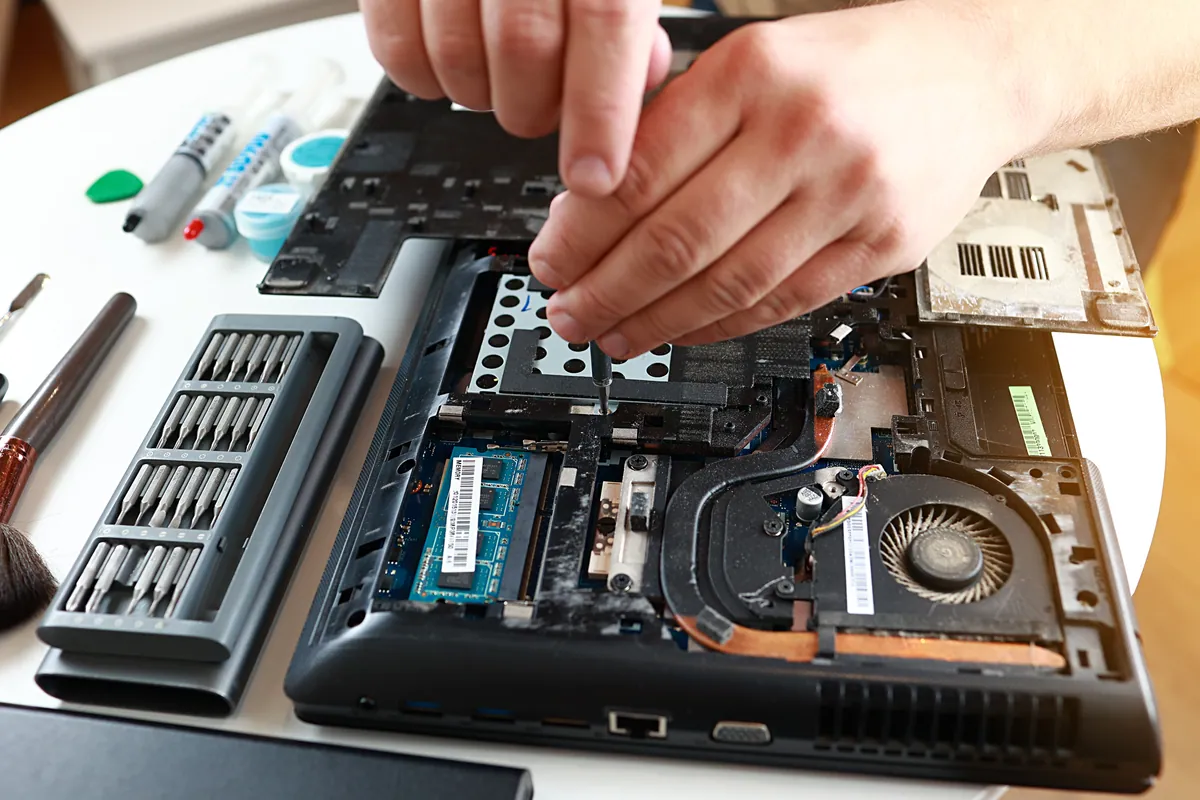
The work itself is fine-detail board work: removing the existing chip without damaging the surrounding board, and fitting the replacement with every connection sound. It’s the kind of repair that keeps a machine out of the bin, and it’s exactly the sort of thing most high-street repairers won’t attempt — which is why owners are so often told the whole motherboard needs replacing.
The Result
The laptop was recovered from a state that owners are routinely told is terminal, without the cost of a new motherboard.
That’s the part worth emphasising. “Failed BIOS update, won’t POST” is very commonly quoted as a board replacement, and on many laptops that means a repair bill close to the value of the machine. Chip replacement changes the arithmetic entirely and turns an uneconomic repair into a sensible one.
Why This Happens
BIOS updates are the single most dangerous routine operation you can perform on a computer, and almost nothing in the process communicates that.
Everything else your machine does has a safety net. If a Windows update fails you can roll back. If an application won’t install, you uninstall it. If a drive fails you replace it and restore. A firmware update is the one operation where interruption at the wrong moment leaves the machine unable to start at all — because you have erased the code responsible for starting it and not finished writing its replacement.
The window of vulnerability is short, often under a minute, but during it the machine is genuinely fragile. Losing power is the most common cause of failure — which is why every manufacturer says to keep a laptop plugged in during an update, and why so many people update on battery anyway because it seems fine.
Manufacturers have added protections. Most modern boards keep a small write-protected recovery region so that a failed update can be repaired from a USB stick, and some keep an entire second copy of the firmware. These work well and rescue most failures. But they don’t cover every failure mode, and older machines often have no such protection at all.
The practical advice is short and genuinely worth following:
- Only update the BIOS if you have a reason to. Unlike Windows updates, firmware updates are not routine maintenance. If your machine is working correctly, updating gains you little and risks a great deal. Update when a specific update fixes a specific problem you have, or adds support for hardware you’re fitting.
- Always be on mains power, and on a desktop consider a battery backup unit.
- Use the manufacturer’s file for your exact model. Firmware is not interchangeable between similar models.
- Don’t interrupt it. However long it takes, however still the screen looks, leave it alone.
And if it has already gone wrong: the machine is very probably recoverable, and it very probably does not need a new motherboard. Ask specifically whether chip replacement is an option before accepting a quote to replace the board.
Local Help in Kensington W8
If a BIOS update has failed and your laptop won’t start, don’t accept that the machine is finished — and be cautious of a quote to replace the whole motherboard before chip-level options have been considered. We do this work in our own workshop rather than sending it away.
We cover Kensington and the surrounding area. Call 020 7610 0500 or see laptop repair in Kensington — tell us the exact model and what you were doing when it failed, since that shapes which recovery routes are worth trying first.