What Was Happening
The laptop was a Lenovo ThinkPad mobile workstation — the kind of machine people rely on for CAD, video and other heavy work — and it had stopped displaying anything after a BIOS update. The owner had started a firmware update the manufacturer’s tool had offered, and it hadn’t completed: the process was interrupted before it finished writing.
After that, the symptoms were textbook for a corrupted BIOS. The machine took power — the power light came on and the fans moved — but the screen stayed black, there was no ThinkPad logo, and it never reached the point of starting Windows. It wasn’t dead, and it wasn’t obviously broken; it simply powered on and did nothing useful. The owner had tried the usual things first: holding the power button, removing the mains adapter, a forced power drain. None of it brought the display back, which is exactly what you’d expect when the fault is in the firmware rather than in anything a normal restart can touch.
Sound like your problem?
Bring it to our Putney workshop or message us a photo and we will give you a straight answer and a quote before any work starts.
Our Diagnosis
A no-POST laptop can fail for several unrelated reasons — RAM, display, power circuitry, CPU, the embedded controller — so the job is to work out which one before touching the firmware. We assess the board first and only treat the BIOS as the cause once the alternatives are ruled out.
- Confirm it’s genuinely not POSTing, not just a dark screen. Checked for any sign of the boot sequence — external display output, drive activity, error beeps or diagnostic LEDs. Nothing reached POST, so this wasn’t a backlight or panel fault masking a working machine.
- Check the board has clean power. The motherboard was taking power normally, with the expected rails present. A board that powers but won’t POST, immediately after a firmware update, points strongly at the firmware rather than a power fault.
- Rule out the easy hardware causes. Reseated and tested memory, and confirmed the fault didn’t move or change with known-good parts. The behaviour stayed identical — consistent with a firmware problem, not a marginal component.
- Tie the timeline to the trigger. The single most useful fact was that the machine died during a BIOS update. Corruption of the firmware image is the obvious candidate when the fault begins at exactly that moment.
- Identify the firmware store. Located the motherboard’s main SPI flash chip — a 32MB 1.8V GigaDevice part in a WSON8 package — which is where the UEFI firmware lives.
Conclusion: a corrupted UEFI image on the SPI flash chip, caused by the interrupted update, was preventing the machine from POSTing. That’s recoverable by reprogramming the chip with a correct, verified image — provided the board itself has no separate fault.
How We Fixed It
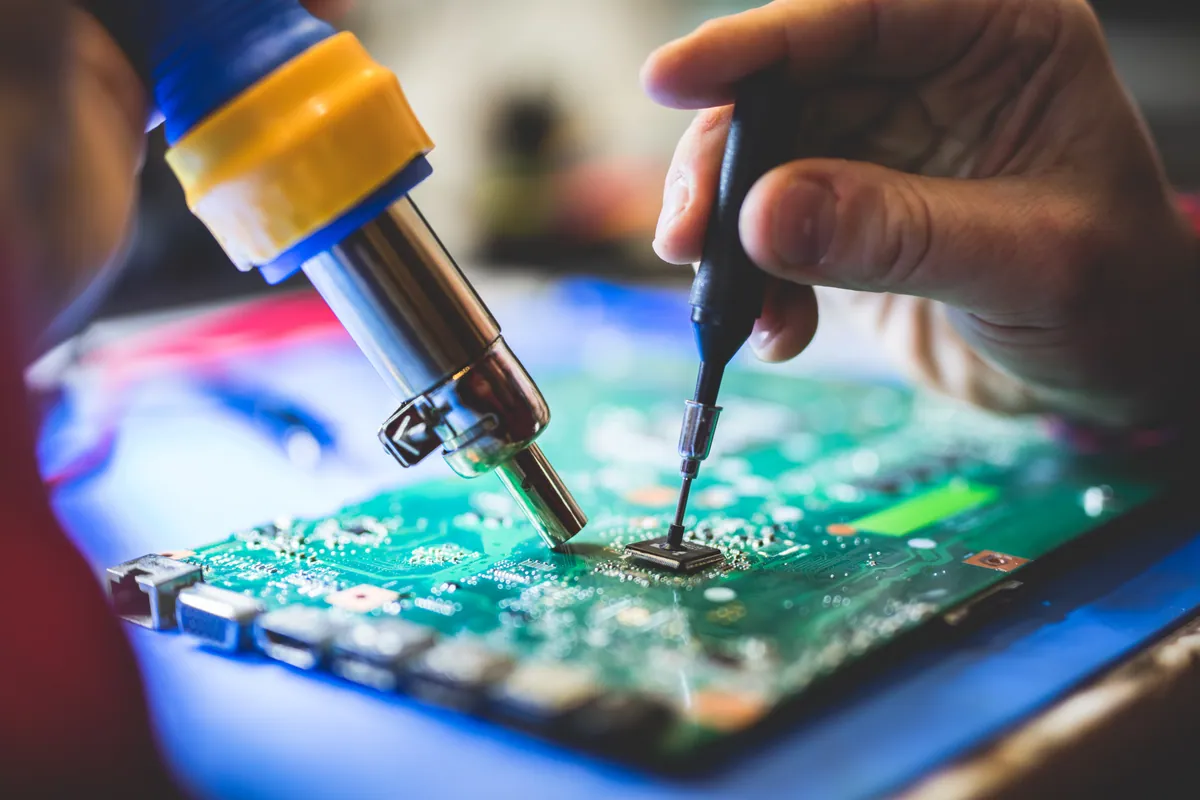
Step 1 — access the flash chip safely. The 32MB flash is a 1.8V part in a WSON8 package, so it needs the correct probe footprint and the correct voltage. Using a 3.3V setup on a 1.8V chip can damage it, so we confirmed the specification first and used a correctly sized WSON8 probe with a 1.8V adapter.
Step 2 — read and back up the existing firmware, twice. Before changing anything, we read the chip’s current contents. We took two separate reads and compared them by SHA-256 hash so we could be confident the backup was a true, stable copy of the chip and not a one-off misread. Those backups are the fallback — nothing gets written until a verified copy of the original exists.
Step 3 — prepare the correct official image. We sourced Lenovo’s official BIOS package for this exact model and extracted a suitable firmware image from it. We work only from manufacturer firmware for the specific machine — never a random BIOS file from a forum or download site, which is one of the fastest ways to turn a recoverable board into a dead one.
Step 4 — program the chip. Wrote the prepared image to the flash chip.
Step 5 — verify the write. Read the chip back and verified it matched what we had programmed. A programmer reporting “done” isn’t the same as a correct write; the read-back verification is what confirms the image is actually on the chip intact.
Step 6 — reassemble and test. With the firmware verified, we reassembled and tested for the things that were missing before: POST, display output, and access to the BIOS/UEFI settings and the operating system.
The Result
The machine POSTed again. The ThinkPad logo returned, the display came back, and it reached both the BIOS setup and the installed operating system normally. It went back to its owner working, having been recovered rather than written off or sent for a motherboard replacement.
It’s worth being clear about what this fix does and doesn’t prove: reprogramming the flash restored the corrupted firmware, and in this case that was the whole fault. On another board, a successful chip write can still leave a separate hardware problem behind — which is why we test through to a real POST and OS load rather than declaring success at the programmer.
Why This Happens
The BIOS — or UEFI on modern machines — is the firmware that runs the instant you press power, before Windows or any operating system loads. It lives on a small SPI flash chip soldered to the motherboard. A BIOS update rewrites that chip. If the write is interrupted — a power loss, a battery that gives out, a forced shutdown, or an update that simply fails partway — the chip can be left holding an incomplete or corrupted image. The machine then has enough firmware to start powering components but not enough to POST, so you get exactly this pattern: power and fans, but a black screen and no start-up.
A few things make it more likely, and more avoidable:
- Never interrupt a firmware update. Don’t shut the lid, don’t unplug, don’t force a restart because it “seems stuck”. BIOS updates can sit at a blank or static screen for a couple of minutes legitimately.
- Update on mains power, with charge in the battery. On a laptop, a flat battery mid-update is a classic cause of a bricked BIOS.
- Only update the BIOS when there’s a reason to. If the machine is working, a firmware update carries risk for little gain. Update to fix a specific documented problem or to add required hardware support — not routinely.
When it does go wrong, the good news is that a corrupted flash is frequently recoverable at chip level, as it was here — as long as the correct firmware for the exact machine is available and the board has no other fault.
When a reflash isn’t enough
Reprogramming the flash chip fixes a corrupted firmware image. It does not fix a motherboard that has a separate fault, and it isn’t guaranteed on every no-POST machine. Some situations need more than a straightforward reflash:
- The original chip is physically damaged or won’t respond to the reader — then a blank replacement chip has to be programmed and fitted, sometimes with micro-soldering.
- Some flash parts are only available from overseas suppliers, which adds lead time to the job.
- The no-POST fault turns out to be board-level — power circuitry, the embedded controller, or another component — in which case it becomes a logic board repair question, not a firmware one.
We assess the board before quoting so we can tell you honestly which of these you’re looking at, rather than reflashing hopefully and charging regardless.
Local Help in Putney SW15
If your laptop or desktop powers on but won’t display anything after a BIOS update, the firmware is a realistic suspect — and it’s often recoverable rather than a write-off. We handle SPI flash reading, firmware recovery and chip programming on suitable Lenovo, Dell, HP, Acer and ASUS boards at our Putney workshop, and we assess the board first so you get an honest answer before any work.
Send us the model, the motherboard number and what happened during the update. Call 020 7610 0500, drop in to our workshop at 66 Lower Richmond Road, Putney SW15 1LL, or use the contact form.