What Was Happening
A customer brought a MacBook Air into our Putney SW15 workshop with two complaints. The screen was broken, and the trackpad wasn’t working properly.
They asked us to quote for replacement — sensibly wanting to know the total before deciding whether the machine was worth putting money into, which with two faults at once is exactly the right question.
Two simultaneous faults always raise a question worth asking before quoting anything: are these one problem or two? Sometimes apparently separate symptoms share a single cause, and fixing that cause resolves both. Sometimes they’re genuinely independent. The answer changes both the diagnosis and the price, so it needs establishing rather than assuming.
Sound like your problem?
Bring it to our Putney workshop or message us a photo and we will give you a straight answer and a quote before any work starts.
Our Diagnosis
On a MacBook, a broken screen and a misbehaving trackpad can be connected, and the connection is worth knowing about because it’s a safety matter as much as a repair one.
The most important thing to rule out is the battery. MacBook batteries sit directly beneath the trackpad, and as lithium batteries age they can swell. A swelling battery presses upward against the trackpad from below, and the symptoms look exactly like a trackpad fault: clicks that don’t register, a trackpad that feels stiff or raised, a cursor behaving erratically. Left alone, a swelling battery can distort the case, press against the display when closed, and in the worst cases is a genuine fire risk.
So a trackpad complaint on a MacBook is never taken at face value — the battery gets checked first. If a swollen battery is behind it, replacing the trackpad would be both a waste of the customer’s money and a failure to address something that needs dealing with urgently.
In this case the two faults were independent. The display assembly needed replacing, and the trackpad was faulty in its own right.
That established, the sensible approach was to treat them as one job. The reason is labour. Reaching either component means opening the machine, disconnecting the battery for safety, and working inside a very tightly packed chassis. Doing the two repairs on separate occasions means paying for that access twice. Done together, the disassembly is shared and only the parts differ.
We quoted both, including the option of the display assembly replacement, and set out the warranty terms clearly: 30 days on the screen replacement, with accidental damage not covered.
How We Fixed It
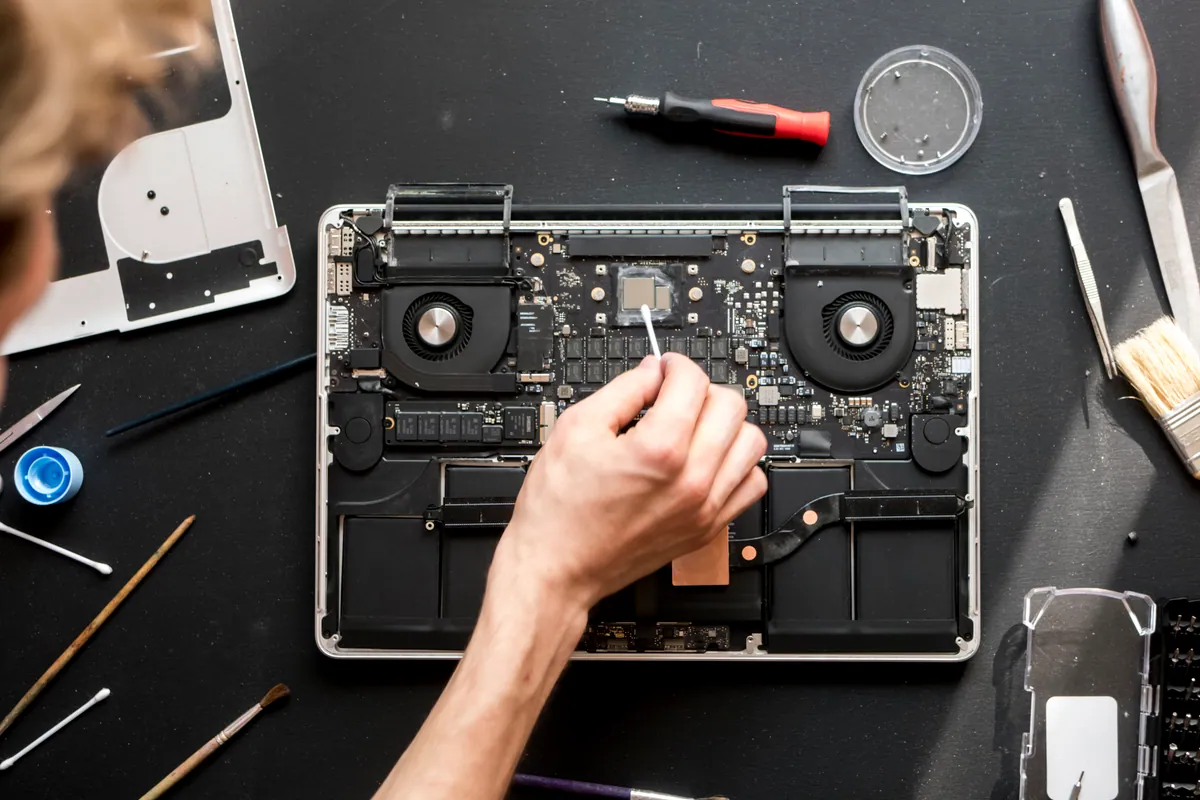
With the customer’s agreement, both parts were ordered and fitted in a single visit to the bench.
The screen on a MacBook is replaced as a complete display assembly — Apple builds the panel, lid, hinges and antennas as one sealed unit, so the whole assembly comes across rather than a bare panel being swapped. The internal display cable and antenna leads route back through the hinge and reconnect to the logic board, and that routing is the part that rewards patience: a lead pinched during reassembly will fail later, and the customer will reasonably regard it as the repair having failed.
The trackpad was replaced alongside it, with the battery disconnected throughout as it must be on any internal MacBook work.
We then tested both. For the screen that meant the image across the full panel, the backlight, and the lid switch that sleeps and wakes the machine. For the trackpad it meant movement, clicking across the whole surface rather than just the middle, and the multi-touch gestures people actually use — because a trackpad that registers a click but won’t scroll is still a broken trackpad.
The Result
The customer got a MacBook Air with a working screen and a working trackpad, done in one pass rather than two.
The warranty terms were stated up front rather than buried: 30 days on the screen replacement, accidental damage excluded. That exclusion is worth understanding — the warranty covers the part and the work, so if the screen fails through a fault it’s covered. If it’s dropped again, that’s a new repair. It isn’t insurance, and no repairer’s screen warranty is.
Why This Happens
MacBook screens break for the ordinary reasons any laptop screen breaks — drops, pressure on a closed lid, something left on the keyboard when it was shut. Apple’s design is superb for weight and rigidity but offers little cushioning, and the sealed-assembly construction means damage to the panel takes the whole assembly with it.
That construction is the main reason MacBook screen repairs cost what they do. On many Windows laptops the panel is a separate part that can be replaced on its own for modest money. On a MacBook you’re buying the panel, the lid, the hinges and the antennas whether or not they were damaged. It’s why the part dominates the quote and the labour is comparatively minor, and why used and refurbished assemblies are such a meaningful option on older machines.
Trackpads fail for their own reasons. The mechanism is a precision assembly, and on modern MacBooks it isn’t a physical button at all — it’s a pressure-sensitive surface that simulates a click through haptic feedback. That means a trackpad fault can be genuinely mechanical, or it can be the sensing that’s failed. Liquid is another common cause, since the trackpad sits low in the chassis where a spill collects.
But the battery remains the first thing to rule out, and it’s worth every MacBook owner knowing the signs: a trackpad that has become stiff or won’t click properly, a laptop that no longer sits flat on a desk, or a lid that doesn’t close quite as it used to. Those point at a swelling battery, and it should be looked at promptly rather than lived with.
The wider practical point from this job applies to any repair: if a machine has more than one thing wrong with it, get everything quoted at once. Workshops charge for access as well as parts, and on a tightly built laptop that access is a significant share of the bill. Two repairs done together are almost always cheaper than the same two done a month apart.
Local Help in Putney SW15
If a MacBook has a broken screen, a trackpad that’s stopped behaving, or both, bring it in and we’ll quote the whole thing rather than one fault at a time. If we find the trackpad symptoms are actually a swelling battery, we’ll tell you — that’s a different repair and a more urgent one.
Our workshop is on Lower Richmond Road in Putney. Call 020 7610 0500 or ask about screen replacement in Putney — mention the model and roughly how old the machine is, and we can usually give you a price range before you make the trip.