What Was Happening
Two problems, both worsening:
- The display had started showing strange behaviour when the lid was moved — flicker at some angles, blackout at others, normal in between. The customer had narrowed it down to specific lid positions and was avoiding those positions, which isn’t a sustainable workaround.
- Separately, the battery had stopped accepting charge. macOS was showing “Service Recommended” in the battery condition.
The customer wanted both fixed if possible — and asked us to be honest about the cost of fixing both versus replacing the MacBook entirely.
Sound like your problem?
Bring it to our Putney workshop or message us a photo and we will give you a straight answer and a quote before any work starts.
Our Diagnosis
Screen fault first:
- External monitor test. Got a clean image on external display. GPU and display controller ruled out — the fault was in the internal display path.
- Hinge correlation test. Tracked which lid angles produced which fault. Specific angles consistent — the fault correlated with hinge position rather than time or temperature or anything else.
- Cable diagnosis. A display that misbehaves with lid movement is, with very high probability, a worn display flex cable inside the hinge channel. The cable flexes every time the lid opens and closes, and after enough cycles the conductors inside develop tiny breaks that show up as intermittent contact.
- Confirmed by gentle manipulation of the cable at the hinge with the lid at a known-good angle — could induce the fault by lightly stressing the cable.
Battery fault second:
- macOS battery report. Confirmed cycle count well past the model’s rated lifespan and max capacity well below 70% of design capacity. End-of-life battery profile.
- Charging circuit test. Verified the MacBook’s charging circuit was healthy by powering it from a bench supply with the battery disconnected. Worked normally — confirming the fault was the battery, not the charging system on the board.
The conversation about parts
Two faults, three options for each:
New genuine — highest cost, longest warranty, factory-spec performance. Best for a MacBook that the customer plans to keep for several more years.
Tested-refurbished — moderately reduced cost, shorter warranty, near-new performance. We source from suppliers who test parts before resale and stand behind them. Best balance of cost vs longevity for many customers.
Cheap aftermarket — lowest cost, no real warranty, noticeable trade-offs (worse colour, lower brightness, shorter battery life, hinge tension wrong). We can fit these when the customer specifically asks, but we’ll be very clear about what they’re getting.
The customer wanted to keep the MacBook for another year or two without spending new-parts money. We agreed on tested-refurbished for both the display assembly and the battery — covered by a workshop warranty on the work and on the parts.
How We Fixed It
Display assembly replacement:
- Powered off, mains and battery disconnected
- Lid disconnected from base
- New (refurbished) display assembly fitted with cables routed through the hinge channel
- Hinge bolts torqued correctly
- Display, camera, antenna cables connected properly
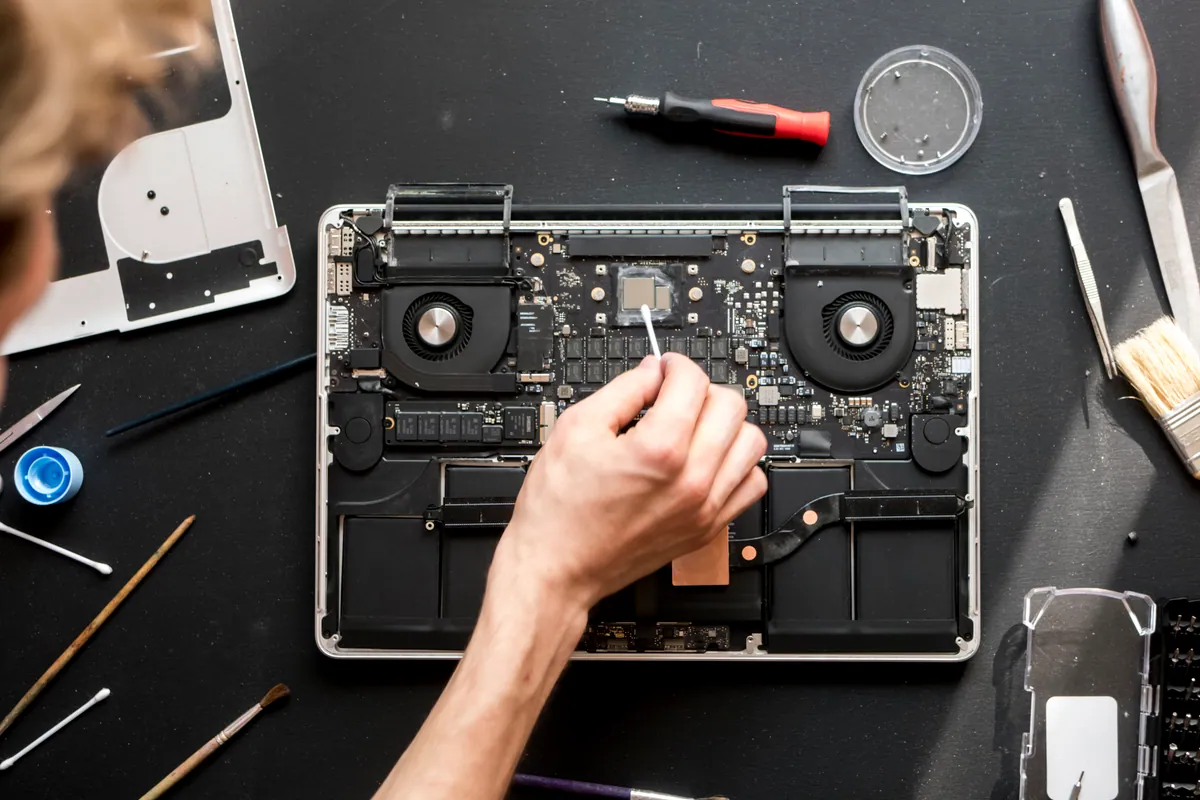
Battery replacement during the same opening:
- Applied adhesive remover at the battery cell edges
- Lifted battery slowly with non-conductive tools
- Cleaned chassis of old adhesive residue
- Applied new adhesive strips
- Fitted new (refurbished) battery, connected
- Replaced trackpad-area adhesive where disturbed
Doing both at once saved time. The chassis only had to be opened and closed once, and the battery work could happen while the new display assembly was settling.
Verification:
- Boot test. Display clean across the full lid angle range. No flicker, no blackout, no lines.
- Brightness, colour and uniformity tests passed.
- Camera and microphone tested.
- Battery charge to 100%, full discharge to 5%, second charge — calibration cycle to teach the controller the refurbished cell’s actual capacity.
- macOS System Report check — battery condition “Normal”, reasonable max capacity for a tested-refurbished cell (expected to be a little below new-genuine but well within usable range).
- Full overnight stability test.
The Result
Both faults resolved. Display clean at every lid angle. Battery accepting and holding charge. MacBook back in service at a price the customer could justify versus replacement. Workshop warranty on the parts and the work.
We were clear with the customer about the realistic timeline — refurbished parts give a couple of years of useful service on top of an already-aged MacBook. If they decided to keep the machine longer than that, they’d need to budget for new parts in the next round.
When refurbished parts make sense
Refurbished works well when:
- The MacBook has a year or two of useful life left rather than five or six
- Budget is a real constraint
- The parts come from a supplier who actually tests them
- The workshop stands behind both the parts and the work with a meaningful warranty
Reconsider when:
- The MacBook is otherwise pristine and the customer plans to keep it for many years
- The customer’s workflow depends on factory-spec colour accuracy (photo / video work)
- The repair is large enough that the parts cost difference matters less than the longevity difference
We discuss the trade-offs openly with every customer. Honest conversations about parts options is one of the reasons people come back.
Why This Happens
It’s not unusual to see a MacBook with multiple wear-item failures arriving at once. The reason is simple: components in the same MacBook are all the same age, all have been through the same usage patterns, and all reach the end of their useful life at roughly the same time.
Common multi-fault clusters on older MacBooks:
- Battery + hinge cable (this case) — both wear items that age with thermal cycling and physical use
- Battery + keyboard wear (butterfly-era keyboards in particular)
- Display brightness drift + battery degradation
- Storage drive wear + battery wear (especially on Macs used daily for many years)
When a MacBook is at this age, “is the battery still good?” is always worth asking even when the customer brought it in for an unrelated fault.
Local Help in Barnes SW13
Screen replacement quotes vary wildly between workshops; the difference is usually the panel grade, not the labour.
We’ll talk you through the trade-off between genuine and aftermarket panels honestly so you know what you’re paying for.
Drop in to SW15 or call 020 7610 0500 for an estimate. See our Screen Replacement page for more.