What Was Happening
The screen was damaged. The laptop powered on, the rest of the machine worked, but the display was unusable. Standard “I need a new screen” job — but Samsung adds an extra layer to the parts sourcing because they don’t ship a single panel across their range the way some brands do.
Sound like your problem?
Bring it to our Putney workshop or message us a photo and we will give you a straight answer and a quote before any work starts.
Why This Happens
Most laptop brands have a small number of panel suppliers and use them consistently across a model line. A Dell XPS 13 of a given year, for example, ships with one of a small set of panels — and any replacement that matches that set is interchangeable.
Samsung is different. Samsung Display is itself a major panel manufacturer, but Samsung laptops have used panels from Samsung Display, LG Display, Sharp, BOE and others across their range. Even within a single model name, different production batches sometimes shipped with different panel suppliers — and the panels aren’t always cross-compatible because connector position, ribbon pin-out, and backlight specification can vary.
What this means in practice:
- You can’t order a replacement from the laptop model name alone. “Samsung Galaxy Book screen” isn’t specific enough.
- You need the existing panel’s part number — found on a sticker on the back of the panel itself, behind the bezel.
- The sticker tells you everything that matters — manufacturer, exact model, resolution, refresh rate, brightness rating, connector type, pin-out.
Our Diagnosis
The diagnostic was standard, with the panel-sourcing twist:
- External monitor test. Confirmed the GPU and display cable were healthy. Damage limited to the panel.
- Hinge and cable check. Opened and closed the lid several times while watching the external display. No flickering, no signal loss. Hinge cable and connector both intact.
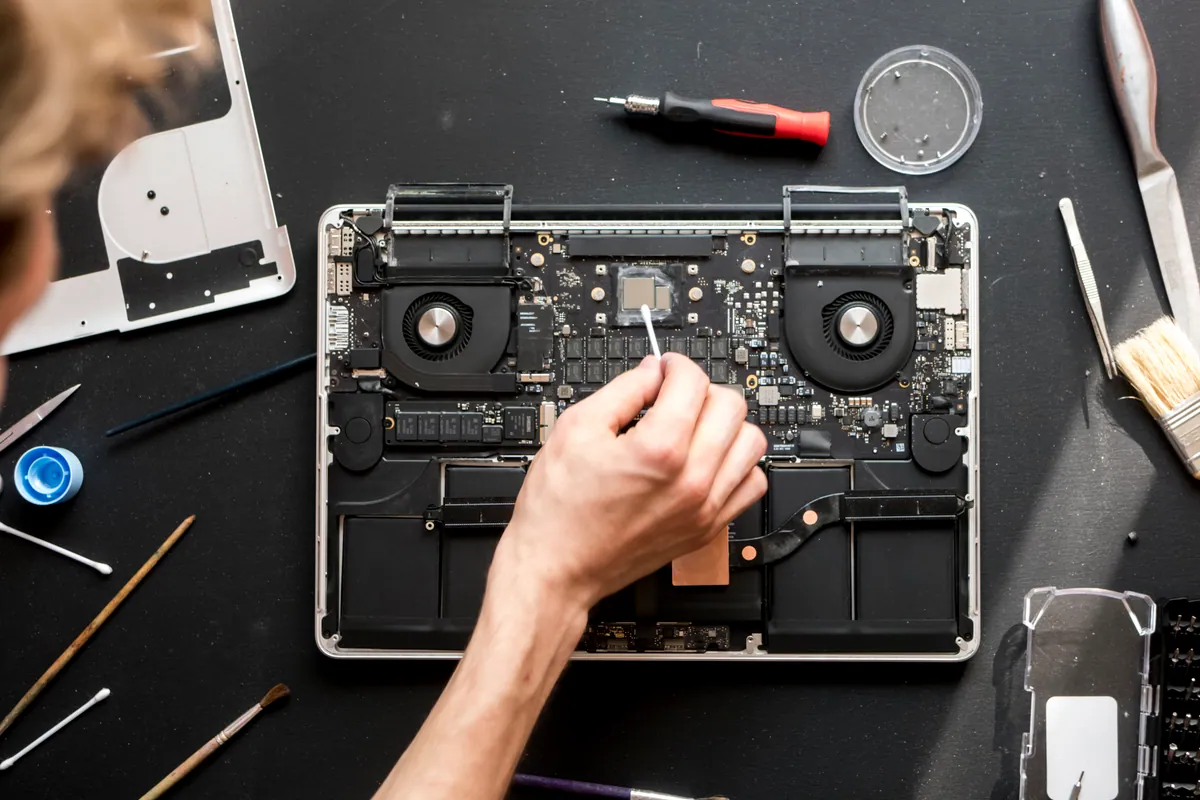
- Bezel removal to access the panel. Lifted the bezel carefully — Samsung laptops use a mix of clips and adhesive depending on the model and generation.
- Read the panel sticker. Captured the exact part number, manufacturer, resolution, refresh rate and connector type. This is what gets used to source the replacement.
Conclusion: damage limited to the panel. Replacement straightforward once the right part was identified.
How We Fixed It
Sourced the matching panel. Looked up the part number captured from the existing panel. Confirmed:
- Same manufacturer (where possible — some replacements from a different panel maker work, but it adds risk)
- Same resolution
- Same refresh rate
- Same backlight spec (so the laptop’s brightness control behaves predictably)
- Same connector type and pin-out (eDP variants and physical connector positions vary)
Sometimes the exact original-manufacturer panel isn’t easily available and we’d use a different manufacturer’s panel that matches all the electrical specifications. We’ll always tell the customer when we’re doing that and why.
Fitting:
- Powered off, mains disconnected, battery disconnected
- Bezel already removed during diagnosis
- Existing panel lifted carefully — modern laptop panels are bonded with thin adhesive strips that need slow lifting to avoid cracking
- Display cable disconnected from the back of the panel
- New panel fitted into place
- Display cable reconnected, with the connector latch properly engaged
- Bezel refitted with any disturbed clips or adhesive renewed
- Battery and mains reconnected
Verification:
- Boot test. BIOS splash, then OS login screen, both clean to the edges
- Full colour test — red, green, blue, white, black. No dead pixels, no backlight bleed, no pressure marks.
- Brightness across the full range — backlight responding evenly, no flicker
- Camera and any sensors integrated into the bezel tested (some Samsung designs route the camera through the lid; reassembly affects it)
- Hinge function tested
The Result
Display restored to factory spec. 30-day workshop warranty on the panel and the labour. The customer back to a working laptop the same day once the part was confirmed in stock.
What’s worth knowing about laptop screen replacements generally
The same checks apply regardless of brand:
- Always confirm the GPU is healthy. External monitor test takes ten minutes and rules out the most expensive failure mode.
- Check the hinge cable. A worn cable inside the hinge is a separate fault that can hide behind a damaged panel.
- Match the right replacement. Resolution, refresh rate, panel type (IPS / TN / OLED), backlight connector, touch capability, dimensions — all matter.
- Test cleanly before reassembly. Catching a dead pixel or backlight issue before refitting the bezel saves a second teardown.
How to avoid screen damage
The same advice applies across brands:
- Visual sweep before closing the lid. Pens, USB sticks, headphones, charging cables — anything caught between lid and base.
- Carry in a sleeve. The lid is the most vulnerable surface; a sleeve absorbs incidental knocks.
- Avoid pressure points — heavy books or other laptops on top in a backpack.
- Don’t pick up by a corner of the lid. Flexing the lid concentrates stress at the panel corners.
Local Help in Putney SW15
Image problems aren’t always the screen — backlight, cable and GPU all present similarly, so we check the whole chain first.
Once we’ve isolated the panel, replacement is quick and backed by a 30-day workshop warranty.
Drop in to our Putney workshop (SW15) or call 020 7610 0500 to book.