Overview
A small business in Putney contacted us after a Microsoft SQL Server reinstall left staff unable to log in to line-of-business software. The production database had been restored from backup, but authentication and query failures meant operations were at risk.
The Problem
The client was seeing three blocking issues:
Login failed for user 'sa'(Error 18456)Shared Memory Provider, error: 0 - No process is on the other end of the pipe(Error 233)- Collation conflicts between
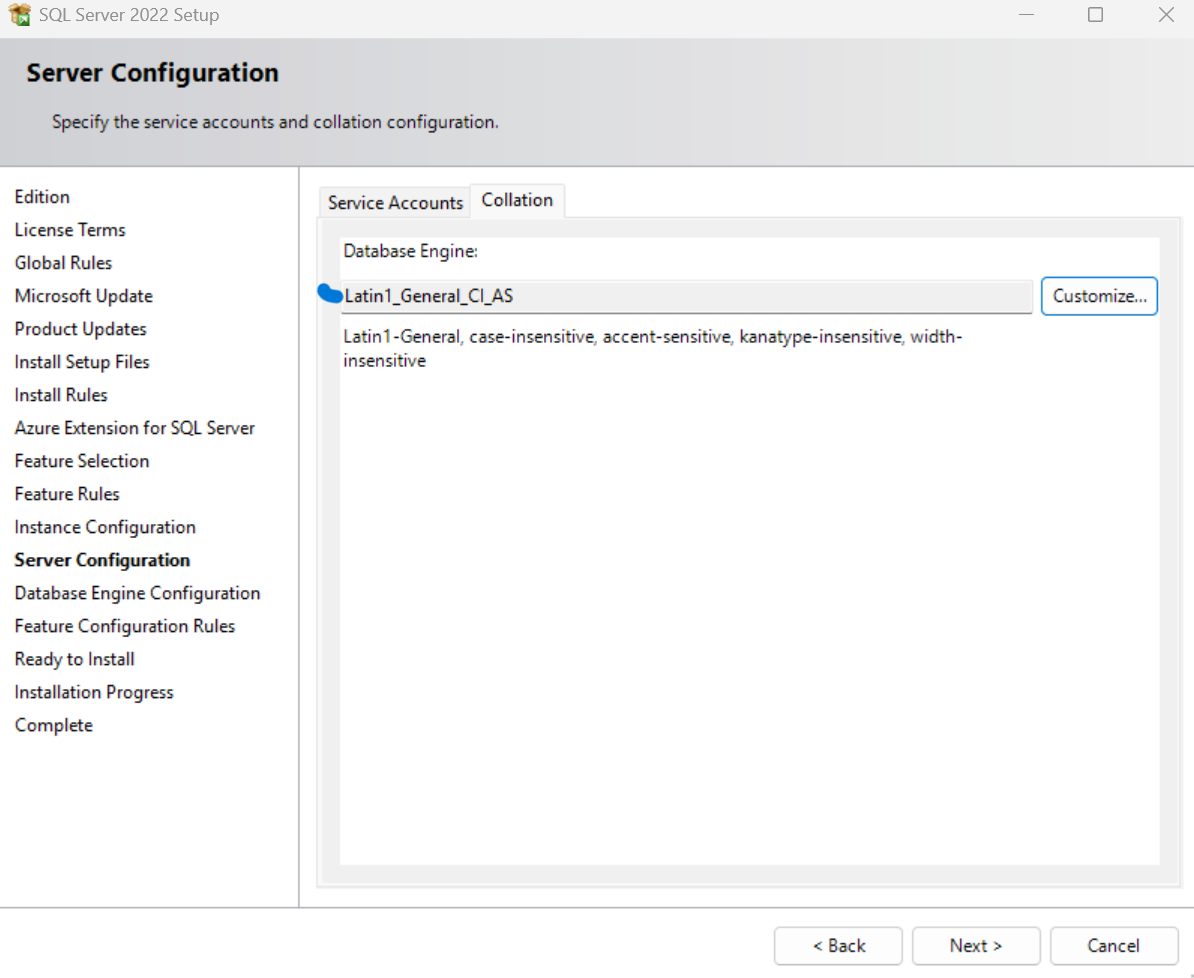
Latin1_General_CI_ASandSQL_Latin1_General_CP1_CI_AS
This prevented SQL authentication, blocked validation of restored data, and broke application connectivity.
Diagnostic Process
We ran a structured SQL Server triage process covering:
- SQL service and instance checks
- Authentication mode validation
- Collation audit across instance,
tempdb, and restored database
The root cause was clear:
- SQL Server was installed in Windows-only authentication mode
- The instance collation was
Latin1_General_CI_AS - The production database standard was
SQL_Latin1_General_CP1_CI_AS
Solution Implemented
1. Authentication Recovery
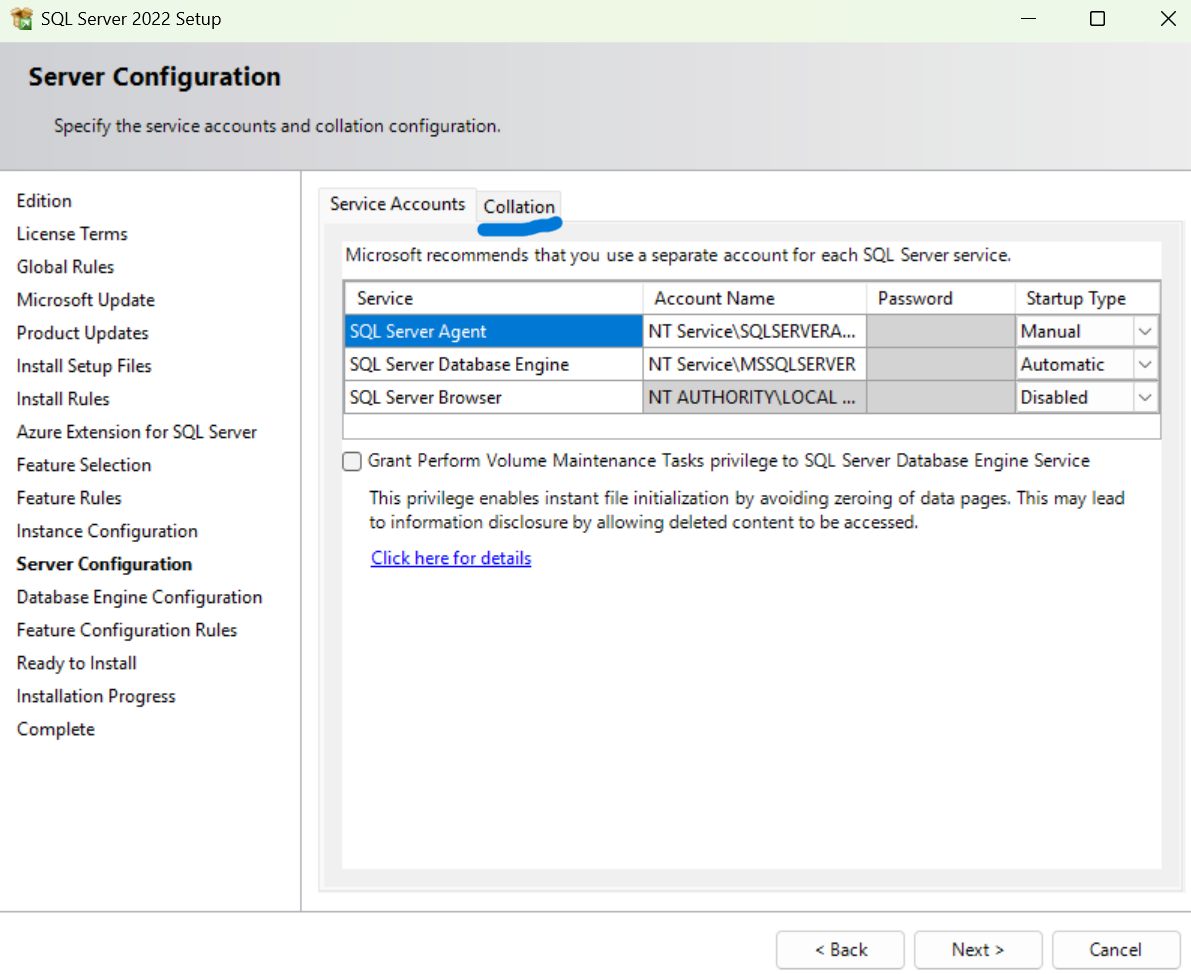
We connected via Windows Authentication, enabled Mixed Mode, restarted SQL services, and secured the sa account for controlled application access.
2. Collation Alignment
To eliminate ongoing query and temp table conflicts, we rebuilt the SQL Server instance using the same collation as the client database standard: SQL_Latin1_General_CP1_CI_AS.
3. Restore and Validation
We restored production .bak files, validated schema and stored procedures, and retested application query workflows end-to-end.
Technical Screenshots
Outcome
After remediation:
- SQL authentication was restored
- Business systems reconnected successfully
- Collation conflicts were removed
- Application queries executed without further errors
- Downtime was contained within business hours
Need SQL Server Help in Putney?
If your business is facing SQL login failures, database restore errors, or collation conflicts after migration, we can help with fast diagnostics and recovery.
See our remote IT support in Putney, onsite IT support in Putney, and data recovery in Putney services.