Introduction
Filament breaks. Sometimes mid-print, sometimes during a load cycle, sometimes when the spool got tangled overnight and yanked filament into the AMS too quickly. The broken piece lodges somewhere in the AMS path and the printer reports a feed error. Getting it out cleanly takes patience and the right sequence — getting it out the wrong way damages the AMS in ways that turn a free fix into a repair.
This guide walks through Bambu’s safe procedures for AMS, AMS 2 Pro and AMS Lite. The principles are the same; the specific access points differ by model.
Sound like your problem?
Bring it to our Putney workshop or message us a photo and we will give you a straight answer and a quote before any work starts.
Why This Happens
Filament breaks where filament is weakest. The most common breakage points are: at the AMS feeder entry (filament dust + brittle filament under load), inside the PTFE between AMS and printer (filament that absorbed moisture and snapped at a stress point), at the buffer chamber (sudden tugs from spool tangles), and just before the extruder (heat creep softening filament that then snaps under retraction force).
Once broken, the piece needs to come out. The instinct is to pull it backwards out the way it came in. That’s almost always wrong. The AMS feeder gears are designed to push filament one direction — reversing under load chips gear teeth and creates the next service ticket. Pulling broken filament through the hub sensor optical path can damage the sensor. Yanking PTFE under tension can dislodge quick-release fittings.
The safe approach is to push the broken piece out the way it was going. Insert fresh filament from the AMS side; it pushes the broken piece through and out the toolhead end. Or insert from the toolhead side to expel back into the AMS, depending on where the breakage is. Either way, fresh filament does the work, and nothing reverses under load.
Step-by-Step Fix
Step 1 — Locate the breakage
Read the HMS code.
The code identifies the stage that failed. First-stage failures = breakage near the feeder. Buffer/hub = breakage in PTFE between AMS and printer. Extruder grip = breakage near the extruder entry.Visual check the AMS slot.
Open the AMS lid. Is filament visible in the slot? Is the spool tangled? Can you see broken filament at the feeder entry? Note which slot is affected.Visual check the PTFE.
Look down the tube with a torch. Broken filament inside is often visible through the white PTFE wall as a darker line where the filament sits.Visual check the buffer (where accessible).
On AMS, the buffer chamber has a window. Look for broken pieces.
Step 2 — AMS (original AMS) procedure
Power off the printer and AMS.
Safer to work with power off so the AMS doesn’t try to feed while you’re inside it.Identify which side of the buffer the breakage is on.
AMS slot side or printer side. This determines which direction to expel the broken piece.Press the black quick-release collar to unlock the PTFE tube.
At the appropriate end. Pull the tube out smoothly.Push fresh filament through.
Insert a fresh piece (the same diameter) into the open end and push gently. The broken piece should travel along and emerge from the other end.Don’t force.
If you feel resistance that won’t yield to firm but smooth pressure, stop. The piece might be jammed at a junction. Disassemble further per the wiki rather than forcing.Reinstall PTFE and run a test load.
Reseat the tube fully, run a load cycle on the affected slot, and confirm the AMS reports success.
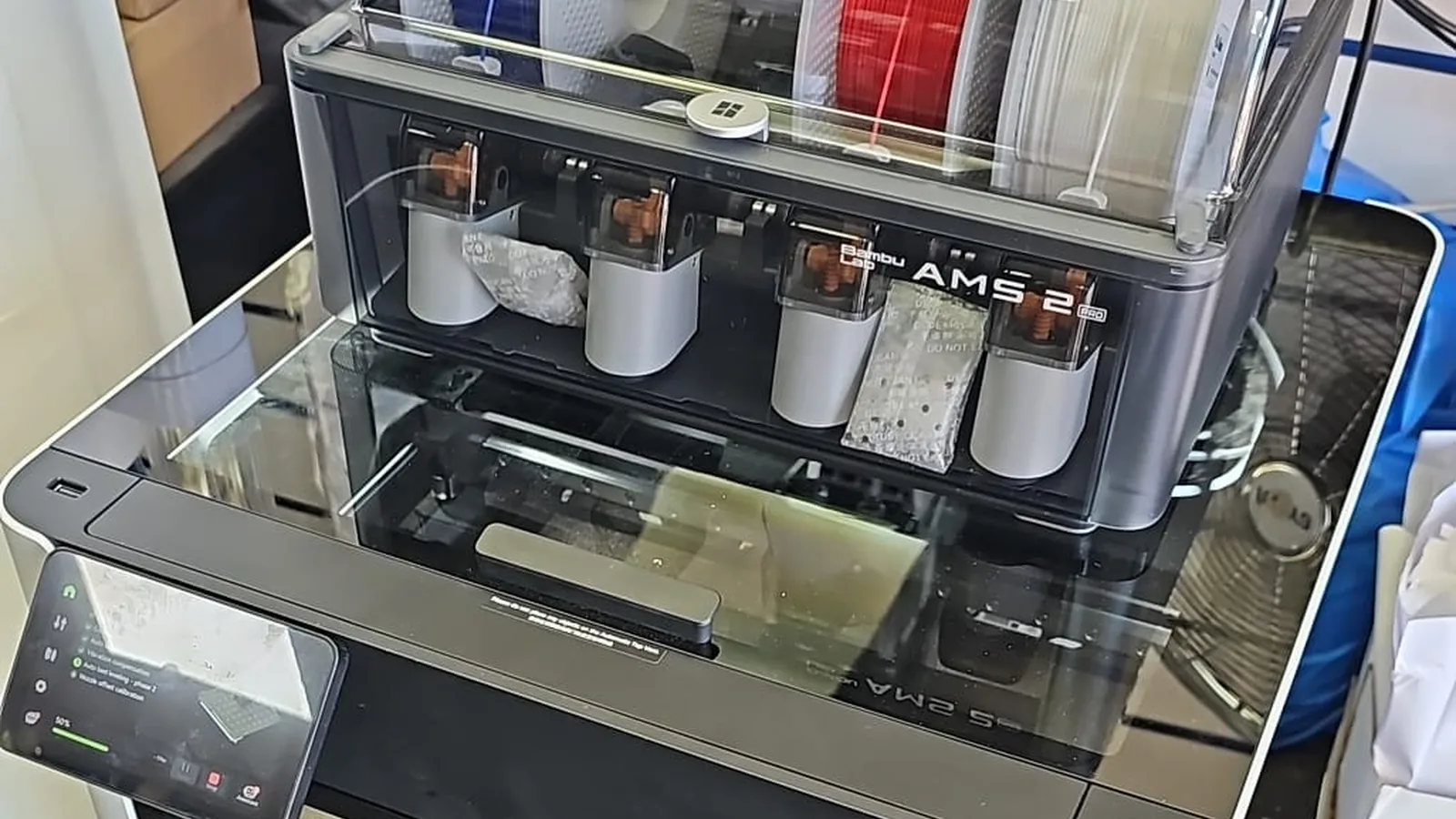
Step 3 — AMS 2 Pro procedure
Bambu’s wiki has a specific page.
AMS 2 Pro uses different internal geometry. The “unlock and pull” method with the black buttons applies, but the buffer access is different.Use a small piece of fresh filament as a pusher.
Same principle — push the broken piece in the direction it was originally traveling.The H2D shares the AMS 2 Pro architecture.
Procedures broadly overlap. Always check the wiki for the exact model.
Step 4 — AMS Lite procedure (A1 / A1 Mini)
AMS Lite uses open spools and a single feeder per slot.
No enclosed buffer chamber to worry about.Remove the affected spool.
AMS Lite spools sit on external arms. Lift the affected spool off.Inspect the feeder unit and the short PTFE between feeder and printer.
Push fresh filament through any tubing where broken filament might be lodged.Reinstall and test.
Replace the spool, load filament, verify the slot works.
Common Mistakes to Avoid
Pulling broken filament backwards through the AMS feeder gears.
Single most-common cause of secondary damage. The gear teeth chip and the AMS develops a slot-specific feed error that survives the original fix.Using tools to push through PTFE.
Fresh filament is the right pusher. Stiff wire or screwdrivers can pierce the tube wall or damage the hub sensor.Forcing past resistance.
Resistance means something is wrong. Stop, disassemble further, find the actual obstruction.Not unlocking the PTFE collar properly.
Yanking PTFE without pressing the black quick-release collar can damage the collet teeth inside the fitting.Ignoring the cause.
If filament broke once, the cause hasn’t gone away. Wet filament needs drying or replacement. Worn PTFE needs replacing. Spool tangles need addressing at the spool.
When to Call a Professional
Most broken-filament removals are user-fixable in 30 minutes. Where professional help pays off: breakages deep inside the AMS where you can’t see the broken piece; situations where you’ve already attempted removal and now something else is jammed; cases where the AMS reports faults that survive the broken-filament removal (suggesting the breakage damaged something internally); or any situation where you’re not confident with disassembly.
Our Bambu AMS Repair service covers AMS strip-down and broken-filament removal in cases where the simpler procedures haven’t worked. We’ve seen most of the unusual jam locations.
If you’ve chipped a feeder gear or damaged a sensor during DIY removal, tell us upfront — it saves diagnostic time and helps us quote accurately.
Prevention Tips
- Dry your filament. Wet filament is brittle filament. The Bambu AMS desiccant tray helps but isn’t a substitute for proper dry storage between prints.
- Replace AMS PTFE every 2 months for daily users. Worn PTFE is a major cause of breakages.
- Don’t run filament that has been open for over a year without drying it first. PETG and nylon especially.
- Check spool tension on the AMS. Spools that bind under tension are tangle-prone.
- Inspect the feeder gears monthly. Filament dust accumulates faster than people expect with matte filaments.