Quick answer: A Bambu Lab error code (an “HMS” code) is a structured fault message — four groups of four characters like 0300-0100-0001-0001. The prefix points to the subsystem: the HMS_0700 family is AMS feed errors, 0300-prefix codes usually relate to the heatbed or temperature, and Z-homing errors are most common on the A1 and A1 Mini. Read the full code, check its severity (fatal, serious, common or info), then follow the fix below or scan the on-screen QR code to open the exact page. Based in London and want it sorted for you? Our 3D printer repair & servicing team fixes Bambu faults in our Putney workshop — call 020 7610 0500.
Introduction
Every Bambu Lab printer — X1 Carbon, P1S, P1P, A1 and A1 Mini — runs a Health Management System (HMS) that constantly checks its own sensors and reports faults as coded notifications. Unlike the vague “print failed” message on older machines, an HMS code tells you exactly which subsystem raised the alarm and how serious it is. Once you understand how the codes are structured, troubleshooting becomes far faster: you stop guessing and start reading.
This guide explains the structure and severity of HMS codes, decodes the families we see most often in our workshop, and shows you how to look up any code you encounter.
Sound like your problem?
Bring it to our Putney workshop or message us a photo and we will give you a straight answer and a quote before any work starts.
How Bambu HMS codes are structured
An HMS code is made up of four groups of four hexadecimal characters, usually shown with dashes — for example 0300-0100-0001-0001. Each segment narrows the fault down: the first group identifies the module or subsystem, and the later groups pin down the specific component and condition. You don’t need to memorise the hex, but reading the full code matters — two codes that share a prefix can have completely different fixes.
Every HMS notification also carries a severity level:
- Fatal — the printer stops immediately; it usually needs a hardware fix before it will print again.
- Serious — a significant fault that will interrupt or prevent printing.
- Common — a recoverable issue (a jam, a filament run-out) you can usually clear yourself.
- Info — a maintenance reminder or minor notice.
The wording and colour of the on-screen message reflect this severity, so a “common” AMS notice is very different from a “fatal” heatbed code even before you know the number.
The most common Bambu error codes by category
AMS feed errors (HMS_0700 family)
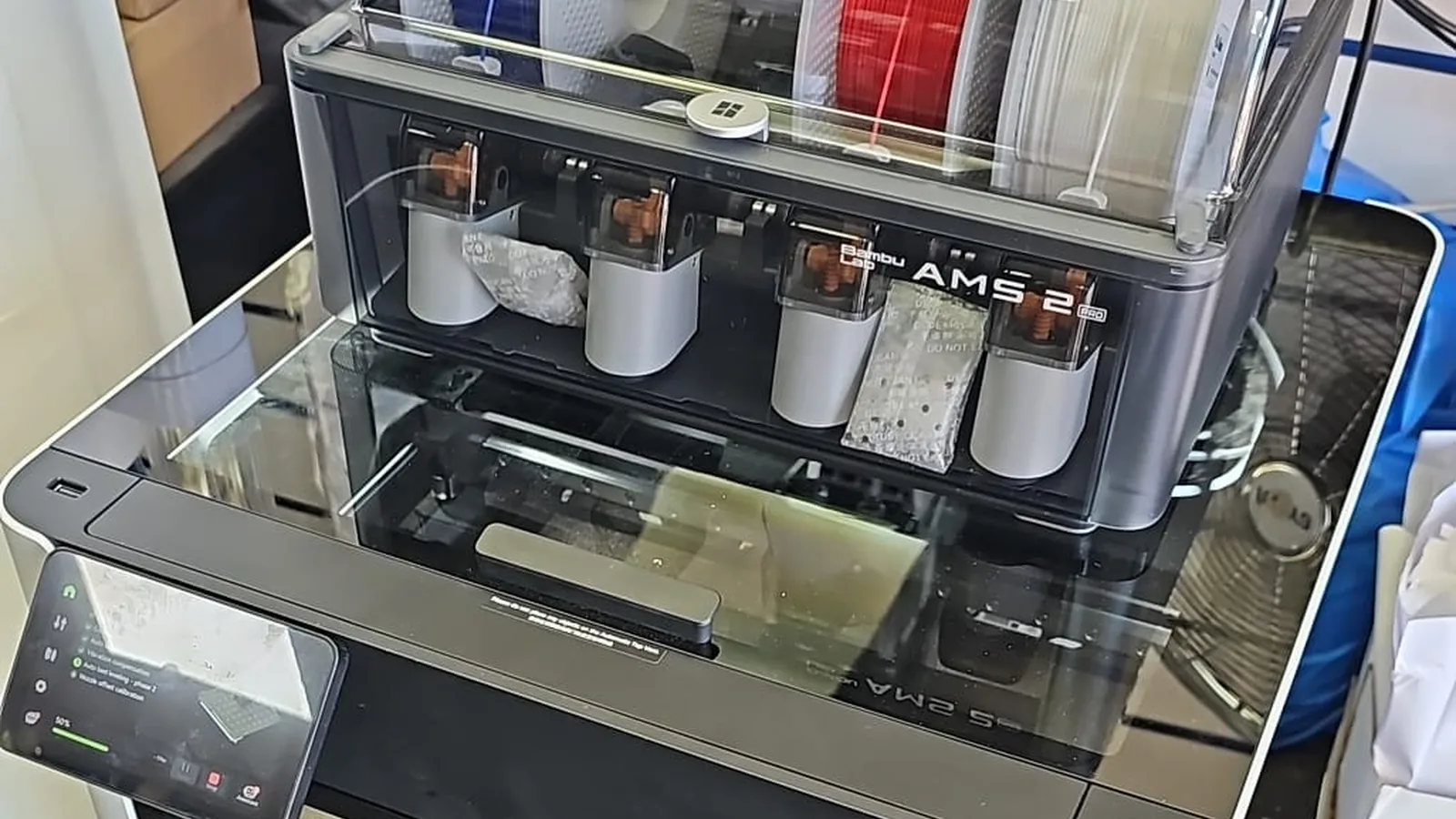
The single most common family we see. It means the AMS tried to move filament to the toolhead and the feed didn’t complete. The trailing digits identify the stage — first-stage feeder, buffer/hub, or extruder grip. Causes range from brittle, moisture-damaged filament and a tangled spool to a worn PTFE tube. Most are owner-fixable by re-seating the filament and clearing the path.
→ Deep dives: Bambu AMS Feeder Errors — HMS_0700 Codes Decoded and Filament Stuck in Your Bambu? Toolhead vs AMS vs PTFE.
Z-homing and bed-levelling errors
Most common on the A1 and A1 Mini. Before each print the printer taps the nozzle against the plate and uses sensors under the bed to feel contact. If there is debris on the nozzle tip or plate, unexpected pressure, or vibration, homing fails and throws an error. Cleaning the nozzle tip and build plate, and making sure the printer sits on a stable surface, resolves most cases.
Nozzle and extruder clogs
A partial clog shows up as under-extrusion or a feed error; a full clog stops the print. Bambu distinguishes an extruder clog (filament won’t feed into the hotend) from a nozzle clog (filament melts but won’t flow) — and the fix differs for each.
→ Deep dive: Bambu Nozzle Clog vs Extruder Clog.
Heatbed and temperature errors
Codes in the 0300 prefix range typically relate to temperature. For example, 0300-0100-0001-0001 reports an abnormal heatbed temperature, which can point to a short circuit or a failed thermistor. Temperature codes should be taken seriously — if a heater or thermistor is misreading, the printer is right to stop. Repeated temperature faults usually mean a hardware problem rather than a setup issue.
Motion, sensor and hardware errors
Less common but higher severity: stepper and motion faults, camera or sensor errors, and hardware self-test failures. These are often “serious” or “fatal” and typically need parts or servicing rather than a quick reset.
How to look up any Bambu error code
Bambu maintains an official page for every HMS code:
- When the message appears, scan the QR code shown on the printer’s screen or in Bambu Studio / Bambu Handy — it opens the exact troubleshooting page for that code.
- Or go to the official Bambu HMS lookup and enter the code (with the dashes) to read the cause and steps.
- Note the full code and its severity before you start — it is the fastest way to avoid applying the wrong fix.
When to call a technician
Clear, recoverable codes — AMS feed jams, bed-adhesion and Z-homing warnings, light clogs — are worth trying yourself first. Book a repair when you see:
- Repeated temperature or heatbed codes (possible heater, thermistor or wiring fault).
- Fatal or serious hardware or motion codes that return after a reset.
- AMS or extruder faults that keep recurring after cleaning and re-seating filament — usually a worn part such as the PTFE tube or extruder gears.
We service and repair every Bambu Lab model from our Putney workshop, including AMS strip-downs, hotend and extruder work, and mainboard diagnostics. See our 3D Printer Repair & Servicing service or call 020 7610 0500 for a quote.