Introduction
The hotend is the most-replaced major part on a Bambu Lab printer over its lifetime. Bambu’s design — an all-in-one assembly combining nozzle, heater, thermistor and silicone sock — makes replacement easy but means the whole unit goes when any one element fails. That’s mostly a positive: you don’t have to troubleshoot individual components. It’s also why owners sometimes replace hotends that didn’t need replacing, because they misread a clog as wear.
This guide gives you five reliable signs of genuine hotend wear, and explains how to distinguish wear from a clog that proper cleaning would resolve.
Sound like your problem?
Bring it to our Putney workshop or message us a photo and we will give you a straight answer and a quote before any work starts.
Why This Happens
Bambu’s hotend uses a ceramic heater wrapped around a hardened-steel or copper-alloy nozzle/heatblock, with an integrated thermistor reading the temperature. The design is excellent for repeatable performance and fast replacement. But all the wear paths still apply.
Nozzle wear happens at the tip and at the internal channel. The tip widens as filament — particularly abrasive composites like carbon-fibre — abrades the orifice over thousands of hours. The internal channel develops residue and uneven surface from carbonised filament. Both reduce flow consistency.
The thermistor can fail in a few ways. The most common is cable wear at the bend point where the hotend cable meets the toolhead PCB — micro-fractures in the cable cause intermittent readings. Less common is genuine thermistor drift, where the reading is consistent but no longer accurate.
The ceramic heater itself can crack from thermal cycling over hundreds of heat-up cycles. When it cracks, heat-up time increases and eventually the printer throws a temperature error during heating.
The silicone sock — the visible squidgy bit around the heatblock — degrades from heat exposure and contact with melted filament. Replacing the sock alone often resolves what looks like a hotend issue, particularly if you’ve been getting filament build-up on the outside of the hotend.
Step-by-Step Fix
Five reliable signs of hotend wear
Visible damage to the nozzle tip.
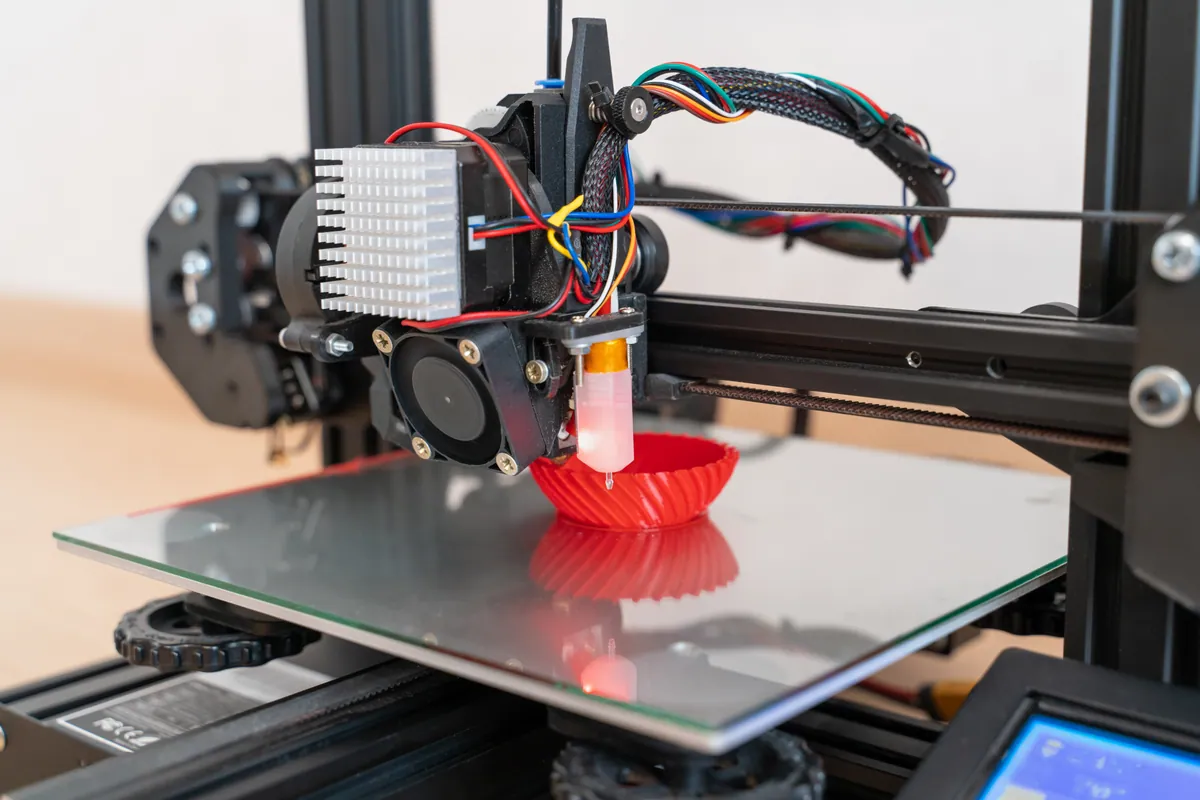
Look at the nozzle from underneath with a torch. Genuine wear shows as a widened, irregular orifice — the round opening is no longer round. New nozzles have a clean circular bore. Worn nozzles look ragged. Replace.Inconsistent temperature readings.
Bambu Studio shows the live hotend temperature. If readings fluctuate by more than a degree or two during steady-state print (not heat-up), the thermistor is wearing. Particularly suspect if the fluctuations correlate with toolhead movement (cable wear).Heat-up time has noticeably increased.
Compare to when the printer was new. A Bambu hotend reaching 220°C in under 2 minutes when new, taking 4+ minutes now — the heater is losing efficiency. Could be a cracked ceramic element.Flow inconsistency that survives recalibration.
You run a fresh flow calibration. Results are inconsistent across the test. You re-run. Results are still inconsistent. The hotend bore or nozzle is worn enough that consistent flow is impossible.Visible filament weeping from the hotend body.
Filament leaking from anywhere other than the nozzle means a seal has failed — usually between the heatblock and the nozzle threads, or between the heatbreak and the heatblock. On Bambu’s all-in-one, this is replacement territory.
Cleaning vs replacement — diagnose first
Try a cold pull first.
Push fresh filament in at print temperature, cool to the cold-pull range (90–120°C PLA, 140–170°C PETG/ABS), pull straight out. The cooled filament should pull out a coloured plug of residue. If after two cold pulls the prints behave normally, it was a clog.Try the silicone sock replacement.
If filament has built up on the outside of the hotend, replacing just the sock can resolve a surprising number of perceived hotend issues. Cheap and quick.Run a flow calibration.
Genuine wear shows up in inconsistent flow numbers across the calibration. Clogs and minor build-up usually produce consistent (if slightly low) flow.Only replace the full hotend after the above.
Bambu’s all-in-one is the right replacement when wear is genuine. If you’ve ruled out clogs, sock issues, and calibration drift, then the hotend itself is the issue.
Common Mistakes to Avoid
Replacing the hotend on first symptom.
Most “hotend issues” are clogs. Cleaning first saves a £60+ part.Buying aftermarket hotends without flow recalibration.
Aftermarket options like the Slice Engineering Mako perform well but require full flow recalibration. Skipping that produces worse results than the worn original.Running carbon-fibre on stock steel nozzle.
This wears the hotend out in weeks. Hardened steel or tungsten carbide is essential for abrasive filaments.Ignoring temperature fluctuations.
Erratic thermistor readings get worse, not better. Address early.Replacing the hotend and not the cause.
If you replace because of carbon-fibre wear and then continue running CF on the new hotend without changing nozzle material, you’ll be back in three months.
When to Call a Professional
Hotend replacement on a Bambu is a DIY job per the official wiki — unplug three wires, undo two screws, reverse for the new unit. Where professional help is genuinely useful: when symptoms are ambiguous and you want diagnosis rather than parts swapping; when you’ve already attempted replacement and damaged wiring or seating; when you want a hardened-steel conversion done with proper flow recalibration; or when the hotend issue is part of a wider service appointment.
Our 3D Printer Repair & Servicing covers Bambu hotend diagnosis and replacement. For X1C-specific work including post-replacement lidar recalibration, see the X1 Carbon repair page.
If your printer is still inside the warranty period and the fault looks like a manufacturing issue (hotend failing within a few hundred hours, for example), routing through Bambu support might be the better path — independent replacement won’t be cheaper than free.
Prevention Tips
- Don’t run abrasive filaments through a stock steel nozzle. Convert to hardened first.
- Replace the silicone sock annually as a routine — it’s cheap, easy, and prevents filament build-up.
- Check temperature readings during the first few minutes of each print. Catching erratic readings early gives you time before the next print job depends on it.
- Avoid pushing the included pin too far into the nozzle during clog clearing — pushed too deep, it forces softened filament into the heatbreak.
- Keep a record of hotend replacement dates. Tracking how long each one lasted tells you whether your usage profile is unusual.