Introduction
Bambu Lab printers are built to be reliable, but reliability comes from following the maintenance schedule rather than from the design alone. Owners who skip maintenance for a year typically arrive at our workshop with a cluster of small problems that have compounded — worn PTFE causing intermittent feed errors, a heatbreak fan that’s been bearing-rattling for months, dust in the AMS first-stage feeder, lead screws running dry. None of these are dramatic, but together they make the printer behave unpredictably.
This guide gives you Bambu’s own maintenance schedule, broken down by how often each task needs doing, and what to actually do in each session. We’ve added the practical context from running professional services on Bambu printers — particularly which tasks are easy to skip without consequence and which ones cause problems if neglected.
Sound like your problem?
Bring it to our Putney workshop or message us a photo and we will give you a straight answer and a quote before any work starts.
Why This Happens
Most maintenance neglect on Bambu printers comes from a reasonable assumption: “the printer worked fine yesterday, so it’ll work fine today.” That holds for several months, particularly on a new unit. The problem is that wear accumulates silently. PTFE tubes don’t fail dramatically — they develop progressive drag that the AMS motor compensates for until it can’t. Heatbreak fans don’t stop suddenly — they get slightly noisier each month until heat creep ruins a print.
The other reason is that Bambu’s documentation, while excellent, doesn’t push the maintenance schedule particularly hard. The user interface focuses on printing, not servicing. Owners discover the wiki maintenance pages only after a fault has appeared. By that point the cumulative neglect is what made the fault inevitable — the specific component that failed is almost arbitrary.
A structured schedule fixes both problems. You don’t have to remember when something was last done because the schedule tells you. You don’t have to diagnose a fault from cold because routine inspection catches wear before it becomes a fault. The cost is 15 minutes a week and a couple of hours every quarter.
Step-by-Step Fix
Weekly tasks (5 minutes)
Clean the build plate with 99% isopropyl alcohol and a lint-free cloth.
Finger oil from handling parts is the most-common cause of first-layer adhesion failure, and it’s invisible. Clean every spool change, not just when adhesion fails.Check for firmware updates.
Bambu Studio prompts you. Take them — Bambu is good at not breaking things in firmware updates and the calibration improvements compound.Visual inspection.
Look at the toolhead PTFE for kinks. Look at AMS PTFE for visible wear. Look at the bed for damage. 30 seconds, often catches problems before they become faults.
Monthly tasks (15 minutes)
Wipe down the carbon rods.
Use a clean dry lint-free cloth. Do not apply lubricant at this stage — monthly cleaning is dust removal, not lubrication. The rods should look clean, not glossy with oil.Check Y-axis and Z-axis linear rods for dust.
Same cloth, same principle. Filament dust and ambient particles accumulate here and eventually affect motion accuracy.Inspect the AMS feeder gears.
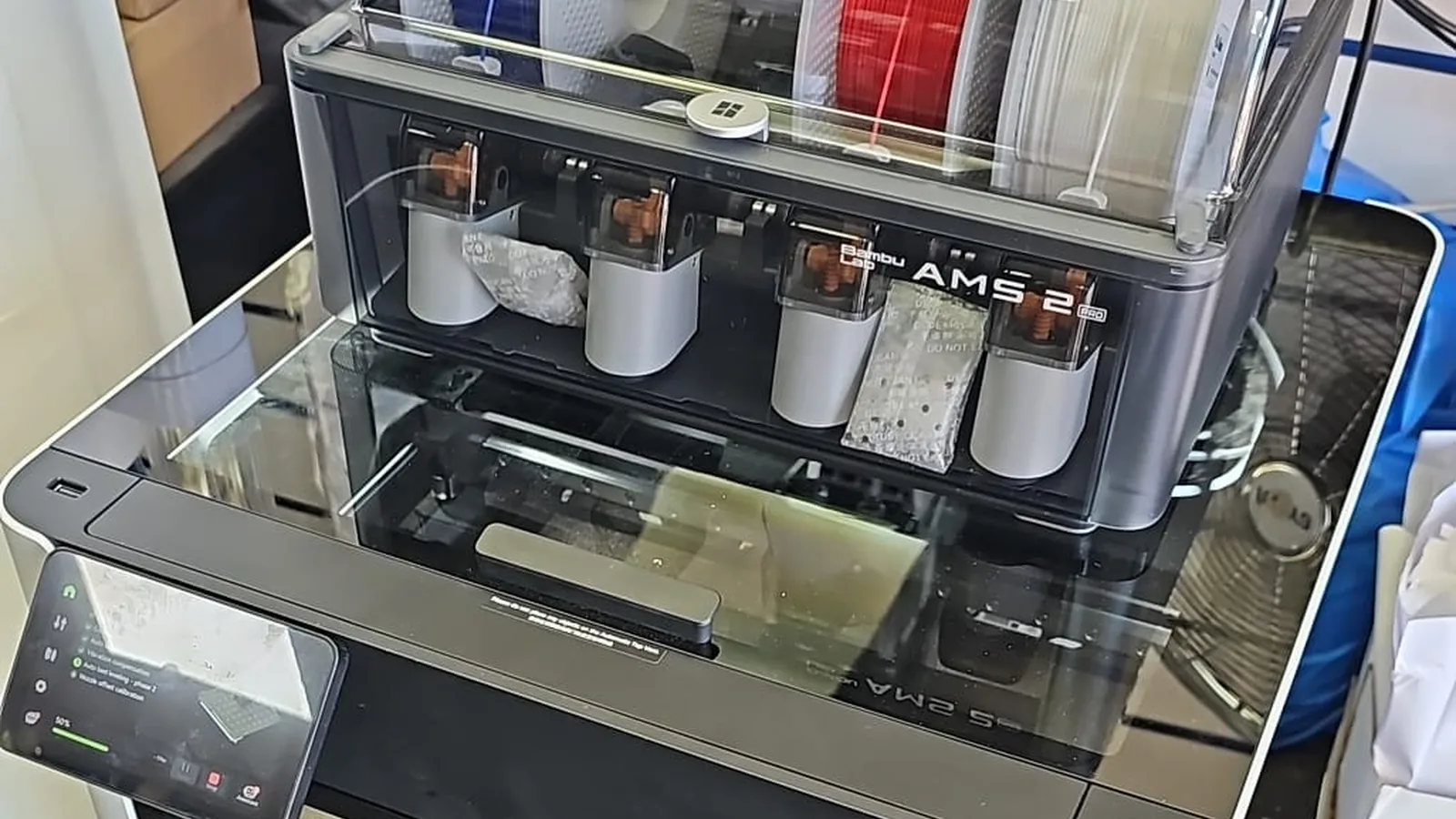
Open the AMS top, look at the knurled wheels and base gears. If you see visible filament dust deposits, brush them clear with a soft brush — not your fingers.
Quarterly tasks — every 3 months (45 minutes)
Replace the PTFE tube on AMS.
Bambu’s official guidance is every 2 months for daily users — quarterly is fine for typical hobby use. The toolhead PTFE has a longer lifespan but inspect at the same time. Worn PTFE is the single biggest cause of confusing AMS feed errors.Grease the Z-axis lead screws.
Bambu publishes the recommended grease. Apply sparingly. Over-lubrication attracts dust and makes the problem worse than under-lubrication.Apply anti-rust treatment to Y and Z rods.
Light oil film, wipe off excess. The point is corrosion prevention, not lubrication.Replace activated carbon filter (X1C).
If you run ABS or ASA regularly, the filter saturates within a quarter. PLA-only users can stretch this to every 6 months.Replace or regenerate desiccant.
AMS desiccant capsules absorb moisture and become saturated. Regenerate by baking per the instructions, or replace.
Annual tasks (full service — 2-3 hours, ideally workshop)
Full belt tension check on every axis.
Belts stretch slightly over time. Bambu publishes the correct tension procedure. Mistensioned belts cause subtle quality issues that owners often misattribute to slicer settings.Heatbreak fan replacement.
Particularly on P1S — this fan often shows bearing noise by the 1500-hour mark. Replace as a routine annual task rather than waiting for failure mid-print.Deep clean the AMS internals.
Disassemble, clean every gear, replace any worn feeder components, verify all four slots independently.Bed mesh full recalibration.
After everything else is done, run a fresh bed mesh and tramming, then verify with a full-plate first-layer test.Lidar lens clean and recalibration (X1C only).
Lidar drift is unavoidable over a year; an annual clean and recal restores first-layer flow accuracy.
Common Mistakes to Avoid
Over-lubricating the rods.
More grease is not better. Dust sticks to excess lubricant and creates worse problems than running slightly dry.Skipping PTFE replacement because the tube “looks fine”.
Wear is internal — you can’t always see it. Bambu’s schedule exists because the failure mode is gradual drift, not visible damage.Treating quarterly tasks as monthly tasks.
Doing too much too often causes wear from disassembly rather than preventing wear. Follow the schedule, don’t beat it.Skipping firmware updates because “it works”.
Bambu’s firmware improvements often include calibration accuracy or AMS handling refinements that materially affect print quality.Replacing parts instead of cleaning them.
Most AMS faults are cleaning jobs, not part replacements. Diagnose before you spend.
When to Call a Professional
Annual servicing is the realistic point at which most owners benefit from professional help. The tasks themselves aren’t difficult, but doing all of them properly in one session takes 2–3 hours of focused work, requires specific consumables (PTFE tubing, grease, replacement filter, desiccant), and benefits from a proper bench for AMS disassembly. If you’re not running the maintenance regularly yourself, an annual service catches the cumulative wear before it becomes a fault.
Our 3D Printer Repair & Servicing covers full annual service on Bambu Lab printers from our Putney workshop. We follow Bambu’s published schedule, fit Bambu-spec parts, and finish with a verification print so you know the printer works before you take it home.
For Bambu owners running printers commercially or in multi-printer setups, scheduled quarterly check-ins are often more practical than waiting for an annual all-at-once service. A rolling schedule means no single downtime week interrupts production.
Prevention Tips
- Keep a simple log: date, what you did, what you replaced. A notebook on the shelf next to the printer is enough. Memory is not.
- Buy PTFE tubing, grease and desiccant in bulk once a year — having consumables on the shelf removes the friction that causes maintenance to be skipped.
- Set calendar reminders for quarterly tasks. Once routine, they only take 45 minutes.
- Print a calibration test (first-layer, flow, temperature) at the start of every major print job. It catches drift before it ruins a long print.
- For X1C owners, clean the lidar lens once a month — it’s a 30-second job and prevents first-layer flow misreads.