Introduction
A Bambu that’s clicking and not extruding could be one of three things: a nozzle clog inside the hotend, an extruder clog upstream of the hotend, or heat creep softening filament before it reaches the nozzle. The symptoms overlap, which is why owners often replace the wrong part. Bambu’s wiki publishes a clean 5-minute test that isolates which it is — but you have to know to look for it.
This guide gives you that test plus the practical context for each fault.
Sound like your problem?
Bring it to our Putney workshop or message us a photo and we will give you a straight answer and a quote before any work starts.
Why This Happens
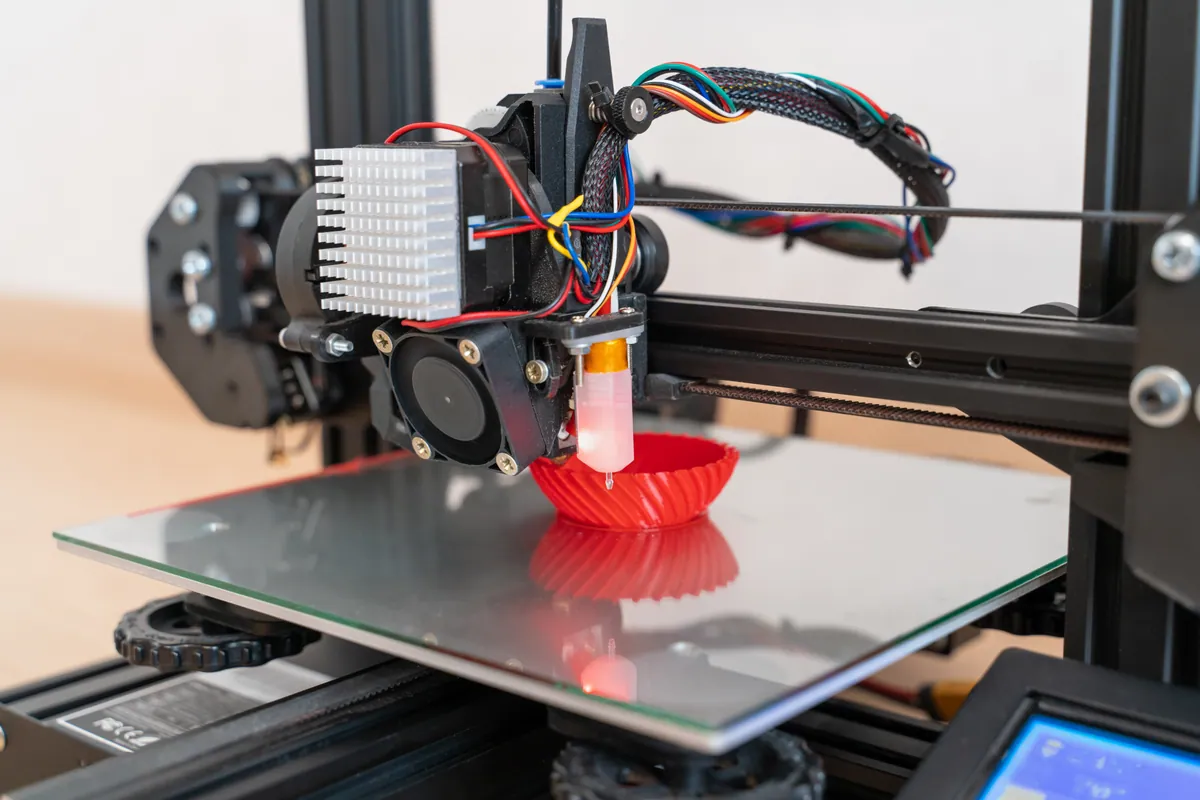
A Bambu’s filament path runs: spool → AMS feeder → PTFE tube → extruder gears → hotend → nozzle. The two places that genuinely clog are the extruder and the nozzle/hotend. The extruder clogs when filament debris accumulates in the drive gears or when softened filament fills the channel above the heatbreak. The nozzle clogs when carbonised filament builds up inside the heated zone or when the nozzle tip is partly blocked.
The reason they’re confusing is that both produce the same end symptom: filament isn’t extruding properly. The toolhead motor might be clicking (skipping steps) or simply running silently with no filament emerging. The print might be missing layers, producing thin lines, or stringing badly.
Heat creep is the third culprit. The heatbreak fan keeps the cold side of the hotend cold and the hot side hot. If the fan fails or weakens, heat travels upward and softens filament above the hotend. Soft filament then refuses to push down through the heatbreak, mimicking a clog. The fix isn’t cleaning anything — it’s replacing the fan.
Step-by-Step Fix
Bambu’s clog diagnosis test
Heat the hotend to print temperature for your filament.
PLA: 210°C. Make sure no filament is loaded.Manually push filament into the toolhead.
Skip the extruder. Push a piece of filament by hand directly into the hotend entry, bypassing the extruder gears.Observe what happens.
- Filament extrudes normally from the nozzle: the hotend is clear. The clog is in the extruder. (Stop here.)
- Filament refuses to push through, or extrudes weakly: the hotend or nozzle is clogged. (Continue.)
- Filament pushes through but with high resistance: partial nozzle clog, often clearable with a cold pull.
Fixing a nozzle/hotend clog
Try the supplied nozzle pin.
Bambu includes a thin pin. With the hotend at temperature, insert from the tip and gently work it back and forth. Stop if you feel real resistance — don’t push softened filament higher.Cold pull.
Push fresh filament in at print temp, cool to the cold-pull range (90–120°C for PLA), pull straight out by hand. The cooled filament should pull out a coloured residue plug.Repeat cold pull until clean.
Two or three cold pulls usually clear most residue clogs.If still clogged, the hotend needs replacement.
Bambu’s all-in-one design means full-unit replacement rather than nozzle-only.
Fixing an extruder clog
Power off and access the extruder.
Remove the front housing per the Bambu wiki for your model. The extruder is accessible after a few screws.Inspect the drive gears.
Filament dust, debris, or partial filament fragments are the usual culprits. Clean with a soft brush — not fingers, not anything sharp.Inspect the filament path above the heatbreak.
Sometimes a softened filament fragment is stuck in the channel between the extruder and the heatbreak. Remove with tweezers.Regrease and reassemble.
Bambu publishes a maintenance procedure including light gear regrease. Follow it.Test with a load cycle.
Load filament and run a short test print. Smooth extrusion confirms the clog is cleared.
Distinguishing heat creep
Look at the heatbreak fan.
With the printer running, the heatbreak fan should be spinning fast at any time the hotend is hot. Listen for bearing noise. Look for visible slowing or stuttering.If the fan is failing, replace it.
Heat creep won’t be cured by cleaning anything. Fresh fan, then retest. Particularly common on P1S units past 1500 hours.
Common Mistakes to Avoid
Replacing the hotend when it’s an extruder clog.
The manual-push test takes 30 seconds and saves a £60+ part.Cleaning the extruder when it’s a nozzle clog.
Disassembly without isolating the clog first wastes an hour.Pushing the cleaning pin too far.
Pushed too deep, you force softened filament into the heatbreak where it’s much harder to clear.Treating heat creep as a clog.
Cleaning the hotend doesn’t fix a failing fan. If clogs recur a few prints after each cleaning, suspect the fan.Replacing the extruder when it just needs cleaning.
Most extruder clogs are debris jobs, not gear replacement jobs.
When to Call a Professional
Clog diagnosis is normally DIY territory. Where professional help pays off: repeat clogs that survive proper cleaning (the cause is structural — heat creep, worn hotend, or a slicer settings issue); damaged components from previous DIY attempts (pin pushed too far, gear teeth chipped); printers where you want diagnosis-plus-service rather than buying replacement parts; or when you’re not certain which fault you have and don’t want to disassemble blind.
Our 3D Printer Repair & Servicing covers clog diagnosis as part of broader Bambu work. The Bambu Lab Repair Hub has model-specific detail.
Prevention Tips
- Run a cold pull as part of routine maintenance every few hundred print hours. Catches residue build-up before it becomes a clog.
- Don’t ignore the heatbreak fan. Listen for bearing noise during normal prints — replace at the first sign.
- Print at appropriate temperatures. PLA at 230°C invites heat creep.
- Clean the extruder gears monthly if you run matte or composite filaments.
- Keep filament dry. Wet filament cooks inside the nozzle and accelerates clog formation.