Computer Repair for Richmond, Kew, and East Sheen
Richmond sits at the western edge of our service area — close enough to reach conveniently, far enough that collection is usually the most practical option for customers. Lower Richmond Road, where our workshop is, takes its name from the route between Putney and Richmond: the road that connects us has been there longer than either of our postcodes.
We cover Richmond, Kew, East Sheen, North Sheen, and the surrounding area. If you’re in TW9, TW10, or SW14, we’re your nearest independent repair option with a physical workshop and genuine component-level repair capability.
What Richmond Customers Bring to Us
Screen Damage
Richmond gets a lot of screen repairs — the combination of professionals working from home, commuters with laptops in bags, and families sharing machines creates a steady stream of cracked panels and backlight failures.
A cracked screen has to be replaced — there’s no repair for physical damage to the panel itself. Backlight failure (the screen is very dim, visible in bright light but otherwise dark), vertical or horizontal lines, or dead patches are also panel faults in most cases, though we confirm during diagnosis before quoting.
Screen replacement costs: Windows laptops typically £80–£140. MacBooks range more widely — £180–£350 depending on the model and whether it’s a standard, Retina, or Liquid Retina XDR panel. We carry stock of common panels and can usually complete same-day repairs for popular models.
Battery and Charging Problems
A recurring pattern with Richmond customers: MacBook users who’ve been tolerating reduced battery life for months before deciding to do something about it. By the time the machine is shutting off at 30% charge, the battery has usually been degraded for the better part of a year.
macOS makes it easy to check — Apple menu → System Information → Power shows your cycle count and current full charge capacity. Most batteries are rated for 1,000 cycles. A battery at 700 cycles with noticeably reduced runtime is worth replacing now rather than waiting for it to become urgent.
Windows laptop batteries are similarly replaceable. We carry cells for most common makes — Dell, HP, Lenovo, ASUS, Acer. Costs range £65–£120. MacBook battery replacement sits at £95–£150 depending on model.
Data Recovery
Richmond has a significant professional population — financial services, legal, creative industries — and data loss on a work machine carries real consequences. We recover data from drives that have failed logically (corrupted file system, accidental deletion, failed update) and in many cases from drives that have failed physically.
The key factor in physical recovery: don’t keep trying to use a failing drive. The noise a drive makes matters — clicking, grinding, or repetitive ticking are sounds of the read head struggling against damaged platters. Every additional read attempt on a physically failing HDD causes further damage. Power it off and bring it in.
SSD data recovery is more complex — we cover the reasons in detail in our SSD data recovery guide — but many SSD failures that look catastrophic are recoverable with the right tools.
Slow and Underperforming Laptops
Richmond customers frequently come in asking whether an older laptop is worth investing in or whether they should cut their losses and replace it. The honest answer is almost always: let us look at it first.
A four-year-old laptop running slowly is most commonly one or more of: a storage drive with early warning signs, thermal paste that’s dried out and causing the CPU to throttle, RAM that’s undersized for what macOS or Windows 11 now requires, or accumulated software processes that can be cleaned up. Addressing these can extend the machine’s useful life by two to three years at a cost well below a replacement.
Sound like your problem?
Richmond or Kew customer? We collect, repair, and return — no need to travel. Call 020 7610 0500 to arrange, or drop in to our Putney workshop at 66 Lower Richmond Road.
MacBook Repair in Richmond
Richmond has one of the highest concentrations of MacBook users of any area we serve. The pattern of faults reflects the demographic: professionals with Intel or Apple Silicon machines, often four to seven years old, that are starting to show their age.
Intel MacBook performance decline. Many 2018–2021 Intel MacBooks that have been through four or five macOS updates are noticeably slower than they were two years ago. Some of this is software overhead, some is thermal — the thermal paste on Intel MacBooks degrades over time and the CPU starts throttling aggressively to manage temperature. A thermal paste replacement alongside a clean can make a meaningful difference to a machine that feels sluggish but otherwise works.
Apple Silicon reliability. M1 and M2 MacBooks are more reliable mechanically than Intel models — fewer thermal issues, better battery longevity — but they still get physical damage, liquid ingress, and software faults. Logic board repair on Apple Silicon machines is more involved than on Intel due to the integrated memory architecture, but component-level repair is still viable for many faults.
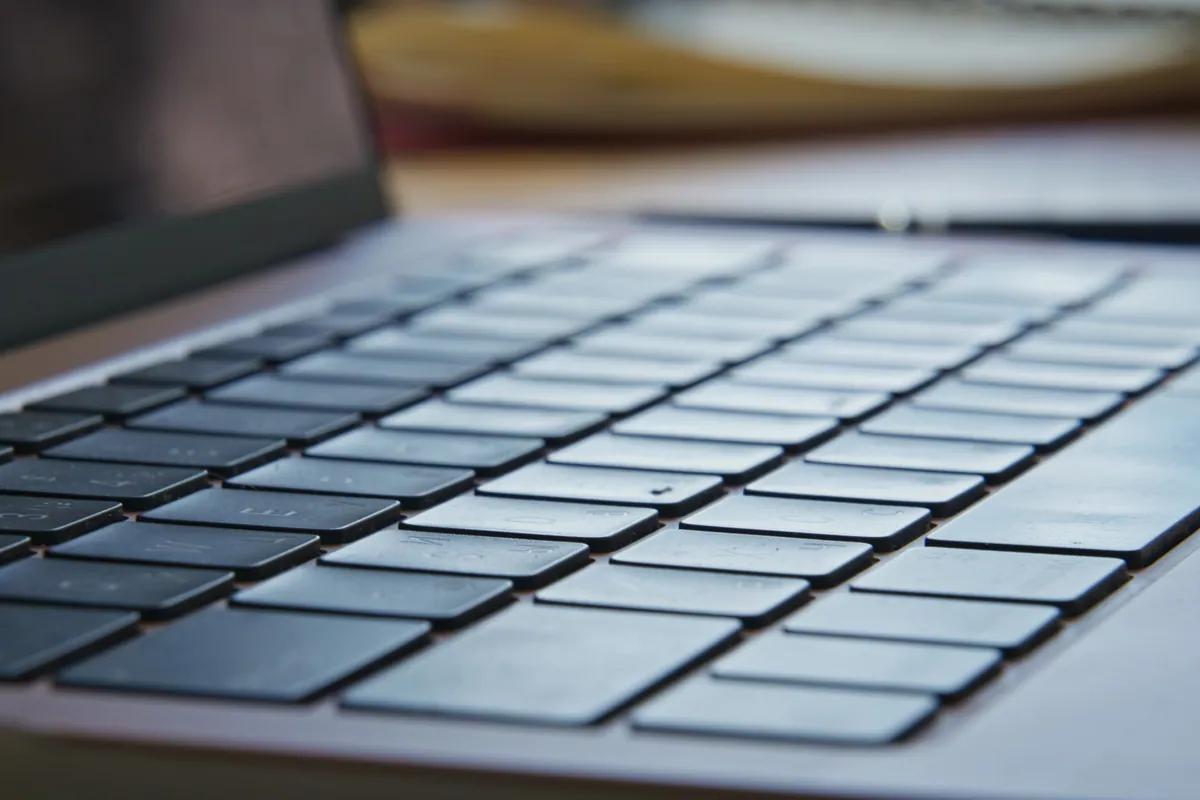
Keyboard failures. Richmond customers with 2016–2019 MacBook Pros still come in regularly with butterfly keyboard failures — keys that stick, double-type, or stop registering entirely. The keyboard on these machines was genuinely problematic and Apple’s out-of-warranty repair programme has long since ended. We replace keyboards and top cases on these models.
Screen faults on older MacBook Pros. The 2016–2019 generation also had a known issue with display delamination — a grey or white coating that appears from the edges of the screen inward. This is not repairable by cleaning; the panel needs replacing. If you’re seeing this on a MacBook Pro from that era, it’s the stainless steel coating separating from the anti-reflective layer.
Small Business IT Support in Richmond
The independent business community in Richmond — along George Street, the Hill, and the surrounding streets — uses a mix of Windows and Mac machines. We provide:
Remote IT support: connectivity issues, email configuration, Microsoft 365 and Google Workspace setup, software problems resolved without a callout visit where possible.
On-site support: for hardware that needs physical attention or where remote access isn’t practical. We cover Richmond for on-site visits.
Network setup: home office and small business networking, Wi-Fi coverage issues, printer setup and configuration.
Regular maintenance: PC health checks on a schedule, catching drive failures and performance issues before they become critical.
No contract or retainer needed for one-off support. We quote per job.
Getting Your Laptop to Us from Richmond
Collection (recommended): We collect from Richmond, Kew, East Sheen, and North Sheen. Call 020 7610 0500 to arrange a convenient time.
Drop-in: 66 Lower Richmond Road, Putney, SW15 1LL. From Richmond, take the A316 or follow Lower Richmond Road east — we’re on the Putney end of it, roughly 3 miles from Richmond town centre. Around 15–20 minutes by car.
Remote support: Available for software faults, connectivity issues, and system optimisation without the machine leaving your home or office.
Opening hours: Monday–Friday 10am–6pm, Saturday 10am–5pm.
Repair Costs for Richmond Customers
| Repair type | Typical cost |
|---|---|
| Laptop screen replacement | £80–£350 depending on model |
| MacBook battery replacement | £95–£150 |
| Windows laptop battery | £65–£120 |
| SSD upgrade or replacement | £80–£180 inc. parts |
| Keyboard replacement (MacBook) | £120–£200 |
| Water damage assessment | Diagnostic fee confirmed upfront |
| Virus and malware removal | £65–£95 |
| Data recovery | From £120 |
| Thermal paste replacement | £65–£95 inc. clean |
| PC health check | £45 (deducted if repair follows) |
You’ll get a fixed quote before we start, with any diagnostic fee confirmed upfront. Contact us or call 020 7610 0500.