Laptop Repair for Tooting and SW17
Tooting has grown considerably as a place to live over the past decade — the market, the independent food scene along Tooting High Street, and the strong community identity have made it one of the more sought-after parts of south London. The people who’ve moved in bring laptops that need fixing, and there’s limited local repair capability in SW17 itself.
We’re in Putney, around 4 miles away, and we collect. If your laptop or MacBook has stopped working, you don’t need to make a long journey or post it away.
Repairs We Carry Out for Tooting Customers
Screen Replacement
A cracked screen is the most clear-cut repair: the panel is damaged, it needs replacing. What varies is cost — and that depends almost entirely on the make and model of the laptop.
For standard Windows machines (Dell, HP, Lenovo, ASUS, Acer), most screen replacements come in at £80–£140 including parts and labour. MacBook screens are more involved — the panels themselves are more expensive, and the assembly on Retina models is more delicate. Typical range: £180–£350 depending on the specific model and generation.
We stock panels for the most commonly seen models and aim to complete those same-day. Rarer or older models may require a 1–2 day wait for parts — we’ll confirm before you commit.
Laptop Performance and SSD Upgrade
A common Tooting query: a laptop that’s been getting progressively slower over the past year and isn’t clearly broken, just frustratingly unusable. In most cases, the root cause is the storage.
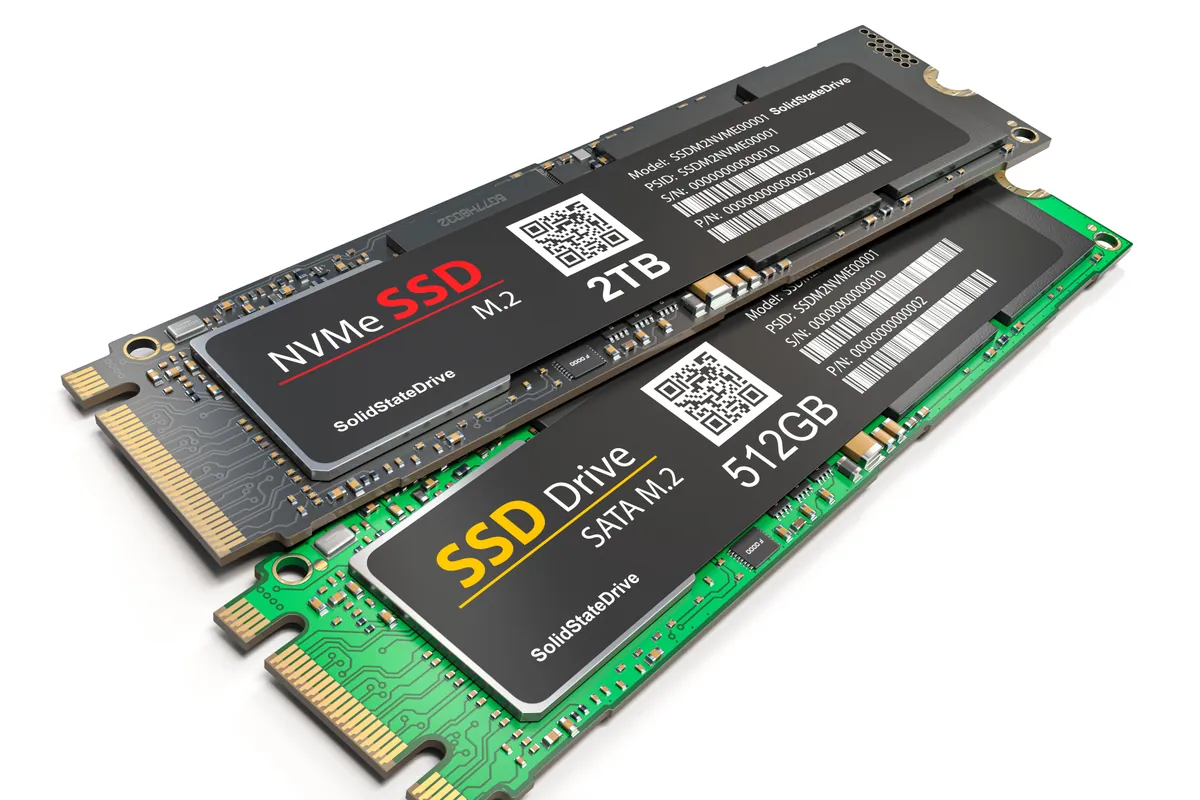
Laptops shipped with spinning hard drives (HDDs) — common in budget machines and anything purchased before around 2019 — are the bottleneck in almost all slow-laptop scenarios. The processor, RAM, and screen are rarely the issue for everyday tasks. The drive is. Replacing an HDD with an SSD is the most significant single performance improvement available for these machines.
We fit the SSD and clone everything across — your files, applications, and settings come with it. You don’t lose anything and you don’t need to reinstall software. Cost: £80–£180 including the drive. The before-and-after difference is immediately noticeable.
Battery Replacement
Tooting laptop users tend to use their machines heavily — working from home, commuting with them, running them through long days. Batteries reflect that use. Once a battery starts shutting the machine down unexpectedly or running out before lunchtime, it’s time.
MacBook users can check battery health directly in macOS: Apple menu → System Information → Power shows the cycle count and current capacity. Windows users can run powercfg /batteryreport from the command prompt for the equivalent information.
Battery replacement: MacBook £95–£150, Windows laptops £65–£120.
Virus and Malware Removal
Malware rarely makes itself obvious immediately — it tends to degrade machine performance gradually, redirect browsers occasionally, and operate in the background without drawing attention. By the time most Tooting customers notice something is wrong, the infection has been present for weeks or months.
We remove malware completely. That means checking not just for obvious infections but for the persistence mechanisms — the scheduled tasks, browser extensions, startup entries, and service installs that allow malware to survive a casual scan or even a basic reinstall. Cost: £65–£95.
Sound like your problem?
Tooting customer? We collect from SW17 — call 020 7610 0500 to arrange, or drop in to 66 Lower Richmond Road, Putney.
MacBook Repair in Tooting
Liquid damage. Tooting’s thriving café and restaurant culture means the occasional laptop-meets-liquid accident. If this happens, the single most important action is to power the machine off immediately — not sleep, not lid-closed, but fully powered off — and bring it to us or arrange collection the same day. Corrosion on a wet circuit board begins quickly once power is applied. Machines that arrive within a day of a spill have significantly better outcomes than those that were left overnight hoping they would dry out.
MacBook keyboard faults. The butterfly keyboard generation (2016–2019 MacBook Pro) remains a persistent source of repairs. Individual keys that stop registering, feel different from the rest, or double-type are classic symptoms. These keyboards were problematic from the start and Apple’s repair programme for them has long ended. We replace keys, keyboards, and top cases.
MacBook won’t turn on. A MacBook that shows no response to the power button has several possible causes, most of which are diagnosable and many of which are fixable. Dead battery (flat from prolonged storage), charging circuit fault, SMC issue, or logic board failure — we work through the sequence rather than assuming the worst. Many machines that appear completely dead are recoverable.
Slow MacBook. If your Intel MacBook from 2017–2020 is noticeably slower than it was two years ago, it’s worth investigating before concluding you need a new machine. Thermal paste that’s dried out — causing the CPU to throttle under load — accounts for a significant portion of this kind of gradual decline. A thermal service and clean often makes a real difference to machines that are otherwise sound.
Getting to Us from Tooting
Address: 66 Lower Richmond Road, Putney, SW15 1LL
From Tooting Broadway, take Garratt Lane or Tooting High Street north toward Earlsfield and Wandsworth, then head west toward Putney via the A3. Lower Richmond Road runs off the A3 along the river. Total: around 20–25 minutes by car.
Collection: The easiest option for most Tooting customers. Call 020 7610 0500.
Opening hours: Monday–Friday 10am–6pm, Saturday 10am–5pm.
Costs
| Repair | Typical cost |
|---|---|
| MacBook screen replacement | £180–£350 |
| Windows laptop screen | £80–£140 |
| MacBook battery | £95–£150 |
| Windows laptop battery | £65–£120 |
| SSD upgrade | £80–£180 inc. parts |
| Thermal service | £65–£95 |
| Virus removal | £65–£95 |
| Water damage assessment | Diagnostic fee confirmed upfront |
| Data recovery | From £120 |
| PC health check | £45 (deducted if repair follows) |
Diagnostic assessments are available on all hardware faults. Fixed quote before work starts. 90-day warranty. Any assessment fee confirmed upfront. Get in touch or call 020 7610 0500.