Dealing with a suspected motherboard fault right now? We repair PC, laptop and MacBook boards at component level from £295 — often far cheaper than a replacement. Book a component-level board repair or call 020 7610 0500 for an honest diagnosis.
What “Motherboard Repair” Actually Means
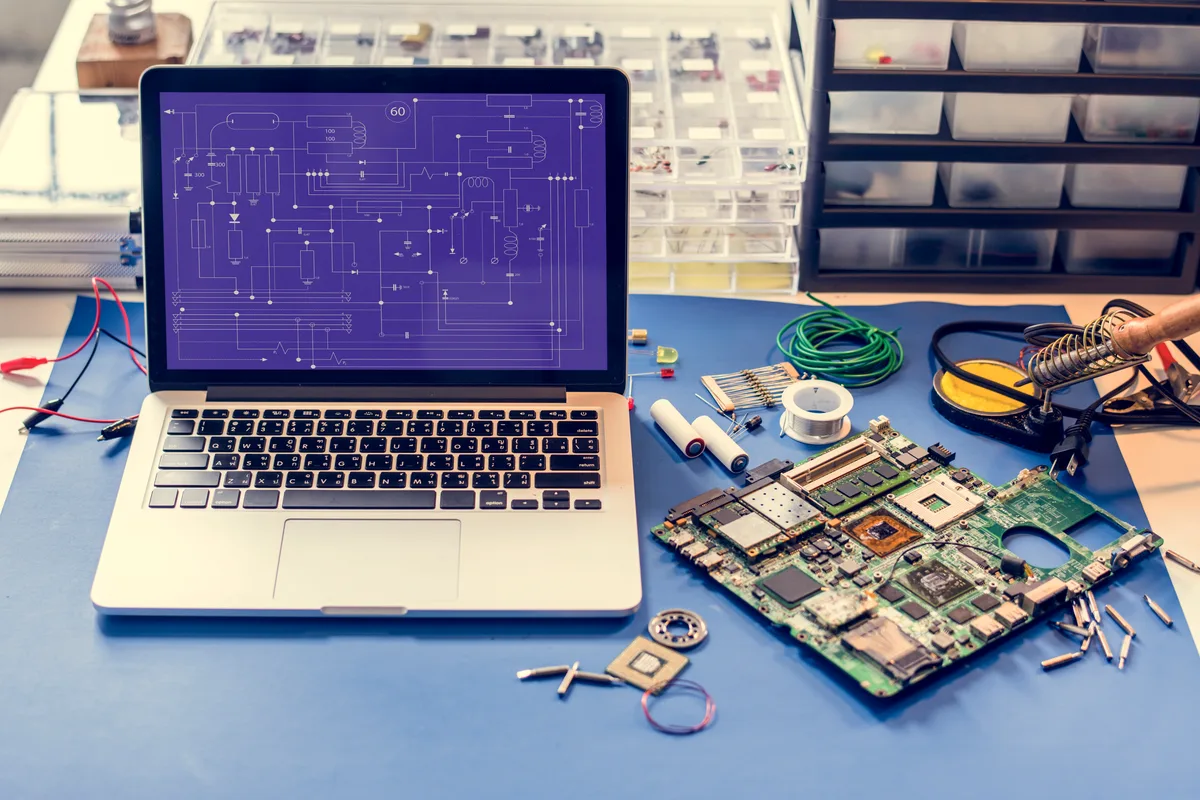
There’s a difference between replacing a motherboard and repairing one. Most high street shops will quote you for a swap — pull the dead board, fit a replacement, done. Component-level repair means diagnosing which part of the board has failed and fixing that specific fault: a voltage regulator, a blown capacitor, a failed power IC, a cold solder joint.
The distinction matters because:
- Replacement boards for older or less common machines are often unavailable or expensive
- A board swap doesn’t always fix the underlying fault if the original cause was a power surge or liquid damage
- Component-level repair is frequently cheaper when done by someone with the right equipment
Not every repair shop does component-level work. It requires a hot air rework station, a stereo microscope, soldering skills beyond hobbyist level, and the ability to read schematic diagrams. If a shop quotes you the same price to repair as to replace with a used board, they’re almost certainly doing a swap.
Sound like your problem?
Bring it to our Putney workshop or message us a photo and we will give you a straight answer and a quote before any work starts.
Common Motherboard Faults — and Whether They’re Actually Fixable
No power — machine won’t turn on at all
This is the most common symptom people bring in under the label “motherboard failure”, and it’s the one most likely to be misdiagnosed.
Before assuming the motherboard is dead, a competent technician rules out: the power supply (on desktops), the charger and DC jack (on laptops), the CMOS battery, and RAM. These cause identical symptoms and are far cheaper to fix.
If those are fine and the board genuinely isn’t powering up, the fault is usually in the power delivery circuit — MOSFETs, power management ICs, or fuses. These are repairable components. Board repairs start from £295, and the exact price depends on the specific board and fault.
Blue screens, random crashes, and memory errors
These can be RAM, but they can also be traced to the memory controller on the board itself, or to issues with the CPU socket. If you’ve already swapped RAM and the problem persists, and the machine is producing specific error codes pointing to the memory subsystem, the board is a realistic suspect.
Memory controller issues on desktop boards are difficult to repair economically — the controller is integrated into the CPU on modern Intel and AMD platforms, so if it’s genuinely failed, you’re usually looking at a CPU replacement rather than a board repair. On older platforms where the controller is on the board, a replacement board is typically the right answer.
GPU failures in laptops
Laptop motherboards with dedicated graphics often develop solder joint failures on the GPU chip over time — heat cycling causes the tiny solder balls underneath the chip to crack. The classic symptom is a machine that won’t display anything, or displays artefacts (coloured lines, blocks, scrambled images), but seems otherwise alive — fans spin, keyboard lights up.
Reflow (applying heat to reflow the existing solder) used to be the standard fix but it’s largely a temporary measure. Reball — removing the GPU chip completely, stripping the old solder, and fitting new solder balls — is more durable. A proper reball is quoted after diagnosis, and it’s worth doing if the machine is otherwise in good condition and the board is otherwise sound.
Liquid damage
The board itself often survives a spill — it’s the corrosion that develops afterwards that causes problems, sometimes weeks later. Corrosion bridges traces, causes short circuits, and attacks connector contacts.
Outcome depends heavily on what liquid was spilled (sugary drinks corrode far faster than water), how quickly the machine was powered off, and how long it sat wet before being opened. Boards that are cleaned promptly with isopropyl alcohol and properly dried have a reasonable chance of full recovery. Boards that sat wet for days and then kept being powered on to “check if it works” often have damage that extends well beyond what’s practical to repair.
Bent or damaged CPU socket pins
More common than it should be after amateur upgrades or drops. On desktop boards, individual socket pins can sometimes be straightened under magnification, but it’s delicate work and success rates depend on the extent of the damage. A single bent pin is usually recoverable. A cluster of crushed or broken pins is a different matter.
What Motherboard Repair Costs in the UK
Board-level repairs start from £295. These are our own prices — actual quotes depend on the specific board and what the diagnosis finds:
| Work | Typical cost |
|---|---|
| Most board-level repairs — power delivery faults, a failed power management IC, capacitor and component replacement, liquid-damage cleaning and repair | From £295 |
| GPU reball (laptop) | Quoted after diagnosis |
| Desktop board replacement (used, common model) | Quoted on part availability |
| BIOS chip replacement/reprogramming | See BIOS chip reprogramming |
We don’t publish a per-fault price list finer than this, because the honest answer is that two boards with identical symptoms can need very different work. What you should expect is a clear, fixed price after diagnosis — before any work starts.
One thing worth knowing: the diagnosis itself tells you a lot about the shop. If a shop quotes you for a repair without opening the machine or running any tests, they’re guessing. A proper diagnosis — one that identifies the specific fault, not just the symptom — is what the repair quote should be based on.
MacBooks: Logic Boards Are Motherboards by Another Name
Apple calls the main board in a MacBook a logic board, but the concept is identical. The constraints are different, though.
Apple Silicon Macs (M1 onwards) integrate the CPU, GPU, RAM, and SSD controller onto a single chip (the SoC). This means component-level work on these machines is extremely limited — there are very few discrete components to replace. Logic board repairs on Apple Silicon Macs are mostly confined to power delivery circuitry and peripheral components.
Intel MacBooks are more serviceable. Power circuit repairs, backlight fuse replacements, charging IC work, and GPU reballs on older 15" models are all common and economical. We do a lot of this work at our Putney workshop — often for a fraction of what Apple quotes for a full logic board replacement.
If you’ve been quoted £500+ for a logic board swap by Apple or a third-party Apple reseller, it’s worth getting a component-level diagnosis first. The actual fault is sometimes a £20 component.
When Repair Isn’t Worth It
There are situations where we’ll tell you the repair cost doesn’t make sense:
- The machine is old enough that even after repair, it’ll be running hardware that’s due for retirement anyway
- Multiple systems on the board have failed (often the case after serious liquid damage or a power surge)
- The board is no longer available as a replacement and component-level repair would require specialist parts we can’t source
- The cost of repair approaches or exceeds what the machine is worth in working condition
When that’s the case, we focus on data recovery — getting your files off before the machine is retired — and can advise on a replacement if needed.
What to Do Before Calling a Repair Shop
- Note the exact symptoms — what happens when you press the power button, any sounds, any lights, any display output at all
- Note any events before the fault appeared — a drop, a spill, a power cut, a Windows update, a new component being fitted
- Don’t keep trying to power it on — especially after liquid damage
- Don’t attempt a BIOS reset or other fixes based on YouTube tutorials unless you understand exactly what you’re doing — these occasionally cause additional problems on already-compromised boards
A clear account of the symptoms and the events leading up to them saves diagnosis time and gets you to an accurate quote faster.
If you’re in South West London and dealing with a machine that won’t start, is crashing repeatedly, or has been through liquid damage, we’re at 66 Lower Richmond Road, Putney, SW15 1LL. Honest diagnosis, clear assessment of whether repair makes economic sense, and component-level logic board repair where it does. Call 020 7610 0500 or get in touch online.